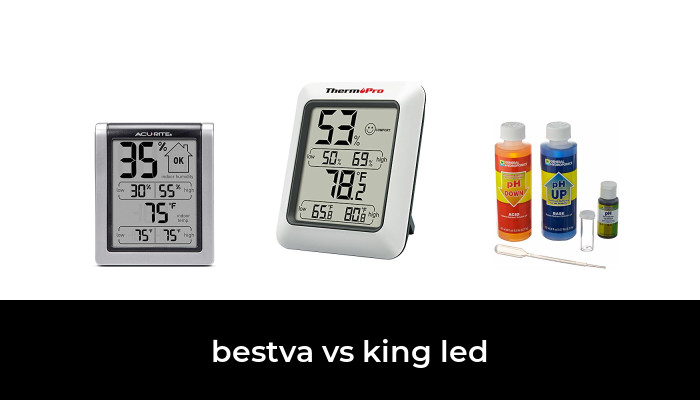
A useful hygrometer for an egg incubator needs more than a clear display. Its humidity reading must be dependable at incubation temperature, its sensor must fit in the right location, and you must be able to check it without repeatedly opening the incubator. A remote-probe monitor is convenient for a simple setup; a Bluetooth logger can help reveal changes between checks.
The two options below serve those different needs. Their features are documented by the manufacturers and product listings. We have not measured their accuracy or hatch performance, and neither is a guarantee of a successful hatch.
Quick choice
- For a display outside the incubator: Incubator Warehouse IncuTherm Plus 1109, with a wired remote sensor.
- For a history of temperature and humidity: Govee H5074, a compact Bluetooth monitor used as a supplementary check within its operating limits.
- For automatic humidity adjustment: use a controller or pump system approved for your incubator. The monitors below do not add water or operate the incubator’s heater.
Two monitoring options
IncuTherm Plus 1109: a dedicated incubator monitor with a remote probe

Incubator Warehouse IncuTherm Plus 1109 Thermometer Hygrometer, Wired Remote Probe, One Monitor
As an Amazon Associate we earn from qualifying purchases.
The IncuTherm Plus combines temperature and humidity on an external display. Its 24-inch sensor cord is designed to work with vent openings on Little Giant and Hova-Bator incubators. A minimum/maximum memory helps identify excursions between observations, and the display supports Fahrenheit and Celsius.
Its main advantage is straightforward reading without an app or an open lid. Check the probe dimensions and cord route against your own incubator before buying. Keep the sensor near the eggs as directed, and do not pinch its cable or obstruct required ventilation.
Important distinction: the manufacturer’s stated ±1°F accuracy is a temperature specification. It does not establish humidity accuracy. The current product page does not clearly state an equivalent RH tolerance, so verify humidity performance against a suitable reference before relying on it.
Govee H5074: a compact Bluetooth monitor for trend checking

The H5074 records temperature and humidity for viewing in the Govee Home app. Its manufacturer manual lists ±0.3°C temperature accuracy and ±3% humidity accuracy, plus app calibration and data export. These are stated specifications, not measurements from our own testing.
This is a Bluetooth model, so an advertised open-air connection distance should not be read as dependable monitoring from anywhere away from home. Test the connection through the closed incubator before setting eggs. There is no display on the small sensor itself.
Use it as a supplementary monitor only when the incubator’s conditions are within the device’s limits. The manual lists an operating temperature range of −20°C to 60°C and humidity from 0% to 99%, but explicitly says not to immerse it. Those numbers do not make it a waterproof sensor. Keep it away from standing water, splashes, condensation and the turning mechanism.
Accuracy, resolution and calibration are different
A display that changes in small steps can still be wrong by several percentage points. Resolution describes the smallest displayed step; accuracy describes closeness to the actual humidity. A factory accuracy claim should also be read with any temperature or humidity conditions attached to it.
Brinsea’s guidance on humidity instruments cautions that inexpensive hygrometers can disagree substantially and recommends checking the stated accuracy. Comparing two unverified sensors can reveal a problem, but agreement between them does not prove either is correct.
Before a hatch, check the monitor using a reliable reference instrument or a humidity calibration standard and the sensor maker’s procedure. Allow enough time for readings to settle. Record the reference value, the displayed value and any correction applied. Do not adjust a sensor simply to make it agree with another unverified display.
Placement can explain conflicting readings
The Brinsea incubation handbook explains that still-air incubators have temperature differences at different heights. Because relative humidity depends on temperature, two sensors at different locations can reasonably disagree. Follow your incubator’s instructions for the measuring location rather than comparing one reading near the lid with another beside the water tray.
- Secure the sensor so turning eggs cannot strike it and newly hatched chicks cannot move it.
- Keep it clear of heaters, wet surfaces and direct splashes.
- Leave sensor openings exposed to the incubator air.
- Allow conditions to stabilize after opening the lid, adding water or moving a probe.
- Reset minimum/maximum memory at the start of the period you actually want to observe.
Choose a humidity plan for the eggs, not the display
Do not treat one internet humidity number as suitable for every species, incubator and stage. Follow the incubator maker’s instructions and a species-appropriate hatching guide. Brinsea’s humidity advice explains why tracking egg moisture loss can help assess whether the humidity plan is working. That is more informative than repeatedly chasing a single display reading.
Ventilation is also essential. Avoid closing required vents just to increase humidity. If readings remain unexpected after checking placement and the reference, review the water system, room conditions and incubator instructions before making further changes.
Common questions
Can I use a room hygrometer inside an incubator?
Only if its temperature and humidity limits, physical size and moisture exposure limits suit the incubator. Verify its reading first. A room comfort indicator is not a hatching recommendation.
Does a thermometer probe also measure humidity?
Not necessarily. Some combination displays measure temperature at a remote probe but humidity at the display body. Confirm exactly where each measurement is taken. A temperature-only probe outside the eggs’ air space will not provide the RH reading you need.
Will Bluetooth alerts protect the hatch while I am away?
Do not depend on them as the only safeguard. Check the connection requirements and test alerts in your setup. A logger, an alarm and an automatic controller have different roles; a monitor cannot correct a loss of heat or water by itself.
Image note: Editorial product-category illustration; compare the exact model and variant in each listing.