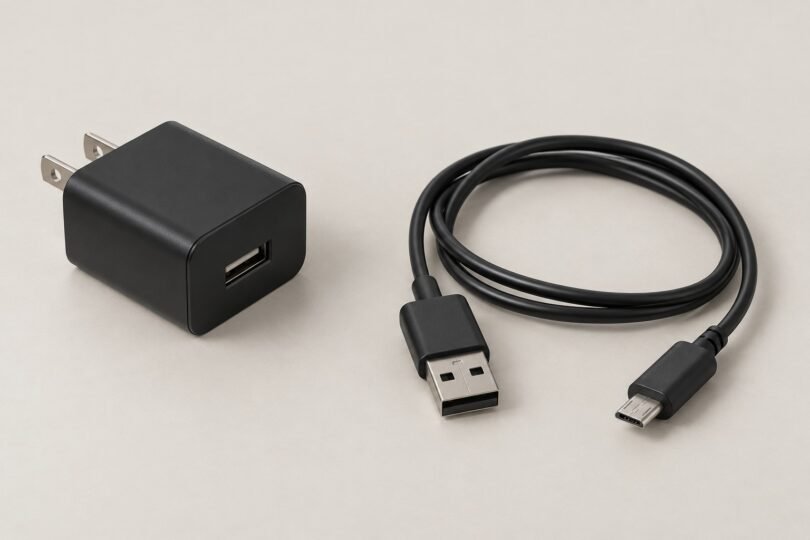

The JBL Flip 2 needs a micro-USB charging cable and a suitable 5-volt USB power supply. Start with those two specifications rather than a listing that groups every JBL speaker together. A cable alone cannot replace a missing wall adapter, and an adapter advertised for another Flip generation is not automatically the right purchase.
For most owners, the sensible choice is a clearly specified USB-A wall adapter plus a USB-A-to-micro-USB cable. If your existing adapter is undamaged and already meets the requirements below, replacing only a failed cable may be enough.
JBL Flip 2 charging specifications
- Speaker connector: micro-USB. Choose the ordinary small micro-USB connector, also called USB Micro-B, rather than USB-C, Mini-USB or a round DC plug.
- Power requirement: DC 5 V, 1 A, according to JBL’s Flip 2 specifications.
- Published charging time: approximately three hours using an adapter, as stated in the Flip 2 quick-start guide. This is a reference figure, not a promise for an aging battery or every replacement accessory.
JBL also identifies a micro-USB cable in its Flip 2 Black Edition specification sheet. The connector information belongs to the Flip 2; it should not be stretched into a claim that all Flip speakers use the same charging equipment.
What to buy for your situation
If only the cable is missing: a correctly specified micro-USB lead
The Amazon Basics option below is the black two-pack of 3-foot USB-A-to-micro-USB cables. Its exact listing identifies the connector type, length and quantity. It is a cable purchase, not a wall charger or a JBL-branded replacement kit.

Amazon Basics USB-A to Micro-USB Cable, Black, 3 Foot, 2-Pack
As an Amazon Associate we earn from qualifying purchases.
This is a practical format for a speaker that sits near an outlet. One lead can stay at the charging spot while the second is a spare. Measure your actual route first: a three-foot cable is inconvenient if it has to stretch behind a desk or around furniture. Leave slack at the speaker rather than suspending its weight from the connector.
Before checkout, confirm that the selected variant still says micro-USB, 3 foot and two-pack. Similar-looking listings can include USB-C cables, different lengths or different quantities. A product family’s review count does not establish which variant is in your basket.
If the wall adapter is missing: prioritize its output label
A straightforward example is the Belkin WCA002 USB-A wall charger. Belkin’s official specifications list one USB-A port and 5 V, 2.4 A output, with AC 100–240 V input. The manufacturer also describes it as an indoor-use charger and says it does not support USB Power Delivery fast charging.
That makes it a specification-based option to compare with the Flip 2’s requirements when paired with the correct cable. Regional plug styles and included cable bundles vary, so check the complete model suffix and contents before ordering. A bundle supplied with a Lightning cable would still need a separate micro-USB lead for this speaker.
If you already have both pieces: check before replacing either
Read the adapter’s output information in good light. Separate the AC input voltage, which describes the electricity supplied by the wall, from the low-voltage DC output delivered to the speaker. If the label is missing, illegible or inconsistent with the seller’s description, use a clearly specified alternative instead of guessing.
Inspect the cable jacket and both plugs while disconnected. A visibly split cable, bent connector or loose adapter housing is a reason to replace the affected accessory. Do not keep a damaged cable in service simply because charging occasionally resumes when it is moved.
Can a 2-amp or 2.4-amp USB adapter work?
A higher available current rating is different from a higher output voltage. JBL’s power-supply guidance says to use a supply whose amperage rating meets or exceeds the product specification. For the Flip 2, preserve the 5 V output requirement while choosing sufficient current capacity.
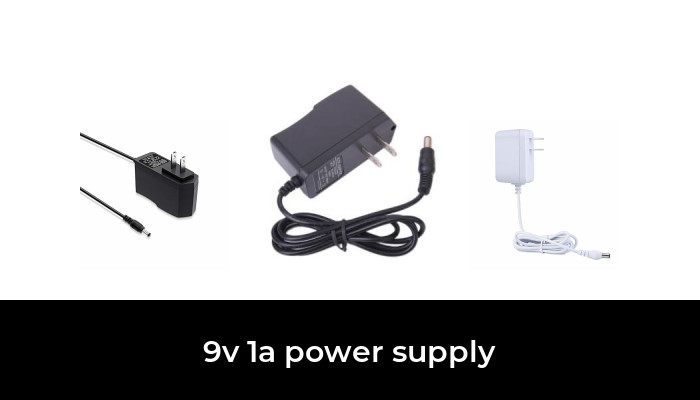
A properly designed 5 V USB supply rated for 2 A or 2.4 A is therefore a reasonable specification match. Its larger current capacity does not mean the speaker should receive a higher voltage. Do not choose a fixed 9 V or 12 V supply, a universal barrel-plug adapter or a voltage-trigger accessory for this job.
There is also no reason to pay extra for a promise of dramatically faster Flip 2 charging. The model-specific documents cited here do not establish USB-PD or Quick Charge support. A modern adapter’s headline wattage describes its capabilities, not a charging speed that this particular speaker has been shown to achieve.
Read the connector description carefully
USB names cause avoidable mistakes. USB-A describes the larger rectangular plug commonly used at the wall adapter. Micro-USB describes the smaller speaker-end connector. USB-C is a different connector; Mini-USB is different again. The wide, double-section USB 3.0 Micro-B plug used by some external drives is also not the ordinary micro-USB lead to buy here.
For a simple replacement, keep the connection path short: one appropriate adapter, one correctly specified cable and the speaker. Multiple conversion pieces make a purchase harder to verify and add joints that can come loose. Do not force a plug that does not fit naturally or assume the speaker needs an adapter just because a cable looks almost right.
Check that a protective case or the cable’s molded housing will not obstruct insertion. Cable thickness, braiding and gold-colored contacts do not by themselves prove a good fit or a longer service life. Clear connector specifications and a seller with usable support are more useful buying criteria.
When the Flip 2 still will not charge
Change one variable at a time. Try a known-good micro-USB cable, then a known-good suitable 5 V USB supply, then another working wall outlet. Keep track of which combination you tried so you do not repeatedly test the same questionable accessory.
JBL’s battery troubleshooting guidance identifies cable, supply, outlet, charging-port and battery problems as possible causes. Its general USB troubleshooting recommendation includes a supply rated for at least 2 A; that broad advice does not replace the Flip 2’s model-specific 5 V, 1 A published requirement.
If the connection is unstable, stop bending or holding the plug at an angle to make it work. If charging succeeds but playback ends unusually quickly, buying another charger may not solve the underlying problem. Contact JBL support with the model, symptoms and combinations already checked. JBL warns that its internal rechargeable batteries are not user-serviceable; opening the speaker is not a routine charger-replacement step.
Compare the whole replacement cost
When comparing offers, put a cable-only listing beside other cable-only listings, and compare adapter bundles by their actual contents. An inexpensive lead is not a better deal if you still need to buy the missing power supply. Likewise, a multipack is only useful if the cable length suits your setup. Keep the receipt and packaging until you have confirmed that the correct variant arrived and charging is stable.
A quick pre-purchase checklist
- Confirm that the speaker itself is a Flip 2, rather than relying on an old shopping receipt’s shorthand.
- Decide whether you need a cable, a wall adapter or both.
- Match the micro-USB speaker plug and the adapter’s USB port.
- Verify a suitable 5 V output with adequate current capacity.
- Check cable length, pack quantity, local wall-plug style and included accessories.
- Read the seller’s return terms before opening or discarding packaging.
The best JBL Flip 2 charger setup is a clearly specified, undamaged supply and correctly fitting cable. Solve the connector and power requirements first; treat fast-charging slogans and long lists of allegedly compatible speakers as secondary information that still needs checking.