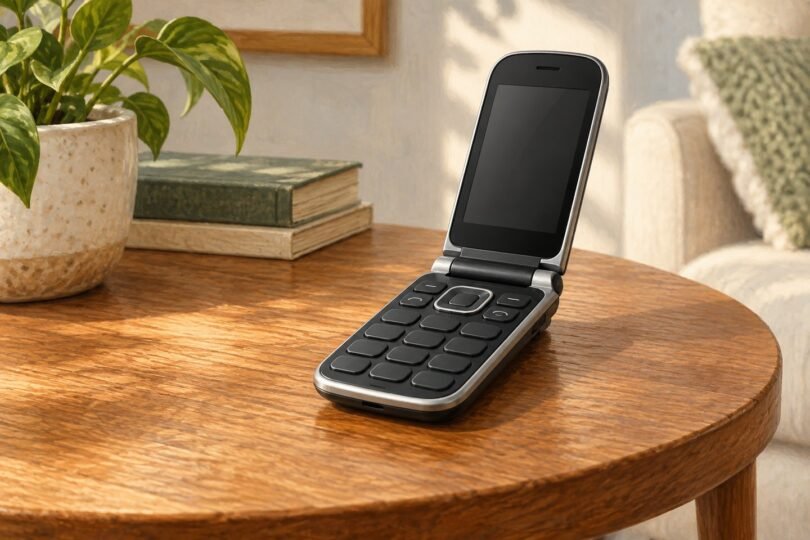

For an AT&T flip phone for seniors, start with the exact carrier version and the person’s daily tasks. The Sonim XP3plus 5G is a current carrier-sold option worth considering for durability. The Cingular Flex 2 is worth checking for familiar keypad use, while the unlocked Sunbeam F1 Horizon deserves a look when a charging dock and a deliberately limited feature set matter.
None is automatically the easiest phone for every older adult. Before paying, have the intended user open the phone, find a contact, answer a call, and connect the charger. Then confirm AT&T can activate that specific device on the intended account.
This is a source-based buying guide, reviewed against carrier and manufacturer documentation. We have not independently tested reception, hearing-aid performance, battery endurance, or ease of use.
AT&T compatibility comes before the feature list
An “unlocked” label means a phone is not restricted to its original carrier. It does not prove that AT&T supports its radio bands, software, voice calling, or activation. A 4G or LTE logo alone is insufficient, particularly for imports and marketplace listings with vague model descriptions.
Use AT&T’s supported-device PDF to compare exact model numbers. The version reviewed here is dated March 27, 2026. AT&T explicitly cautions that even a listed model is not a guarantee of an individual device’s capabilities or performance.
For calls, check AT&T-compatible voice service, commonly described as VoLTE or HD Voice, and confirm that the line and SIM are provisioned correctly. AT&T’s HD Voice guidance explains that service setup, compatible equipment, software, and the SIM all matter. Successful LTE data access is not a substitute for testing incoming and outgoing calls.
Three options to compare
| Phone | Why consider it | Main qualification |
|---|---|---|
| Sonim XP3plus 5G, AT&T version | Rugged design, physical keys, removable battery | Substantial weight; different product from the older XP3900 |
| AT&T Cingular Flex 2, U1030AA | Carrier-documented Large Text and Readout settings | Check current seller stock, condition, and exact model |
| Sunbeam F1 Horizon, chosen feature variant | Unlocked option with USB-C and included charging dock | Confirm activation; AT&T feature limitations apply |
Sonim XP3plus 5G for a sturdier phone
The AT&T XP3plus 5G product page lists a 2.95-inch main display and a 1.77-inch cover display. Its 8.64-ounce weight is an important trade-off: some users may appreciate a substantial grip, while others may find it tiring to hold during a long call.
Sonim’s specifications list a 3,000 mAh removable battery, USB-C, physical volume and emergency keys, and Real-Time Text support. The AT&T-specific datasheet documents IP68 and MIL-STD-810H ratings. Those ratings describe defined test conditions, not immunity to damage.
We would put it first on the shortlist for someone who needs a durable handset and is comfortable with its size. Test the hinge and key pressure in person if possible. Also ask how the emergency key is configured; a programmable button should never be assumed to provide an activated monitoring service.
Keep the names straight when shopping. The older XP3plus uses model XP3900 and is a 4G phone. Although XP3900 appears in AT&T’s device PDF, its former AT&T sales page says it is no longer available there. A renewed XP3900 listing is not the newer 5G model.
Cingular Flex 2 for familiar keypad tasks
AT&T identifies the Cingular Flex 2 as U1030AA. The carrier maintains instructions for calls, contacts, voicemail, display settings, and accessibility. Having clear instructions can help a family member explain the same steps later.
Two settings are worth trying before deciding: Large Text and Readout. AT&T documents both under Device and Accessibility in Settings. Their presence does not establish that every screen will be easy for a particular person to read or navigate.
Consider it when the goal is basic calling and texting with a keypad. Ask the seller to confirm U1030AA, whether the phone is new or refurbished, and whether it is AT&T-locked or independently unlocked. A similarly named Cingular model may have different controls and specifications.
We have not linked a marketplace purchase card for this model: the listing examined did not establish the U1030AA identifier and contained inconsistent specifications. A clear model match and a workable return policy matter more than an attractive generic listing.
Sunbeam F1 Horizon for an unlocked alternative
Sunbeam’s F1 Horizon specification sheet lists a 2.8-inch display, USB-C charging, a 1,750 mAh battery, and a 152-gram handset weight. The series has different feature variants, so choose by the functions the person wants to retain.
For example, the Horizon Bluebird includes a charging dock and offers messaging, a camera, navigation, and other selected tools. Sunbeam says its Waze app requires touchscreen use for a satisfactory experience, and some services require a subscription. Those details may change the appeal for someone who wants keypad-only operation.
The crucial limitation is in Sunbeam’s carrier compatibility chart. It describes the phones as unlocked and marks AT&T calling, SMS, and MMS as supported, but marks AT&T Wi-Fi calling, hotspot, and visual voicemail as unavailable. Do not buy specifically for those functions on AT&T.
AT&T’s list names “Sunbeam F1” broadly. Confirm the exact Horizon unit and IMEI with AT&T before ordering or activating. Manufacturer compatibility guidance is useful evidence, but it does not replace a carrier check for your particular device and plan.
Run a five-task usability check
- Calls: Make and receive an ordinary call in the rooms where the phone will be used. Listen to both the earpiece and speakerphone.
- Contacts: Find a familiar person, call them, and return to the home screen without help.
- Messages: Read a text and send a short reply. Confirm family picture and group messages work as expected.
- Charging: Connect the cable or place the phone in its dock. Check that charging feedback is visible and understandable.
- Alerts: Adjust ringtone and call volume, then check whether a missed-call indication is easy to notice.
If hearing aids are used, test the actual combination during the return period. A hearing-aid compatibility rating is useful documentation, but it does not guarantee comfort, clarity, or direct Bluetooth streaming with a particular hearing aid.
Activation and buying checklist
- Obtain the model number and IMEI for the actual handset, not a sample device.
- Check compatibility through AT&T’s bring-your-own-device process or with AT&T support.
- Confirm lock status, any prior account restrictions, and the intended prepaid or postpaid service.
- Ask about SIM activation, voice provisioning, software updates, and number transfer before retiring the old phone.
- Read the seller’s return window and any restocking charge. Keep packaging until normal calls, texts, and charging are verified.
Frequently asked questions
Will an old 3G flip phone still work on AT&T?
No. AT&T retired its 3G network in 2026. Its shutdown guidance explains why older handsets needed replacing. Avoid 3G-only products even when an old listing mentions AT&T.
Do I need 5G for ordinary phone calls?
No. A currently supported LTE handset with working AT&T voice service can handle calls. Confirm support for the exact model; “4G” alone is not sufficient evidence.
Is a flip phone always simpler than a smartphone?
No. Small screens, multi-press texting, and layered menus can be difficult. Compare the phone against what the person already knows rather than assuming fewer apps means easier use.
Which one should I choose?
Start with the AT&T Sonim XP3plus 5G for ruggedness, investigate the Cingular Flex 2 for familiar keypad operation, or compare Sunbeam Horizon variants for an unlocked dock-based setup. Choose only after the intended user can complete their essential tasks and AT&T confirms activation.
Image note: Original AI-generated editorial illustration; generic subjects shown, not branded product photography.