
The best call blocker for a landline depends on how the phone service reaches your home. Consider a CPR V100K if you want to keep your existing analog phone, an AT&T DL72219 if you also need a new cordless system, or Ooma Premier’s blocking tools if you already use Ooma home phone service.
A large blocklist is only one part of the decision. Caller ID support, the way legitimate callers get through, and the ability to reverse a mistaken block are more important than a promise to stop every nuisance call.
Research checked October 4, 2026. This guide compares official product documentation and FTC consumer advice. We have not tested these products, counted blocked calls or measured false positives. Features, service plans and compatibility can change.
First identify your home phone service
A traditional landline and an internet-based home phone can look identical at the handset. If the phone connects to a cable modem, router or VoIP adapter, ask the provider which service you have. The FTC’s call-blocking guide separates traditional landlines from VoIP and recommends checking your provider’s options.
A plug-in blocker needs a compatible analog telephone connection. An Ethernet desk phone, a business phone system and a mobile phone are different setups. Do not buy a box solely because the seller uses the word “landline.” Confirm the provider, gateway model, handset and country with the manufacturer.
Compare three practical options
| Option | Best fit | Main prerequisite | Cost or limitation to check |
|---|---|---|---|
| CPR V100K | Keeping an existing analog home phone | Compatible line and working Caller ID | Hardware purchase; provider may charge for Caller ID |
| AT&T DL72219 | Replacing an older cordless phone system | Compatible telephone service with Caller ID | New phone system; blocking settings need configuration |
| Ooma Premier call blocking | Existing Ooma home-phone users | Ooma service and the required paid plan | Ongoing subscription; not a universal add-on for other carriers |
1. CPR V100K: keep your existing phone
The CPR V100K is an inline call-blocking box with a prominent Block Now button. The current product description advertises 100,000 preloaded nuisance numbers and room for 10,000 manually added numbers. CPR says it requires no app or ongoing device subscription.
This is a reasonable starting point if the household likes its present phone and wants a physical control for unwanted callers. Confirm that all phones you expect it to protect are connected in the arrangement the manufacturer supports; a second phone elsewhere in the home should not be assumed covered.
Critical prerequisite: Caller ID must be active and working. CPR warns that without it, the blocker can block all calls. Ask your provider whether Caller ID is included, then test incoming calls after installation.
Tradeoff: number lists cannot guarantee that a new or disguised scam number will be caught. Broad private-number or area-code blocking can also exclude people you want to hear from. Learn how to remove an accidentally blocked number before using those settings.
2. AT&T DL72219: replace the cordless system
The DL72219 combines two cordless handsets, an answering system and Smart Call Blocker. Its specifications list a 1,000-entry name-and-number blocklist. The manufacturer explicitly requires a Caller ID subscription for Smart Call Blocker.
Choose this route when a phone replacement is useful anyway. Readability, button placement and the household’s comfort with the menus are worth trying in person. Buying a blocker that nobody knows how to configure or undo will create a different sort of phone problem.
Tradeoff: do not treat a product-page promise about robocalls as proof that every unwanted call disappears. Review the exact model’s setup instructions and call-handling choices. Its Bluetooth Connect to Cell feature is separate from the home-line blocking decision, so verify which protections apply to each kind of call.
3. Ooma Premier: use blocking within your existing service
If you already have Ooma, compare its account-level tools before adding another box. Ooma Premier includes customizable call blocking, personal blocklists and controls for suspected spam or anonymous callers. These enhanced features belong to a paid plan; do not assume they remain after a Premier trial ends.
Ooma’s anonymous-call controls can allow those calls, send them to voicemail or block them. Where available, voicemail gives an unexpected legitimate caller a route to leave a message instead of being rejected outright.
Tradeoff: this recommendation is for an Ooma setup. Switching telephone providers is a larger decision involving service costs, number transfer, emergency calling and outage behavior. It should not be undertaken simply to add a feature that your current provider may already offer.
Set blocking conservatively
- Protect important contacts: add trusted numbers to the appropriate allowed list when supported. Ask frequent callers which outgoing numbers they actually use.
- Expect unfamiliar legitimate numbers: an appointment reminder, delivery driver or service technician may not call from the number in your address book.
- Check automated messages: a challenge that asks callers to press a key can prevent some legitimate automated notifications from completing.
- Test the whole setup: use a trusted caller, check every handset, verify voicemail and confirm how to unblock a number. Review missed calls after changing settings.
- Include ongoing costs: check Caller ID charges, blocking-plan renewal terms and whether advertised features disappear after a trial.
Frequently asked questions
Can any blocker stop every scam call?
No. The FTC warns that Caller ID can be faked. A familiar-looking number or a call that passes a filter is not proof of identity. Independently contact an organization if a caller requests money or sensitive information.
Does the Do Not Call Registry replace a blocker?
No. The National Do Not Call Registry can reduce sales calls from companies that follow the rules, but scammers may ignore it.
What should I do when a scam robocall gets through?
Hang up. The FTC advises against pressing a number to get removed from a robocaller’s list. You can report unwanted calls at DoNotCall.gov and report scams or losses through ReportFraud.ftc.gov.
Bottom line: verify your line type and Caller ID first, then choose hardware, a replacement phone or your provider’s tools. Start with settings that preserve important calls and review the results.
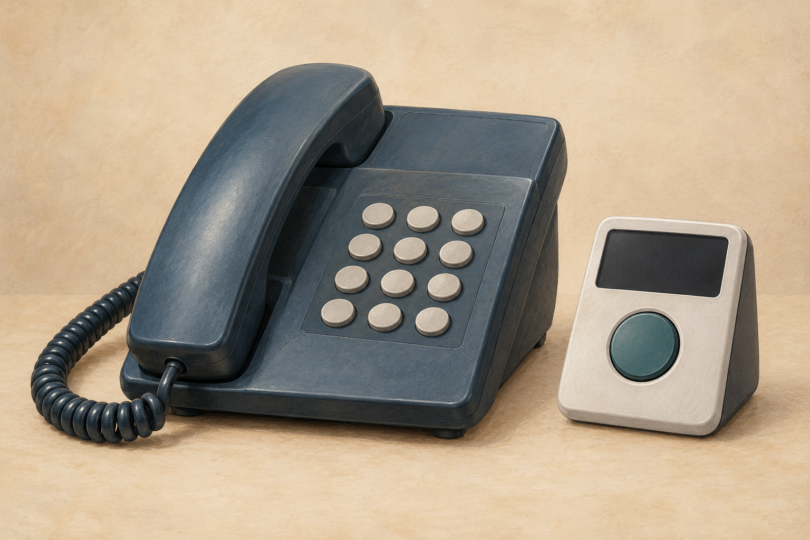
Image note: Conceptual illustration of a landline phone and call blocker; compatibility and blocking features vary by device and phone service.