
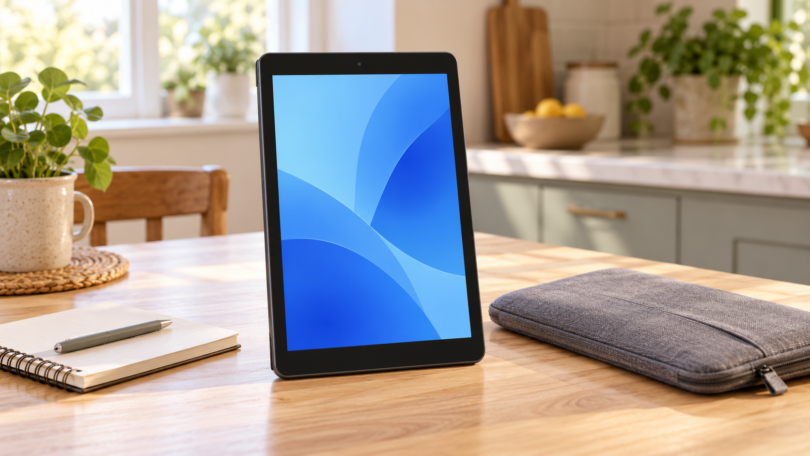

For a cheap tablet at Walmart, start with the 2026 onn 7-inch Core if your main priority is the lowest purchase price in this shortlist. Spend more on the onn 8.1-inch Core for a sharper compact screen and additional RAM, or choose the Lenovo Tab 10.1-inch for a larger display and 128GB of storage. The onn 8-inch Kids model adds a case and stylus for families.
Prices checked October 4, 2026: The four Walmart.com listings below displayed prices from $97 to $179 before tax. These are online listing observations, not checkout quotes or promises of local stock. Choose your ZIP code and exact color, then recheck the seller, condition, final price and fulfillment options.
Research and commerce disclosure: We compared Walmart listings and manufacturer documentation. We did not conduct hands-on battery, durability or gaming tests. MainStreetMobile may earn a commission from qualifying purchases through affiliate links. The buying links below lead to the Walmart products discussed.
Cheap tablets at Walmart compared
| Exact listing | Listed online price | Screen / storage | Best reason to choose it | Key trade-off |
|---|---|---|---|---|
| onn 7-inch Core, 2026, Pink | $97 | 7-inch / 64GB | Lowest cost here | 1024 × 600 resolution |
| onn 8.1-inch Core, 2026, Mocha | $138 | 8.1-inch / 64GB | Compact size with 6GB RAM | Same storage capacity as the cheaper Core |
| onn 8-inch Kids, 2026, Blue | $118 | 8-inch / 64GB | Included bumper case and stylus | 4GB RAM; parental setup still needed |
| Lenovo Tab ZAEH0148US, Luna Grey | $179 | 10.1-inch / 128GB | Larger screen and more internal storage | 4GB RAM; 60Hz display |
Prices are in US dollars and were checked on October 4, 2026. A different color or marketplace offer can have a different price. New, open-box and restored listings should be compared separately.
1. onn 7-inch Core: a simple tablet under $100
The Pink 2026 Core listing specifies Android 16, 4GB RAM, a 2.0GHz octa-core processor and 64GB storage with memory-card expansion. Its small screen and $97 observed price make it the first option here for occasional browsing, simple apps or a second household device.
The compromise is the screen: 1024 × 600 leaves less detail for small print, documents and photos than the higher-resolution choices below. If you plan to read dense PDFs every day, spending more for a larger, sharper display makes sense.
The listing includes a USB charging cable, but its box contents do not list a wall adapter. Check what charger you already own before comparing the full purchase cost. Treat its advertised battery life as a manufacturer claim; we have not verified it.
2. onn 8.1-inch Core: the more capable compact choice
The Mocha 2026 8.1-inch Core was listed at $138. Walmart specifies a 1000 × 1524 IPS display, 6GB RAM, 64GB storage and a 2.4GHz octa-core processor. It runs Android 16.
Compared with the 7-inch model, the attraction is the combination of a larger, higher-resolution panel and extra physical memory. That is a more useful upgrade for reading, browsing and switching between a few apps than choosing only by storage or a processor’s clock speed. This is our compact pick when the additional $41 fits the budget.
Main limitation: You still get 64GB of internal storage. Downloaded media and larger applications can fill that relatively quickly. The screen is also smaller than the Lenovo’s, so it is less appealing for shared viewing or a document displayed at full-page size.
3. onn 8-inch Kids: useful included accessories
The Blue 2026 Kids tablet was listed at $118 with Android 16, 64GB storage, 4GB RAM and a MediaTek G88 processor. Walmart lists a bumper case, stylus and cable in the package.
The bundle is worth comparing if you would otherwise buy a protective case immediately. It is $21 more than the 7-inch Core at the observed prices, so compare that difference with the cost of a suitable case rather than assuming the lowest tablet price gives the cheapest complete setup.
Main limitation: A case does not establish that the tablet is drop-proof, and a supplied stylus does not establish pressure-sensitive drawing support. A kids-branded tablet also needs an adult to configure accounts, apps and purchases. Google’s Family Link guidance explains app limits and content controls; review the settings before handing over the device.
4. Lenovo Tab 10.1-inch: larger-screen everyday use
The ZAEH0148US Walmart listing was $179 for the 128GB Luna Grey configuration. Lenovo’s official datasheet identifies the Helio G85 processor, 4GB RAM, 1920 × 1200 display at 60Hz and dual Dolby Atmos speakers.
This is our larger-screen pick for recipes, web pages, video and ordinary household use. The increased internal storage is helpful if you keep apps and downloads on the device. It also gives you more display area than the compact onn models.
Main limitation: The 4GB RAM configuration remains modest, even though the screen and storage are larger. Lenovo’s datasheet says the tablet launched with Android 14 and expects Android 15 and 16 upgrades plus four years of security updates. That describes the product’s support plan; it does not mean four fresh years start on your purchase date.
How to avoid a disappointing cheap tablet
Check the seller, generation and condition
Search results can mix multiple model years and marketplace sellers. Keep the product name, storage capacity and year beside you while comparing. An open-box discount is worth considering only when the condition, included charger, return window and warranty are clear. A familiar brand name alone does not establish those details.
Separate RAM from storage
RAM helps the device keep applications active; storage holds apps and files. Our buying preference is at least 4GB of physical RAM for a new basic Android tablet. Where a listing advertises a combined figure such as physical RAM plus virtual expansion, find the actual physical-memory amount before comparing it with another model.
Choose the screen for your main task
A compact tablet is easier to pack, but small text and spreadsheets benefit from more space. For handwritten notes or drawing, verify active-pen compatibility and the exact pen required. For school, check the required applications and browser features before assuming an inexpensive Android tablet can replace a laptop.
Count the extras and test promptly
Add a case, any required charger, memory card, delivery charge and tax to the comparison. During the return window, try your essential apps, Wi-Fi, charging, sound and video calls. Keep the packaging until you decide to keep the device. Walmart’s marketplace return policy distinguishes seller offers and product categories, so use the specific order’s return terms rather than assuming every tablet has the same deadline.
Frequently asked questions
What is the cheapest tablet in this Walmart shortlist?
The 2026 onn 7-inch Core was $97 when checked. This is the lowest price among these four selected new-device listings, not a claim that no cheaper tablet exists anywhere on Walmart.com.
Is an onn tablet good enough for everyday use?
These configurations are candidates for basic browsing, reading and entertainment. Choose around the screen size and apps you need. We would not buy them on an unsupported promise of high-end gaming or laptop-level multitasking.
Does 64GB mean I can use all 64GB?
No. The operating system and preinstalled software use part of the advertised capacity. Check available internal storage after setup, especially if you want offline films or large games.
Should I buy the Kids version for a child?
Consider the included accessories and total cost. The important setup work remains choosing suitable apps, setting limits and configuring purchase approvals. Review trial subscriptions separately before entering payment details.
