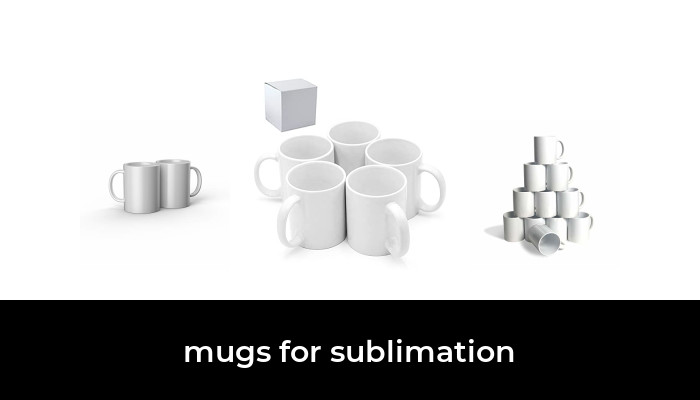

The best mugs for sublimation are the blanks that match your press, have a coating intended for dye sublimation, and come in a quantity you can actually use. A plain white coffee mug is not necessarily a sublimation blank. Its shape may fit a press while its surface still cannot accept the transfer correctly.
For a small gift project, Cricut’s 15 oz white ceramic two-pack is a straightforward starting point, especially with a Cricut Mug Press. For repeated production of classic 11 oz mugs, PYD Life’s white ceramic 36-pack offers a bulk format. This guide compares those two specific configurations using manufacturer information and verified product identities, rather than assigning unsupported print-quality scores.
Two mug blanks worth comparing
- Small projects and larger drinks: Cricut 2007823, 15 oz white ceramic blanks, two mugs with gift boxes.
- Repeated batches: PYD Life 11 oz white ceramic sublimation blanks, 36 mugs in bulk protective packaging.
Both options are blank handled ceramic mugs. Neither includes a printer, ink, transfer paper, or a mug press. Keeping those supplies separate makes the comparison more useful than mixing mug blanks with heat presses, ordinary insulated tumblers, and already-decorated drinkware.
1. Cricut 15 oz ceramic mug blanks: a manageable starter pack

Cricut 2007823 Ceramic Mug Blanks, 15 oz White, 2-Pack with Gift Boxes
As an Amazon Associate we earn from qualifying purchases.
Cricut’s item 2007823 contains two white 15 oz ceramic blanks and two ready-to-gift boxes. The smooth, straight-sided pressing surface is designed for Cricut Mug Press and Infusible Ink products. Cricut also explicitly identifies these mugs as sublimation-compatible on its official product page.
Why choose it: A two-pack keeps the initial commitment small. It suits a pair of personalized gifts, a sample design, or a project where a larger mug is wanted. The included boxes are helpful for presentation, and using Cricut’s own blanks removes one compatibility variable when you follow its Mug Press workflow.
Know the trade-off: Two mugs do not provide much room for mistakes if both are promised as finished gifts. Buy a spare or validate the design on a separate blank before committing to a deadline. Also, a presentation box should not automatically be treated as sufficient shipping protection; assess cushioning and the outer carton separately.
Care: Cricut describes the mugs as dishwasher- and microwave-safe when used as directed. Its dishwasher care instructions call for the top rack, avoiding heated-dry, sanitizing, and steam options, and avoiding abrasive cleaning materials. Include those limits with a finished gift instead of promising that every wash cycle is harmless.
2. PYD Life 11 oz ceramic mug blanks: a bulk-production option

This PYD Life configuration supplies 36 glossy white 11 oz ceramic mugs with a sublimation coating. The brand’s bulk mug product page describes protective tray packaging in groups of 12 inside one large carton. It does not promise an individual gift box for every mug.
Why choose it: A single consistent format is useful for repeated names, logos, event favors, and small-business orders. Once you have validated the blank with your equipment and design, a larger pack reduces the need to keep sourcing a different mug for each project. The 11 oz size also produces a smaller finished cup than the Cricut option above.
Know the trade-off: A large carton creates a bigger upfront commitment and takes storage space. Inspect the mugs before printing, and set aside enough blanks for setup checks and any rejects. Thirty-six purchased blanks should not be treated as a promise of 36 acceptable finished orders before you have checked the shipment and your process.
Compatibility caution: Verify the actual diameter, straight pressing area, and height against your press. Cricut says appropriately sized third-party sublimation mugs may work in its Mug Press, but it does not guarantee results with non-Cricut blanks. The Amazon listing identifies this exact option as white ceramic, 11 oz, 36 count; confirm that the selected size and pack remain the same before ordering.
What makes a mug suitable for sublimation?
A coating made for the process
Traditional dye sublimation needs a compatible receiving surface. For ceramic mugs, that normally means a polymer coating formulated for sublimation. Sawgrass explains that its sublimation system works with polyester and purpose-made poly-coated hard goods, including mugs, in its material overview.
Do not substitute an ordinary glazed mug simply because it is white, glossy, or marked microwave-safe. Likewise, a finished printed mug is not the same product as an undecorated blank. Look for explicit sublimation compatibility, the exact material and capacity, and usable application guidance from the supplier.
A shape your heat press can contact evenly
Capacity is not a fit measurement. Two 11 oz mugs can have different diameters or handle clearances. Measure the cylindrical area that will sit inside the heater, and compare it with the equipment’s supported size. A tapered wall, raised texture, or decorative ridge can interrupt contact where you want the image to transfer.
For non-Cricut blanks, Cricut’s published Mug Press requirements specify:
- A sublimation-compatible coating and a smooth, straight pressing area
- A capacity of 10–16 oz
- A diameter of 82–86 mm
- A maximum height of 120 mm
These are requirements for that particular press, not universal dimensions for all mug heaters. The mug must sit properly on the press’s base heater. Do not force an oversized mug into the clamp or leave it suspended above the base.
A printable area that suits the artwork
Measure the available design area before buying a pack for a large photograph or wraparound graphic. Account for the handle gap and any curve near the rim or base. Cricut’s Mug Press FAQ advises keeping designs at least half an inch from the handle and placing them only on the smooth exterior pressing surface. It does not support printing inside the mug, on the handle, or on the bottom.
A small centered logo is generally easier to position than a graphic that reaches every boundary. If you need a full wrap, use the template for the exact blank rather than scaling a template from a different capacity. PYD Life provides an official template library; still compare the template with the physical mug before printing a batch.
What else you need, and how to avoid wasting blanks
Choose the transfer workflow before ordering equipment. A printer-based workflow needs compatible sublimation ink and paper; an ordinary office print is not a substitute. An Infusible Ink workflow uses its matching transfer sheets or markers. Sawgrass’s paper guidance explains why paper and ink must suit the transfer process.
- Inspect first. Check the rim, handle, and printable surface for damage or visible defects. Photograph delivery damage and resolve it before decorating affected items.
- Start with one test mug. Use the blank, ink, paper, and press instructions together. There is no single time-and-temperature recipe that should be copied across every mug and machine.
- Prepare a clean surface. Remove lint and debris with the method recommended for the blank. Avoid handling the printing area after cleaning.
- Check orientation and fit. Mirror artwork as required by the workflow, especially lettering, and check the preview so that it is not accidentally mirrored twice.
- Secure the transfer. Keep it flat against the pressing surface and use heat-resistant tape as directed. Follow the correct protective-paper instructions for the specific ink or transfer sheet.
- Record the successful setup. Note the blank supplier and variant, transfer materials, press, settings, and result. Repeat that combination before changing one variable at a time.
Cricut’s printer-paper instructions cover mirroring, mug preparation, taping, and protective paper for its printer-based workflow. Treat them as workflow-specific guidance rather than transferring every step unchanged to unrelated materials.
Common problems to check before blaming the mug
- A faint shadow beside the design: Check whether the transfer shifted or contacted the surface again while hot. Secure positioning matters throughout the transfer.
- Small unwanted colored specks: Revisit cleaning and lint removal before changing the press settings.
- Fading at the edges: Check the printable area, handle clearance, paper contact, and the machine’s approved settings.
- Yellowing or over-processed areas: Do not automatically add more heat. Cricut’s temperature guidance identifies a cooler setting as a possible remedy for over-processing.
These are starting checks, not guaranteed diagnoses. Compare with the equipment maker’s troubleshooting guidance, and test a correction on one blank before repeating it across a carton.
Safety, care, and the real cost of a batch
Work in a well-ventilated area and protect the work surface. The mug and heating elements become very hot; let the finished mug cool safely before handling its body or packaging it. Cricut’s safety notice highlights ventilation because heating vapors can irritate sensitive individuals. Follow the blank and equipment instructions for heat-safe handling and cooling.
Keep care claims specific to the exact finished mug. A dishwasher-safe ceramic blank does not establish that every coating, decorative addition, or transfer process has the same durability. For third-party blanks, obtain the supplier’s current washing and microwave instructions and pass them to the recipient.
For repeat orders, compare the delivered cost of usable finished mugs. Include transfer materials, setup blanks, rejects, individual boxes, shipping protection, and your time. A large pack is useful only when you can use it consistently; a lower advertised unit cost can be outweighed by wasted blanks or extra packaging.
Which pack should you buy?
Start with the Cricut 15 oz two-pack for a small project or a larger gift mug. Choose the PYD Life 11 oz 36-pack after confirming that its size and coating work with your production setup. Whichever you choose, validate one complete transfer before printing the whole order.
Image note: Relevant existing category illustration retained.