
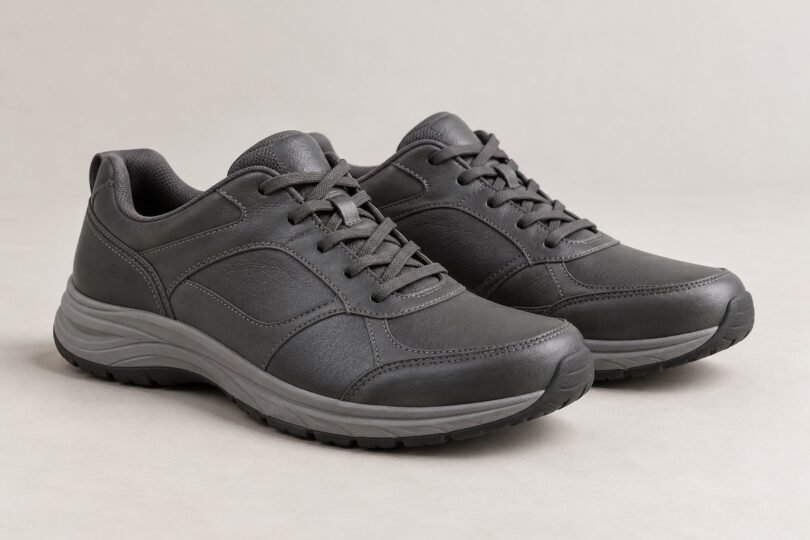

If you are replacing a pair of New Balance 928v2 walking shoes, start with the label inside your existing pair. The 928v2 and 928v3 are different versions, and a listing for another New Balance walking shoe is not an exact replacement. Match the generation, men’s or women’s sizing, width and closure before comparing prices.
New Balance’s U.S. website has separate men’s 928v3 and women’s 928v3 product pages. Those are useful starting points if you are open to trying a newer version. We could not verify a current, exact-size 928v2 offer suitable for a purchase recommendation, so this guide focuses on identifying the shoe and choosing a replacement carefully.
How to identify the New Balance 928v2
Photograph the entire label under the tongue of each shoe and the box label if you still have it. According to New Balance’s model-number explanation, the full style number is found beneath the tongue; MW denotes men’s walking shoes and WW denotes women’s walking shoes. The version is a separate part of the identity, while letters after the model number can indicate color.
Copy the full code rather than searching only for “928.” A retailer’s heading may use a shortened name, while the selected variation or photograph shows another version. Ask for a clear photograph of the actual pair’s tongue label when the listing is ambiguous. A stock image of a black or white walking shoe does not establish which generation you will receive.
- Generation: Require explicit confirmation of 928v2 if that is the shoe you want. “928,” “928 series” and “928v3” do not confirm a v2.
- Sizing system: Record whether the number is a U.S. men’s, U.S. women’s, UK or EU size.
- Width: Record the letter code as well as any description such as wide or extra wide.
- Closure and color: Match laces or straps and the exact style code. Similar-looking versions need separate checks.
- Condition and quantity: Confirm that the offer is for one complete matching pair, and whether it is new, a return or used.
928v2 vs. 928v3: what can you compare?
The shared 928 name is a reason to consider the 928v3, but it does not establish identical fit or construction. Do not transfer material, weight, footbed or fit statements from a v3 product page to a v2 listing. Likewise, a review discussing a different version or a different width may not answer your question about the pair you are considering.
For the black lace-up men’s 928v3, style MW928BK3, New Balance lists a leather upper, rubber outsole, removable PU foam footbed, ABZORB midsole cushioning and a ROLLBAR stability system. The black lace-up women’s 928v3, style WW928BK3, lists those features too. These are manufacturer specifications for those v3 styles, not evidence about a 928v2 or a promise that either shoe will suit your feet.
If you liked your old v2, write down what mattered: toe space, heel hold, room above the foot, the closure or how the shoe worked with the insert you used. Compare those points while trying on a replacement. There is no verified universal rule here to go up or down half a size when moving from v2 to v3.
Men’s and women’s widths are labeled differently
A word such as “wide” is incomplete without the sizing category. The width labels shown on the official 928v3 pages are:
| Width description | Men’s 928v3 | Women’s 928v3 |
|---|---|---|
| Narrow | B | 2A |
| Standard | D | B |
| Wide | 2E | D |
| Extra wide | 4E | 2E |
| Extra extra wide | 6E | 4E |
This describes the displayed v3 options; it is not a historical 928v2 availability chart or confirmation that every size, width and color combination is in stock. Use New Balance’s size and width guide to compare measurements, then check the exact product selector. A men’s size number and a women’s size number are not interchangeable, and matching a width letter alone does not guarantee the same fit.
Before buying old stock or a used 928v2
Request photos of both shoes, both labels, the outsole tread, the heel lining and the area where the upper meets the sole. Look for mismatched sizes, uneven wear, visible separation or damage. Photos can reveal reasons to reject an offer, but they cannot prove the shoe’s remaining service life.
Check the seller’s return policy for the exact item before ordering. Final-sale stock is a poor fit gamble if you have never worn that precise version and width. “New in box” describes the seller’s stated condition; it does not tell you how or for how long the shoes were stored.
When the shoes arrive, compare both labels with your order before wearing them outside. Try both shoes indoors with your usual walking socks and the inserts you intend to use, while following the return conditions. Check toe room, heel movement and pressure across the forefoot and instep. If the fit is wrong, use the return window rather than assuming extended wear will fix it.
Which purchase route makes sense?
- You need the exact 928v2: Buy only after the actual pair’s version, size, width and condition are confirmed. If the seller cannot verify them, keep looking.
- You are open to a newer shoe: Compare the clearly labeled men’s or women’s 928v3 at New Balance or a retailer that allows a suitable fit check.
- You are uncertain about the old shoe’s label or fit: Bring the existing pair to a shoe-fitting appointment instead of guessing from an abbreviated online title.
Common questions
Is a 928v3 listing the same as a 928v2 listing?
No. They identify different versions. Treat a v3 as a replacement candidate to try, not an exact v2 purchase.
Does the same size guarantee the same fit?
No. Keep the sizing system and width code consistent as a starting point, then evaluate the particular pair. A change in version or closure still needs a fit check.
Can I use the 928v3 specifications to check a v2 seller’s claims?
Only to spot that the seller may be describing a different shoe. Confirm v2 specifications against documentation for the actual v2 style; do not use a newer generation’s feature list as a substitute.


