
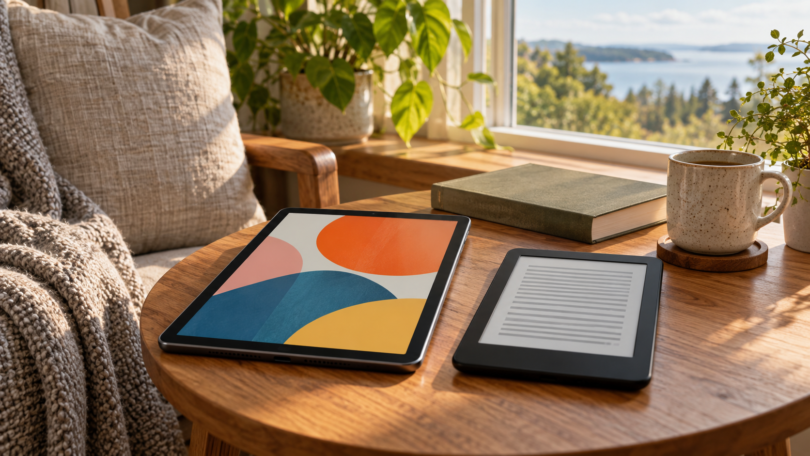

The best tablet for ebooks depends on where your books come from and what else you want to read. The iPad mini is a compact color tablet for several reading apps and illustrated books. The Fire HD 8 is a simpler fit for Kindle books and Amazon’s app ecosystem. For mostly novels, the Kobo Clara BW offers a different experience: a dedicated monochrome E Ink reader.
That distinction matters. The iPad and Fire have backlit color LCD screens and can run compatible apps. The Kobo is built around reading, with a front-lit E Ink screen and its own ebook software. It is not a general-purpose Android tablet. Choose the book ecosystem first, then the screen.
Three useful choices for different kinds of reading
| Device and selected configuration | Display | Best fit | Important limitation |
|---|---|---|---|
| Apple iPad mini (A17 Pro), 128 GB, Wi-Fi, Space Gray | 8.3-inch color LCD, 2266 × 1488 | Several reading apps, illustrated ebooks and PDFs | More capability than a novels-only reader needs; accessories cost extra |
| Amazon Fire HD 8, 2024 release, 64 GB / 4 GB RAM, Black, lockscreen ads | 8-inch color LCD, 1280 × 800 | Kindle books and Libby on a small color tablet | Amazon Appstore ecosystem; Google Play is not supported |
| Kobo Clara BW, 16 GB, Black, Wi-Fi | 6-inch monochrome E Ink Carta 1300, 300 ppi | Novels, compatible EPUB files and participating-library loans | No color; limited room for full-page PDFs and comics |
1. Apple iPad mini (A17 Pro): for reading across apps

Apple iPad mini (A17 Pro), 128 GB, Wi-Fi, Space Gray
As an Amazon Associate we earn from qualifying purchases.
Selected model: one iPad mini with the A17 Pro chip, 128 GB storage and Wi-Fi, in Space Gray. This selection does not include cellular connectivity, an Apple Pencil or an AppleCare+ bundle.
The mini’s 8.3-inch LCD has 2266 × 1488 resolution, an antireflective coating and a fully laminated design. At 293 g for the Wi-Fi version, it is a practical size for handheld reading. Its sharper panel makes it the more appealing color option here for small text and illustrated pages. Those are specification-based reasons to choose it, rather than a claim that every PDF will fit comfortably without zooming. Apple’s specifications detail the display and connectivity.
Apple Books provides adjustable reading appearance for supported books. It can also save and open PDFs from other apps, with markup tools for annotation. The Kindle app’s App Store listing confirms iPad support and currently requires iPadOS 17 or later. Libby also supports iOS devices. That gives you several documented routes to reading; it does not mean every ebook service or protected file works in every app.
Apple includes this model in its iPadOS 27 compatibility list. Keep its installed software and reading apps current. Apple does not publish RAM capacity on the linked specification page, so storage capacity should not be mistaken for memory.
Tradeoff: the compact screen is convenient for ebooks whose text can resize, but a full textbook page can still be small. If you mostly read fixed-layout academic PDFs, screen area may matter more than pocketability. Apple Pencil support can help with annotation, but the compatible pencil is sold separately.
2. Amazon Fire HD 8: for Kindle books on a color tablet

Selected model: the 2024 release of the 12th-generation Fire HD 8, with 64 GB storage, 4 GB RAM, Wi-Fi and a Black finish. The linked configuration has lockscreen advertisements. It is the standard tablet, not a Kids bundle or an ad-free version.
Its 8-inch 1280 × 800 IPS LCD displays color books and magazines. Amazon lists microSD expansion up to 1 TB, which is useful for compatible downloaded media, although it does not increase RAM. Amazon’s device specification table identifies Fire OS 8, based on Android 11, for this release. Fire OS is Amazon’s software platform; ordinary Android app availability should not be assumed.
The built-in Kindle reading experience is its clearest purpose. For personal documents, Amazon’s Send to Kindle documentation includes EPUB and PDF among supported input formats for Kindle applications, including Fire tablets. That is an import workflow, not a promise that an ebook with another store’s copy protection can be opened.
For library borrowing, Libby’s Fire-tablet instructions provide the Amazon Appstore route for Fire tablets from 2020 onward. Use Libby with a participating library card and its available collection. The Fire’s product listing explicitly says Google Play is not supported, so check any other essential reading app in Amazon’s Appstore before choosing this tablet.
Tradeoff: the lower-resolution panel is less attractive for very small text than the iPad mini’s screen. The chosen lockscreen-ad configuration also matters: compare the price of the exact version you want, and don’t assume a price shown for 32 GB or an ad-free variant applies to this 64 GB selection.
3. Kobo Clara BW: the dedicated E Ink alternative

Selected model: one Black Kobo Clara BW with 16 GB storage and Wi-Fi. This is the monochrome BW model, not Clara Colour. The observed Amazon offer uses a third-party seller, so review the current seller, condition and warranty terms; Kobo also sells the device directly.
The 6-inch Carta 1300 E Ink screen has 300 ppi resolution, and ComfortLight PRO adjusts both brightness and color temperature. At 174 g, it is the lightest choice here. Kobo lists IPX8 water protection under specified freshwater test conditions; that is not a guarantee against all liquid damage. These features make it a sensible choice for text-heavy books when you do not need a color display or general tablet apps.
File support is a strong reason to choose it. Kobo lists EPUB, EPUB3, PDF and CBZ/CBR among its formats. Its USB import instructions explain how to copy non-protected EPUB and PDF files from a computer. Adobe-protected books require the appropriate Adobe Digital Editions workflow. Files copied locally do not automatically synchronize to your other Kobo readers or apps.
The Clara BW also supports Kobo’s built-in OverDrive borrowing, including in the United States, with a participating library and valid card. Catalog availability and title matching matter: do not assume every library loan will appear on the reader. This is ebook borrowing through Kobo’s integration, not installation of the full Libby app.
Tradeoff: a small monochrome page is a poor fit for color illustrations and many full-page PDFs. Kobo audiobooks require Bluetooth headphones or a speaker; that does not establish support for every audiobook service. Clara BW runs Kobo’s dedicated reader software, and Kobo provides software-update instructions. It is not a route to installing Kindle or other tablet apps.
Match the device to your books
For a mixed collection, choose the app route first. An iPad mini gives you documented Apple Books, Kindle and Libby options. The Fire is attractive if Kindle and the supported Amazon Appstore apps cover your needs. Check the exact app, current operating-system requirement and account region rather than treating “Android” as a compatibility guarantee.
For novels, consider the Kobo. Its smaller, lighter design and high-resolution monochrome screen make sense when the text can resize. If your books are mainly purchased through Kindle, stay with a compatible Kindle device or app unless you have an authorized, compatible file that you can import. A file extension alone does not remove digital-rights restrictions.
For PDFs and comics, consider layout as well as format. Being able to open a file does not make an entire fixed page comfortable on a small screen. A color LCD is the practical choice here for illustrated material; the mini offers more pixels, while the Fire offers a simpler Kindle-focused option. Try a representative page at the intended screen size before committing to a compact reader.
Frequently asked questions
Is a tablet or an E Ink reader better for ebooks?
A color tablet is more flexible for reading apps, illustrated books and other media. A dedicated E Ink reader such as the Kobo Clara BW is a lighter, focused choice for mostly text. The right choice depends on your book source and whether you need color or general apps.
Can I borrow library ebooks on all three devices?
Yes, through supported services and participating libraries. Libby supports iOS and newer Fire tablets. Kobo Clara BW uses Kobo’s built-in OverDrive integration in supported countries, including the US. You need a valid library card, and available titles and compatibility vary by library.
Can the Kobo Clara BW read EPUB files copied from a computer?
Yes. Kobo documents USB copying of non-protected EPUB and PDF files. Adobe-protected files need the appropriate Adobe Digital Editions workflow. Locally copied files do not automatically synchronize to other Kobo readers or apps.
Does the Fire HD 8 support Google Play?
No. Amazon’s listing states that Google Play is not supported. The selected Fire HD 8 uses Fire OS 8 and Amazon’s Appstore. Verify each reading app there instead of assuming that any Android app will be available.
Which choice is best for color comics and PDFs?
The iPad mini is the strongest color option here because of its higher-resolution LCD and documented reading and PDF tools. The Fire HD 8 also displays color, while the Kobo Clara BW is monochrome. All three are compact, so full-page PDFs may still require zooming.
