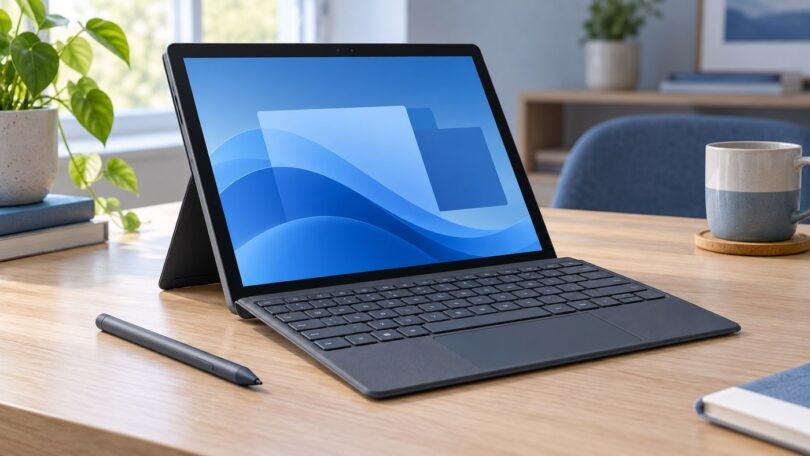

If you searched for a Windows 10 tablet under $200, check the operating system before buying. Standard Windows 10 support ended October 14, 2025. Microsoft’s current consumer Extended Security Updates program provides eligible, enrolled Windows 10 22H2 devices with limited security updates through October 12, 2027. For a new purchase, officially Windows 11-eligible hardware remains our preferred target.
A strict $200 budget usually means comparing used or refurbished hardware and making compromises. The models below are candidates to assess and older designs to avoid, not a promise that five suitable tablets are currently available below that price.
Windows tablets under $200: models to compare and avoid
| Model | Configuration to compare | Main caveat |
|---|---|---|
| Surface Go 3 | Prefer 8GB/128GB if a suitable offer fits the budget | No exact 8GB/128GB offer under $200 confirmed; keyboard often extra |
| Surface Pro 6 | Core i5-8250U, 8GB/128GB Renewed | Windows 10 listed; upgrade required; firmware servicing ended |
| Surface Go 2 | Core m3-8100Y, 8GB/128GB Renewed, Windows 11 Pro listed | Keyboard extra; firmware servicing ended |
| CHUWI Hi10 | Verify the full model and processor | No exact under-$200 Amazon offer confirmed here |
| Surface Pro 5 | Legacy hardware | Not officially Windows 11 eligible; skip for a new general-use purchase |
Pricing note: These are configurations to compare, not a guarantee that every current offer is under $200. Check the selected seller, condition, Windows edition, charger, keyboard costs, shipping and tax. A tablet listed below $200 can exceed the budget once those costs are included. The Amazon buttons link to specific product pages; offers can change.
1. Microsoft Surface Go 3: compare the exact configuration
The Surface Go 3 is officially compatible with Windows 11, and its driver and firmware servicing period runs through October 5, 2027. That makes it worth comparing with older refurbished Surface models.
We prefer 8GB RAM and 128GB SSD storage, but we have not confirmed a suitable exact listing with those specifications within $200. The cheaper 4GB/64GB version is restrictive for multitasking, and Microsoft identifies that 64GB drive as eMMC. Do not buy from a listing that leaves the configuration or storage unclear.
Check the selected seller’s Windows edition, battery condition, return policy and included charger. Budget separately for a Type Cover unless the exact package expressly includes it.
2. Microsoft Surface Pro 6: older hardware with more room for desktop work
If portability is slightly less important than speed, a refurbished Surface Pro 6 is worth comparing. The linked Renewed configuration has an Intel Core i5-8250U, 8GB RAM and a 128GB SSD, making it a more practical multitasking target than a 4GB tablet.
Support warning: Microsoft lists the Surface Pro 6 as Windows 11 eligible, but this Amazon listing specifies Windows 10 Home. Check upgrade readiness with PC Health Check and move to a supported Windows 11 release. Surface Pro 6 driver and firmware servicing ended June 30, 2023; Windows operating-system updates follow a separate lifecycle.
The catch is age. Refurbished units can have very different battery histories and cosmetic condition. Check the selected seller, return policy and charger, and do not assume a Type Cover is included.
- Linked configuration: Core i5-8250U, 8GB RAM, 128GB SSD, Platinum, Renewed.
- Best for: documents, web browsing and light desktop applications.
- Watch out for: a worn battery, an uncompleted Windows upgrade and accessory costs that exceed the budget.

Microsoft Surface Pro 6 — Core i5, 8GB/128GB, Platinum, Renewed
As an Amazon Associate we earn from qualifying purchases.
3. Microsoft Surface Go 2: compact value with a support caveat
The Surface Go 2 remains attractive when the price is low enough. It is compact and works well for reading, browsing, email, streaming and simple documents. The linked Renewed listing identifies the Core m3-8100Y version with 8GB RAM, a 128GB SSD and Windows 11 Pro.
Microsoft includes the Go 2 on its Windows 11 eligibility list. However, driver and firmware servicing ended December 30, 2024. That hardware-servicing limit is separate from Windows operating-system updates and should be weighed against the price.
The linked listing is a single Platinum Wi-Fi tablet and explicitly excludes the Type Cover. It lists an AC adapter, but confirm the selected offer’s accessories, battery condition and return terms. Do not pay a premium merely because a listing calls an older refurbished device the latest model.

4. CHUWI Hi10: check the exact model before comparing
“Hi10” is a family name, so it is not enough to identify a Windows tablet or a keyboard bundle. For example, CHUWI’s Hi10 X1 N150 specification lists Windows 11 Home, an Intel N150 processor, 8GB RAM and a 256GB SATA SSD. Those specifications should not be applied to every similarly named Hi10 listing.
We have not confirmed an exact US Amazon offer for that configuration within $200, so it is not a verified under-$200 recommendation here. Check the full model name, processor, Windows edition, keyboard inclusion, seller support and total cost before considering one.
5. Microsoft Surface Pro 5: a legacy warning, not a general-use pick
The Surface Pro (5th Gen, 2017) is not officially eligible for Windows 11. Microsoft explicitly includes it on the ineligible Surface list. A refurbished seller advertising Windows 11 does not change that hardware eligibility.
Its driver and firmware servicing ended January 15, 2024, and ordinary Windows 10 support ended October 14, 2025. Eligible, enrolled Windows 10 22H2 consumer devices can receive limited ESU security updates through October 12, 2027, under Microsoft’s current program. That is temporary protection for a legacy device, not a reason to recommend buying one for normal connected use.
We would skip the Pro 5 for a new everyday browsing, email or work purchase. Consider keeping an existing unit only for a specific legacy or offline task, with its software and security limitations understood.
Should you still buy a Windows 10 tablet in 2026?
For a new everyday device, we prefer a model officially eligible for Windows 11. Standard Windows 10 support ended October 14, 2025. The consumer ESU program currently runs through October 12, 2027 for eligible, enrolled Windows 10 22H2 devices. It provides critical and important security updates, not feature improvements or ordinary technical support; enrollment requirements can vary by region.
Before buying a refurbished tablet, check both Windows 11 eligibility and the manufacturer’s driver/firmware servicing period. They are separate. A seller-installed copy of Windows 11 is not proof that older hardware officially qualifies. Use Microsoft’s PC Health Check on eligible hardware to check requirements such as TPM and Secure Boot.
What specifications should you expect for under $200?
RAM: aim for 8GB
A 4GB Windows tablet can handle very basic tasks, but it becomes restrictive quickly when several browser tabs and applications are open. For a device you plan to keep, 8GB is the better target.
Storage: 128GB is the practical minimum
Windows, updates and applications consume a meaningful portion of a 64GB drive. We prefer 128GB or more. Expandable microSD storage is useful for photos and files, but it does not completely replace adequate internal storage.
Processor: prioritize usable performance over marketing
At this price, refurbished Intel Core i5 hardware can sometimes outperform brand-new entry-level tablets. That is one reason refurbished Surface devices feature prominently in this guide.
Keyboard: confirm whether it is included
Surface Type Covers and detachable keyboards are frequently pictured in listings but not always included. Read the package contents before comparing prices.
Battery condition matters on refurbished tablets
A cheap tablet is poor value if the battery has deteriorated badly. Favor reputable refurbishers, clear condition grading and a useful return window.
New vs. refurbished Windows tablets under $200
Buy new if you value a fresh battery, simpler warranty coverage and predictable condition. The trade-off is usually slower hardware at this price.
Buy refurbished if you want more processing power, a better display or higher-quality construction for the same budget. Microsoft Surface models are particularly attractive here, but condition can vary from seller to seller.
What we would avoid
- Windows 10-only tablets that cannot upgrade to a supported Windows release.
- 4GB/64GB configurations unless the price is exceptionally low and your needs are very basic.
- Unknown listings that make unrealistic performance claims.
- Refurbished devices with no clear condition grading or return policy.
- Listings where the keyboard shown in the photos is not actually included.
- Hard-coded “sale prices” in reviews. Amazon prices change too frequently for that to stay useful.
Frequently asked questions
Can you get a good Windows tablet for less than $200?
Yes, but refurbished models usually offer better hardware than new models at this price. The exact Surface Go 2 Core m3 and Surface Pro 6 configurations discussed here are candidates to compare only after checking their support limitations, condition and full cost.
Is 4GB of RAM enough for Windows 11?
It can run basic tasks, but we recommend 8GB for a better everyday experience, especially if you use multiple browser tabs, Microsoft 365 or several apps at once.
Is a refurbished Surface worth buying?
It can be. The key variables are battery condition, RAM, SSD capacity, cosmetic grade, seller reputation and return policy. Compare the exact listing rather than assuming all refurbished units are equivalent.
Should I buy a Windows 10 tablet because it is cheaper?
Only with caution. Windows 10 standard support has ended, so we prefer a Windows 11-capable device for normal connected use.
Our verdict
For a strict $200 budget, compare the exact Renewed Surface Go 2 Core m3/8GB/128GB and Surface Pro 6 Core i5/8GB/128GB listings first, while factoring in their ended firmware servicing and any Windows upgrade or accessory costs. A Surface Go 3 with 8GB/128GB is also worth comparing, but we have not confirmed a suitable offer under $200. We would not substitute its restrictive 4GB/64GB version without considering those limitations.
Do not treat a generic CHUWI Hi10 listing as a verified Windows configuration, and skip the Surface Pro 5 for a new everyday connected-use purchase. A supported Windows release, adequate memory and storage, clear condition and a useful return policy matter more than a long list of inexpensive models.
Image note: AI-generated editorial illustration of a generic tablet and keyboard; not a photograph of a specific model.