
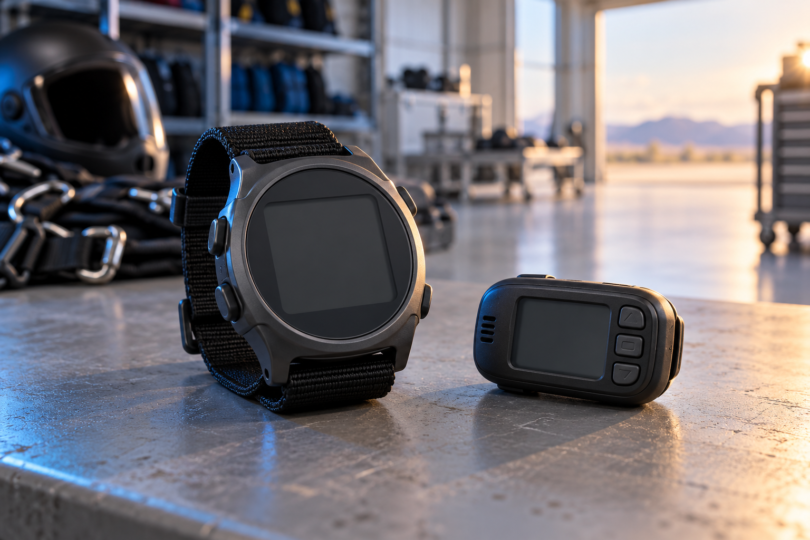

The best altimeter for skydiving starts with the kind of information you need to read: a dedicated visual instrument, or an audible supplement to your existing equipment. Our shortlist is the LB VISO II+ for a compact digital display, the LB ARES II for an aluminum-cased visual option, and the LB OPTIMA 3 for helmet-mounted audible alerts with phone access to jump records. These are purpose-built skydiving products; an outdoor watch with an altitude screen is not an interchangeable purchase.
Choose equipment with your skydiving instructor and follow the exact model’s current manual. The VISO II+ manual restricts use to people enrolled in or having completed an approved skydiving course. LB’s safety information also makes clear that instruments can malfunction and supplement visual altitude awareness. A buying guide cannot establish that a device or configuration is appropriate for your jump.
Skydiving altimeters at a glance
| Model | Type | Why compare it | Buying detail |
|---|---|---|---|
| LB VISO II+ | Visual digital | Compact 55 × 40 × 13 mm housing; 200-jump record | Hand mount included; elastic wrist mount sold separately |
| LB ARES II | Visual digital | Aluminum case, large LCD and hardened glass lens | Hand mount included; confirm your preferred wrist mount separately |
| LB OPTIMA 3 | Supplementary audible | Bluetooth connection to JumpTrack; 50-jump storage | Confirm helmet fit; jump records are accessed through the app |
These picks reflect documented features and distinct buying needs. They are not a ranking of measured reliability or in-air performance. Start with the visual equipment your instructor recommends; consider an audible only as part of an appropriate overall setup.
1. LB VISO II+: a compact digital visual option
The VISO II+ makes sense to compare when you want a relatively compact visual instrument with jump-history features. LB lists a 55 × 40 × 13 mm body, a high-contrast LCD, a backlight and selectable feet or meters. It records information for the last 200 jumps and can replay the altitude or speed profile of the latest jump, with up to 10 minutes of profile data.
Its appeal is the combination of a small housing and an on-device record. The supplied Velcro hand mount and separately sold elastic wrist mount are different purchasing choices. Before ordering, compare the actual display and mounting options with your instructor: compact dimensions do not establish that the screen will be the easiest one for you to read.
Be sure the listing says VISO II+, including the plus sign, and use its matching manual. LB describes case, lens and display-processing changes from the earlier VISO II. Those revisions are useful identity checks, but they do not prove that the newer model is unbreakable or immune to reading errors.
2. LB ARES II: an aluminum-cased visual alternative
The ARES II is the comparison to make if you prefer an aluminum housing and a large digital display. Its official specification lists an anodized aluminum case, a 2 mm hardened glass lens and an LCD with backlight. Like the VISO II+, it records the last 200 jumps and stores up to 10 minutes of profile data from the latest jump.
The reason to choose it over the VISO II+ is your preference for its physical design and controls, not extra logbook capacity. LB includes a Velcro hand mount and sells the elastic wrist mount separately. It specifies two Renata CR2325 batteries, so battery replacement and the manufacturer’s maintenance instructions belong in your ownership plan.
The ARES II manual documents its controls, display and care. Ask to see the instrument in the mount you intend to buy before deciding that its screen is a better fit. Case material and a larger-looking face are not comparative test results, and neither establishes more accurate altitude information in every situation.
3. LB OPTIMA 3: an audible supplement with app access
The OPTIMA 3 is for a different buying need: audible altitude alerts in a helmet. It connects by Bluetooth to LB’s JumpTrack app on Android or iOS, and stores the last 50 jumps for viewing through the app. Its documented functions include separate climb, high-speed and low-speed warning groups, plus adjustable sound volume and pitch.
Choose this model for the app connection and supplementary alerts only after confirming the role of an audible in your setup. The on-device LCD is used for settings; its presence does not make this a substitute for a suitable visual altimeter. The manufacturer says the recorded jump information is accessible through JumpTrack, which matters if you want to review records without a phone.
The OPTIMA 3 manual explicitly describes it as a complementary source of altitude awareness. It also warns that mounting affects whether alerts can be heard and that the sound output can damage hearing. Have your instructor check the intended helmet and mounting arrangement, and follow the manual’s sound and installation guidance. The device does not replace visual awareness, training or a visual instrument.
How to choose the right setup
Separate visual information from audible alerts
USPA describes wrist- or chest-worn digital and analog altimeters, along with audible units worn in or on a helmet. That distinction should come before a feature comparison. A digital visual display, an analog dial and a supplementary audible solve different presentation needs. Ask your instructor which combination fits your experience and equipment before paying for an app or extra alert functions.
Check readability and fit before extra features
Try the display and approved mount with the equipment you actually use. Consider whether you can read the screen, operate the controls appropriately and obtain the correct replacement mount. For an audible, compatibility requires checking the real helmet arrangement; a small housing alone does not establish fit or audibility. Treat an included hand mount and an optional wrist mount as separate line items when comparing quotes.
Leave room in the budget for ownership
Compare the exact instrument, mount, specified batteries and manufacturer support, rather than the instrument price alone. The links above lead to the manufacturers’ exact model pages so you can confirm the current version and supplied parts. Color options, shipping and regional prices can change; the page is not a promise of a particular U.S. delivered price or stock level.
Read limitations and current notices
USPA’s equipment guidance explains that altimeters can fail, lag or show erroneous readings in disturbed airflow, and calls for handling, storage and maintenance according to the manufacturer. FAI’s technical and safety information notices are another reference, but FAI says they are not exhaustive and advises checking the manufacturer for the current status of equipment mentioned. Review the current manual and notices with a qualified instructor; do not infer safety from a retail star rating.
Frequently asked questions
What is the best altimeter for a new skydiver?
Start with the instrument and training setup your instructor approves. VISO II+ and ARES II are dedicated digital visual models worth comparing for their housing, display and mount options. Neither is a universal beginner recommendation, and buying one does not replace an approved skydiving course.
Can I use an ordinary outdoor watch instead?
Do not treat a watch’s altitude feature as proof of suitability for skydiving. This shortlist is limited to models whose manufacturer documentation specifically covers skydiving use. Check the exact model and intended-use instructions with your instructor instead of assuming that a barometer or a ruggedness claim is enough.
Can an audible replace a visual altimeter?
The OPTIMA 3 is a supplementary audible, and its manual says it must not be the primary means of maintaining altitude awareness. Choose your visual equipment and training approach with your instructor; an alert is not a replacement for them.
Does an altimeter guarantee accurate readings?
No. USPA identifies possible failures, lag and airflow-related errors. Compare features for usability, but do not read our shortlist as a guarantee of accuracy, reliability or safety.
What should I check before buying a used unit?
Verify the exact model, matching manual, condition, maintenance history, mount and manufacturer support with a qualified instructor or suitable equipment specialist. A seller’s demonstration of a working screen does not establish the condition of the whole instrument. If its history or service status is unclear, resolve that uncertainty before purchasing.
Which one belongs on your shortlist?
Compare the VISO II+ for its compact visual format and the ARES II for its aluminum case and display design. Add the OPTIMA 3 to the discussion only when you are shopping for a supplementary audible with phone-based record access. The final choice should fit your instructor-approved equipment plan, the exact manufacturer instructions and the mount you will actually use.


