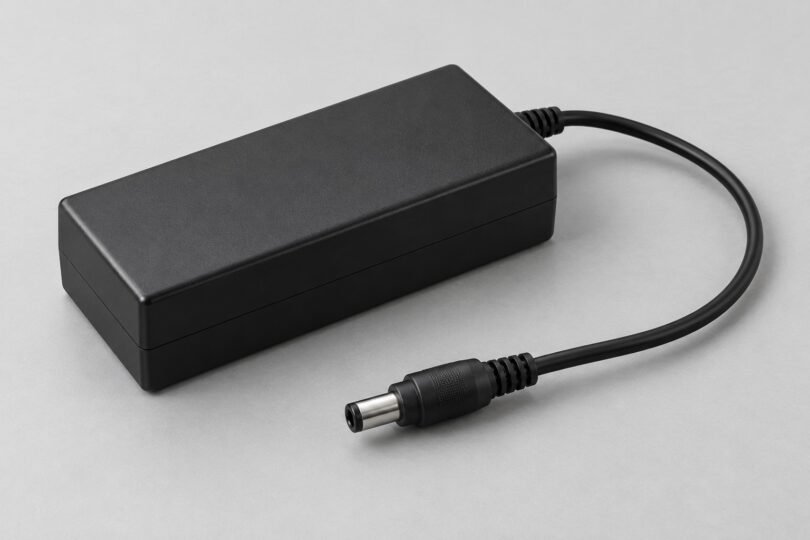

An ADP-65JH BB replacement should be chosen by the complete adapter label and the device manufacturer’s approved part information. The model name is associated with a Delta AC/DC adapter, but “65W laptop charger” alone is not enough to establish compatibility.
The reliable starting point is the original adapter’s output, connector details and OEM part number, checked against the exact laptop or other device model. This guide separates the specifications Delta publishes from details that still need confirmation before buying.
What Delta confirms about ADP-65JH BB
Delta’s ADP-65JH BB product page lists these specifications:
- Output power: 65 W
- Output: 19.0 V DC at 3.42 A
- Input operating range: 90–264 V AC
- Input frequency range: 47–63 Hz
- Maximum input current: 1.5 A at 100 V AC input
- Housing dimensions: 108.0 × 46.0 × 29.5 mm
The operating ranges on that product page should not be confused with the nominal mains ratings printed on a particular retail adapter. Check the actual unit’s label and the device instructions. The output figures multiply to approximately 65 W, but that calculation describes power, not which laptop the adapter fits.
Important gap: the Delta page does not establish the barrel plug’s outside diameter, inside diameter, insertion length, polarity, identification-pin arrangement, AC inlet type or an approved laptop list. Do not fill those gaps with dimensions from an ADP-65JH HB, DB or another similar-looking suffix.
The safest replacement route
Start with the laptop manufacturer’s support or parts service. Supply the complete device model and, where requested, its serial number or service tag through the manufacturer’s official channel. Ask for the current approved replacement adapter and matching regional AC cord. The replacement’s OEM part number may be more useful than the supplier’s ADP model printed on the old brick.
For ASUS devices, the official adapter guidance explains how to find power-supply information on the exact product’s Tech Specs page or in its manual. ASUS also warns that an apparently matching DC jack does not remove the need to match the electrical specification.
Six checks before ordering
1. Copy the whole identity
Record “ADP-65JH BB” exactly, including the final letters. Also record the laptop maker’s part number, output rating and any other adapter identifier. Keep clear photographs of the old label and connector for comparison. A marketplace title may combine many model names, so it is not a substitute for a specific compatibility statement.
If the original adapter is missing or its label is unreadable, use the device’s official documentation. Do not reconstruct the required power supply from a generic brand name, screen size or a photo of a similar laptop.
2. Match output voltage and required capacity
The verified Delta specification is 19.0 V and 3.42 A. A product marked 19.5 V, 20 V or simply 65 W is not automatically an equivalent. The device’s approved specification must determine the voltage and required current or wattage capacity.
A larger wattage number does not cure the wrong voltage, connector or identification system. Consider a higher-capacity adapter only when the device manufacturer identifies it as compatible with the exact model. Equally, do not assume a lower-power adapter is acceptable because the laptop happens to turn on.
3. Confirm the complete barrel connector
Ask for outside diameter, inside diameter, insertion length and any pin details for the exact supplied unit. The barrel’s outside diameter alone is incomplete. Two plugs that look similar in a photograph can differ at the internal contact or at the depth needed to seat correctly.
Use the OEM’s connector specification as the deciding reference. Do not try adapters by pushing harder, bending a contact or holding a loose plug at an angle. Dell’s adapter-damage guidance warns that forcing an incorrect adapter or inserting it at an angle can damage the connector or center pin.
4. Verify polarity and identification requirements
Compare the output-polarity symbol with the device’s specified requirement. If either is missing or unclear, ask the OEM to confirm it before connecting anything. This guide does not assign a universal center-positive or center-negative configuration to every item sold under the ADP-65JH BB name.
Also check whether the device requires an identification pin or another recognition mechanism. Dell documents adapter identification and notes that an unrecognized supply can produce charging or performance problems. This demonstrates why matching nominal power alone is insufficient; it does not mean this Delta adapter has Dell’s identification system.
5. Check the AC cord separately
A replacement listing may include the adapter only, or a cord intended for a different region. Confirm the adapter’s AC inlet, the matching cord connector, the wall-plug type and the cord ratings required for your location. Do not infer the inlet shape from the dimensions of the brick.
Request the OEM-specified cord and preserve any required protective-earth connection. A travel plug accessory does not fix an electrically incompatible supply. The fact that Delta publishes a broad AC input range also does not settle which cord is supplied in a particular package.
6. Verify the exact seller’s item
Before paying, look for readable label information, clear connector details, an identifiable seller and a return process suitable for a compatibility mistake. Ask whether the supplied item is the stated manufacturer model or a third-party replacement described as compatible with it.
Printed logos, certification marks and the word “genuine” in a listing do not let this guide authenticate an individual unit. We have not verified an exact Amazon adapter variant against all of the required details, so no marketplace product is presented here as a confirmed replacement.
What to do when the adapter arrives
Compare the delivered label, connector and included cord with the information you confirmed before purchase. If the model, output, polarity or connector differs, stop and resolve the discrepancy with the seller or OEM. Do not energize an uncertain combination to see whether it works.
Inspect the housing, cable insulation, strain reliefs and plugs. A cracked case, exposed conductor or bent contact calls for replacement or professional assessment. Dell warns that damaged or exposed adapter cables can cause electric shock. Avoid touching damaged sections, and isolate power safely.
Once compatibility is established, follow the device manual’s connection sequence and operating instructions. Keep the adapter ventilated and the cable free from sharp bends or tension. Do not open a sealed power brick, splice on a different tip or bypass an identification contact to make a mismatched unit work.
Common replacement questions
Will any 19 V, 65 W adapter work?
No. Voltage and capacity are only part of the match. Polarity, connector dimensions, identification requirements and the device manufacturer’s approval still matter. A plug fitting into the socket is not a complete compatibility check.
Can an HB or DB suffix replace BB?
Only with explicit confirmation for the exact device and replacement part. Similar model names or similar output ratings do not establish identical connectors or OEM approval. Do not transfer missing BB specifications from another suffix.
Can I switch to USB-C instead?
Check the device manual first. A USB-C port does not by itself establish charging support or the required Power Delivery capability. Use the OEM’s approved charging option rather than treating a passive plug adapter as a universal conversion.
Bottom line
Use Delta’s published 19.0 V, 3.42 A and 65 W figures to identify the ADP-65JH BB, then finish the compatibility check through the device manufacturer. If connector, polarity, cord or approved-part information remains uncertain, pause the purchase. A complete documented match is more useful than a long list of loosely related chargers.