
For a Motorola APX 6000, start with a radio-approved wireless audio system and its exact part numbers. The Motorola NTN2570 earpiece-and-pod kit is a useful starting point for an over-the-ear setup. If you prefer a conventional earbud, compare the NNTN8294 or NNTN8295 with the separately ordered NTN2571 Mission Critical Wireless push-to-talk pod.
The right purchase depends on your particular radio, its enabled features and your agency’s equipment policy. This guide explains the documented options and what to check before ordering. The recommendations are based on Motorola documentation, rather than hands-on testing or a ranking of unrelated phone headsets.
Check your APX 6000 before buying an earpiece
Motorola’s current APX 6000 Enhanced product page describes Mission Critical Wireless Bluetooth capability. That page should not be treated as proof that every older radio carrying the APX 6000 name has an identical hardware configuration or the same enabled functions.
Give your radio technician or authorized supplier the full radio model and the proposed accessory part numbers. Ask them to confirm that Bluetooth audio is supported and enabled on your unit, that the proposed pod is supported, and that the combination is permitted for your work. An agency-issued radio may have restrictions that a consumer product listing cannot address.
The APX 6000/6000Li Model 2 user guide assigns Bluetooth menu, tone and button programming to a qualified radio technician. If the expected controls are absent, refer the issue to that technician. Buying another earpiece or following an online programming shortcut is not an appropriate first fix.
Understand which part is actually wireless
With these pod-based systems, the Bluetooth link runs between the radio and the pod. A short cable connects the earpiece to the pod, which provides the push-to-talk control. An earbud sold for a wireless pod is therefore only one part of the system.
Motorola’s NTN2571 product description explains that the pod can serve as a standalone wireless PTT or power compatible wireless-system earbuds. Decide whether you need private listening, a microphone, remote PTT, or all three. A receive-only earpiece attached to a speaker microphone performs a different job from a complete earbud-and-microphone assembly.
APX 6000 earpiece options to compare
The Motorola Global APX Accessories Catalog lists the APX 6000 with the NTN2570 kit and NTN2571 pod. Its accessory tables distinguish complete systems from the audio components that attach to a pod.
| Option | What it provides | Check before ordering |
|---|---|---|
| NTN2570 | Over-the-ear earpiece, 12-inch cable and MCW PTT pod | Exact kit contents and suitability for your radio |
| NNTN8294 plus NTN2571 | Short-cable earbud with inline microphone and separate pod | Enough cable for the intended mounting position |
| NNTN8295 plus NTN2571 | Long-cable earbud with inline microphone and separate pod | Secure routing for the extra cable |
| PMLN7052 plus an approved MCW pod | Single-wire surveillance assembly with translucent tube and inline microphone | Matching pod, revision and complete package contents |
| NTN2572 | Replacement 12-inch earpiece assembly | Existing compatible pod; this is not a complete wireless kit |
NTN2570 for an over-the-ear setup
The NTN2570 combines an over-the-ear audio arrangement with a short connection to the PTT pod. Consider it when you want a defined earpiece-and-pod package instead of assembling an order from separate audio parts. The directional microphone sits near the ear, which makes fit and unobstructed placement important.
Try the arrangement with the glasses, headwear and outer clothing you actually use. Ask whether the earpiece remains stable while you turn your head and whether its cable reaches the intended pod position comfortably. A suitable fitting session is more useful than an unsupported claim that one shape is comfortable for everyone.
NNTN8294 or NNTN8295 for an earbud and inline microphone
Motorola’s NNTN8294 page specifies a short coiled cable, an inline microphone and three eartip sizes. It explicitly requires an appropriate PTT pod and identifies NTN2571 for the Mission Critical Wireless arrangement. This can suit a pod mounted relatively close to the ear, such as at the upper chest, subject to your approved wearing configuration.
The NNTN8295 offers a longer cable. Motorola’s APX Mission Critical Wireless brochure lists 11.5 inches for NNTN8294 and 45 inches for NNTN8295, and says NTN2571 must be ordered separately. Choose the length after deciding where the pod will sit. Extra cable can help reach a lower pocket, but it also needs careful routing so it does not pull on the ear or snag.
Neither earbud should be purchased on the assumption that it pairs directly with the radio. A listing showing only an earbud and cable may be entirely accurate while still leaving you without the pod needed to use it.
PMLN7052 for a translucent-tube arrangement
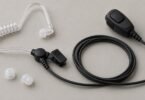
Motorola describes PMLN7052 as a single-wire surveillance kit for OCW/MCW pods, with a quick-disconnect translucent tube. This is worth discussing with your supplier if you prefer that style to a conventional earbud. Ask the supplier to confirm the specific MCW pod and radio combination in writing.
Check how easily you can replace the user-contact parts and follow the supplied cleaning instructions. Inspect the tube and connection points during your normal equipment checks. A spare tube is useful only when it is the correct replacement for the assembly you own.
Do not confuse similar Motorola part numbers
NTN2571 and NNTN8127 are different pods. Likewise, NTN2570 is a kit identifier while NTN2572 identifies a replacement earpiece. Treat every letter, digit and revision suffix as significant when requesting a quote. A seller’s phrase such as “for Motorola radios” is too broad to establish APX 6000 compatibility.
Ask for a written itemized package description covering the earpiece, microphone, pod, charger, cable, clip and eartips. If you already own part of the system, provide that part number rather than asking only for a “Bluetooth replacement.” Do not assume a MOTOTRBO, TALKABOUT or phone accessory is suitable because it shares the Motorola name.
Software, battery and range checks
Older used equipment deserves particular attention. Motorola’s NNTN8294/NNTN8295 leaflet specifies NTN2571 pod software R01.03.00 or later for those earbuds and flags older pods for updating before use. Have an authorized technician check the installed versions and current support requirements; the leaflet is not a reason to install an old updater yourself.
For a used pod, ask about battery condition and service options. The Mission Critical Wireless user manual states that its internal battery is not user-replaceable and warns against storage in excessive heat. A low purchase price may be poor value if the battery cannot support your working period.
Manufacturer range and runtime figures describe particular conditions. Motorola’s brochure gives a typical 10-hour battery figure for the NTN2571 with an earpiece on a 5/5/90 duty cycle, and distinguishes line-of-sight range from use around the body. Those figures do not guarantee performance through walls, inside a vehicle or for an entire busy shift. Plan charging and the approved fallback method before relying on the accessory.
Safety and an approved pre-use check
Radio compatibility does not establish hazardous-location approval. Motorola’s specific caution for NNTN8294 and NNTN8295 says these earbuds are not FM approved. Have the responsible equipment specialist check the exact radio, battery and accessory combination against the applicable approval documentation. Do not infer certification from the radio’s label, an IP rating or another accessory in the same family.
Before operational use, arrange a check under your organization’s procedure:
- Confirm received speech and transmitted microphone audio with an authorized counterpart.
- Check which PTT control is active and where audio is routed.
- Wear your normal clothing and verify that moving your head does not pull the cable or cover the microphone.
- Learn the low-battery and lost-connection indications and the approved fallback to the radio or another accessory.
- Keep listening volume at the lowest useful level and follow the supplied acoustic-safety guidance.
Use an approved test channel or procedure. Do not trigger live emergency functions as an informal accessory test. A successful pairing indication is only one part of checking that the complete setup is ready.
Can ordinary Bluetooth earbuds work?
Some APX configurations support standard Bluetooth headset pairing. The Model 2 guide discusses commercial off-the-shelf headsets, so it would be inaccurate to say every consumer headset is technically incapable of connecting. However, that does not verify a particular product’s PTT behavior, microphone operation, reconnection behavior or suitability for critical work. The same guide recommends Motorola MCW devices for mission-critical operations.
For an agency-approved purchase, narrow the decision to the complete system: NTN2570 for the over-the-ear kit, or an approved NTN2571 combination with the earbud or tube style that fits your wearing position. Confirm the exact radio and parts with your technician, then order through a supplier able to support that combination.
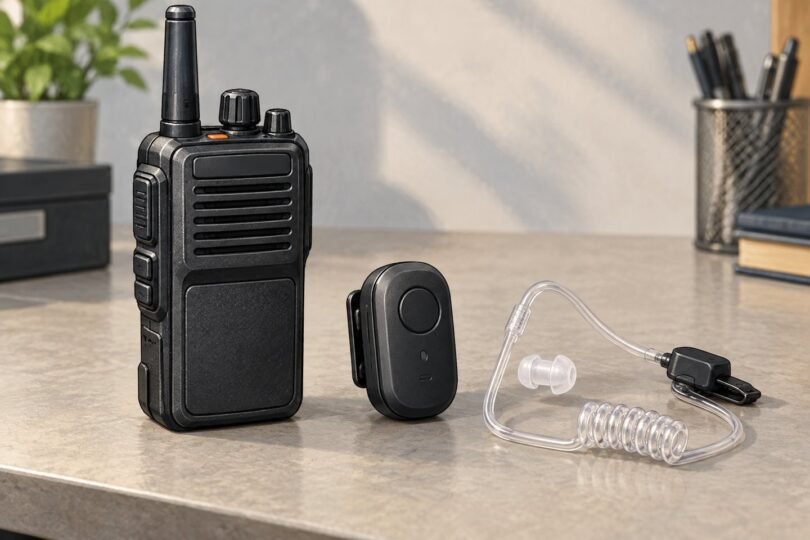
Image note: Original AI-generated editorial illustration; generic objects shown, not branded product photography.