
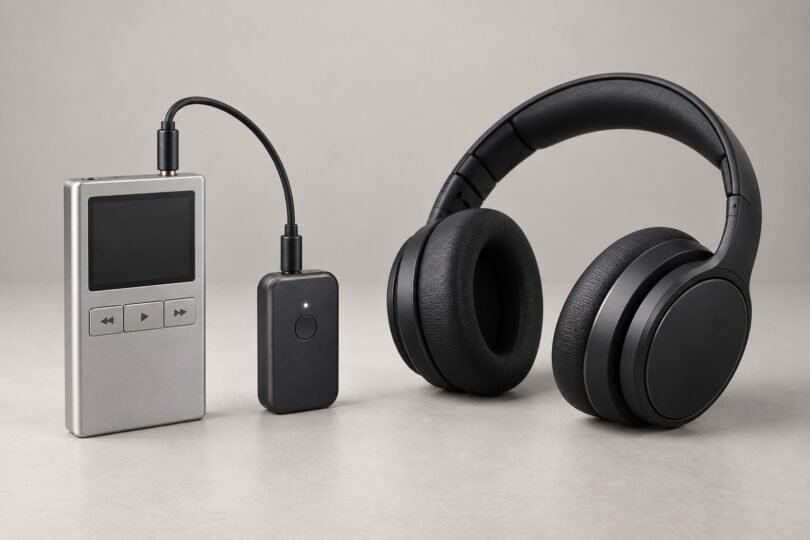

A Bluetooth transmitter for iPod Classic lets you keep your music library and use wireless headphones. An unmodified iPod classic has no built-in Bluetooth, so the simplest route is a rechargeable transmitter plugged into its 3.5 mm headphone jack. The transmitter pairs with your headphones; the iPod continues to play music normally.
For one listener, the Twelve South AirFly SE covers the essentials. Choose the AirFly Pro 2 if you want to connect two pairs of headphones or need its additional audio-codec options. Both leave the iPod’s dock connector available for charging.
Choose the connection before choosing the adapter
Apple’s iPod classic specifications identify a dock connector and a 3.5 mm stereo headphone jack. These support two different adapter approaches:
- 3.5 mm transmitter: takes the headphone output and sends it to Bluetooth headphones. A battery-powered model avoids dependence on dock-connector power or accessory protocols, but you must charge it separately.
- 30-pin transmitter: attaches directly to the dock connector. Check the manufacturer’s compatibility list for your exact iPod model, its power requirements and any firmware restrictions before buying.
Physical fit alone does not establish 30-pin compatibility. Be especially careful with adapters advertised for old speaker docks: many are Bluetooth receivers intended to put phone audio into a dock, rather than transmitters for an iPod.
A combination transmitter/receiver needs TX mode for this job. As Twelve South’s mode guide explains, RX mode receives wireless audio for a wired AUX input. A receiver-only car adapter will not turn the iPod into a Bluetooth source.
Two practical Bluetooth transmitters for iPod Classic
The links below identify the white versions of these models. Check the selected model and color on Amazon, because the same listing family also contains other AirFly versions.
Twelve South AirFly SE: straightforward listening for one person

- Connection: 3.5 mm headphone output.
- Listening: one pair of Bluetooth headphones.
- Power: USB-C charging; manufacturer-rated battery life around 20 hours.
The AirFly SE specifications make it a sensible starting point for music and podcasts. Its volume buttons are useful when your earbuds have limited physical controls. It is a transmit-only option, so there is no TX/RX setting to get wrong.
Trade-off: it cannot share audio with a second listener or receive phone audio for a car stereo. Choose it for a simple headphone connection rather than extra features.
Twelve South AirFly Pro 2: sharing and more codec choices

- Connection: 3.5 mm jack with selectable TX/RX modes.
- Listening: up to two pairs of Bluetooth headphones.
- Power: USB-C charging; manufacturer-rated 25-plus-hour battery life.
The AirFly Pro 2 adds separate pairing controls for two listeners, volume controls and a battery indicator. Its receiver mode also makes it reusable with an AUX-in stereo, although the iPod-to-headphone connection uses TX.
Trade-off: the additional codecs only help when your headphones support them. This is the standard Pro 2, not the original AirFly Pro or the Deluxe travel bundle.
How to pair the transmitter with your iPod
- Charge the transmitter and headphones. Check the iPod with wired headphones first so you know its headphone jack works.
- Plug the transmitter fully into the iPod’s headphone socket. Select TX on the Pro 2; the SE is already transmit-only.
- Put your headphones into their own pairing mode. Temporarily disconnect them from nearby phones or computers that might reconnect automatically.
- Put the transmitter into pairing mode and keep the devices close together. Follow the model’s indicators rather than looking for a Bluetooth menu on the iPod.
- Start music at a low volume, then raise it gradually using the iPod and transmitter controls.
For Pro 2, the manufacturer’s setup instructions specify holding PAIR 1 for four seconds if automatic pairing does not start. PAIR 2 handles a second set of headphones.
Sound, delay and controls: set realistic expectations
The Pro 2’s transmit codecs include aptX Adaptive, aptX Low Latency, aptX HD, aptX and SBC. A codec must be supported at both ends. AAC listed for its receive mode does not mean AAC transmission to headphones.
Bluetooth can introduce noticeable delay when watching video. Avantree’s compatibility guidance notes that AirPods do not support aptX Low Latency or aptX Adaptive. Do not buy a transmitter expecting its low-latency label to remove every headphone’s delay.
Use the Click Wheel for track selection and playback. A headphone’s play/pause button is not guaranteed to control the iPod through an analog transmitter. Twelve South also confirms that AirFly does not carry microphone audio back to the source.
If pairing succeeds but there is no sound, check TX mode, mute, both volume settings and whether the plug is fully seated. Recheck wired playback, then reset and re-pair using the transmitter’s manual. For everyday music, prioritize a working headphone jack, convenient charging and dependable pairing over a long list of Bluetooth specifications.


