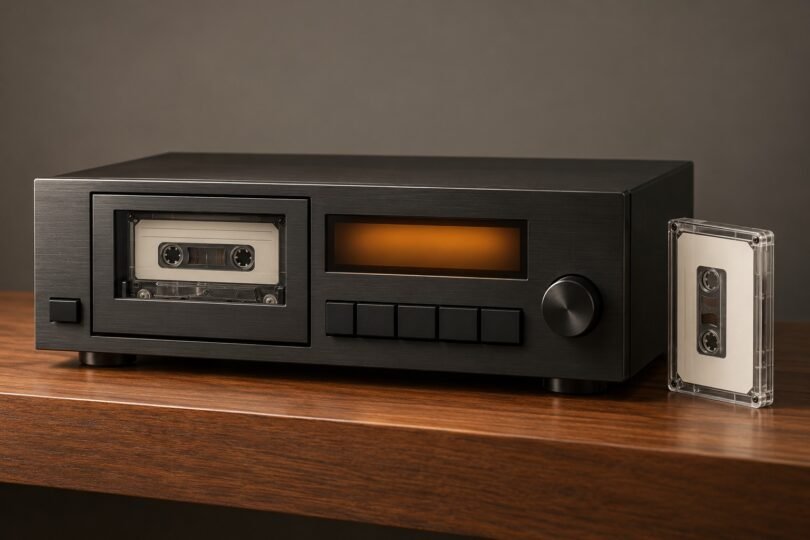

The best cassette deck for you depends on what you want to do with your tapes. For a home stereo, start with the TEAC W-1200. For a rack installation or headphone cueing while another tape plays, look at the TASCAM 202MKVII. If you want to copy cassettes straight to a USB flash drive without a computer, the TASCAM CD-A580 v2 takes a different approach.
Before choosing, check three things: whether you need playback or recording, which tape types you own, and where the sound will go. A deck with RCA outputs needs a suitable audio system; a USB connection does not automatically mean it records onto a USB stick.
Cassette decks at a glance
| Model | Best fit | Recording arrangement | Digital transfer | Main buying check |
|---|---|---|---|---|
| TEAC W-1200 | Home stereo playback, mixtapes and two-copy recording | Both wells record and play | USB Type-B audio output to a computer | Playback-only noise reduction; regional mains voltage |
| TASCAM 202MKVII | Rack use and cueing the next tape through headphones | Both wells record and play | USB Type-B audio output to a computer | Rack space, regional version and included accessories |
| TASCAM CD-A580 v2 | CD and cassette playback with computer-free transfers | One recording/playback cassette well plus a CD player | MP3 recording onto USB flash media | Confirm the v2 model and MP3 recording format |
| Marantz Professional PMD-300CP | Comparing an existing, used or dealer-listed dual deck | Deck A plays; deck B records and plays | USB audio output to a computer | Actual condition, availability and package contents |
TEAC W-1200: a practical starting point for a home stereo
The W-1200 suits someone who wants a full-size component for listening, making tapes and transferring a collection to a computer. Its two independent mechanisms both record and play, and parallel recording puts the same external source onto two cassettes at once. That is useful when you want one copy to keep and another to give away.
Both wells play Type I normal, Type II chrome and Type IV metal tapes. Recording is limited to Type I and Type II. Tape 1 also offers a ±12% playback pitch adjustment. These are one-way transports, so plan to turn the cassette over for its other side.
The rear USB Type-B connection sends audio to recording software on a computer. It is not a flash-drive recording socket. The TEAC product specifications list output up to 48 kHz/16-bit, RCA connections and a headphone output.
Choose it if: the deck will live in a conventional hi-fi system and you want recording in either well. Check first: your tapes’ noise-reduction format, the available shelf space and the mains rating on the particular unit.
TASCAM 202MKVII: useful for racks and separate headphone cueing
The 202MKVII adds a useful operating distinction: its Special playback mode lets you listen to one cassette through headphones while another is playing through the line outputs. For someone preparing the next track in an installed audio system, that is a more meaningful reason to choose it than the word “professional” on a listing.
The chassis fits a 19-inch rack and occupies 3U. Both wells record and play, with parallel recording for two copies of an external source. Dubbing is at normal speed. Its USB Type-B port sends audio to a computer running recording software, and its front microphone input has a level control. See TASCAM’s 202MKVII feature and specification page.
As with the TEAC, playback covers Type I, II and IV, while recording supports Type I and II only. The 202MKVII owner’s manual explicitly excludes metal-tape recording. Its playback noise reduction is intended to help with Dolby B-recorded tapes; it does not encode Dolby B while recording.
Choose it if: you need the rack format or headphone cueing. Check first: that the actual package includes the remote and rack hardware you need. For remote batteries, follow the markings inside the supplied remote; the manufacturer’s accessory descriptions are inconsistent about battery size.
TASCAM CD-A580 v2: for CD playback and recording to a USB drive
The CD-A580 v2 is the option to consider when your goal is a self-contained CD, cassette and USB setup. It has one cassette mechanism, so it cannot make cassette-to-cassette copies internally. Instead, it can record a CD onto cassette and capture cassette, CD or line-input audio as MP3 files on a USB flash drive. Cassette recording supports Type I and Type II; playback supports Type I, Type II and Type IV. Metal tapes are playback-only.
That removes the computer from the recording workflow, but it also commits you to the recorder’s format. TASCAM specifies USB recording at 44.1 kHz and 128 kbps MP3. If you want to keep an uncompressed WAV master and decide later how to encode it, a deck feeding computer recording software gives you that choice. The CD-A580 v2 specifications describe its media support and recording limits.
Confirm the version before buying. The original CD-A580 is discontinued. The combined CD-A580/CD-A580 v2 manual distinguishes the revised model by a “V2” marking on the front panel. An older listing titled simply “CD-A580” does not establish that it is the v2 model.
Choose it if: direct-to-flash-drive MP3 recording and CD playback matter more than a second tape well. Check first: version, supported USB media and the voltage of the regional unit being sold.
Where the Marantz Professional PMD-300CP fits
The PMD-300CP is worth understanding if you already own one or find a specific unit for sale. Its two wells are not interchangeable: deck A is playback-only; deck B records and plays. It offers A-to-B dubbing at normal or high speed, plus USB transfer to a computer. Marantz lists normal and chrome tape support and a Dynamic Noise Reduction feature; do not read that feature name as a promise of Dolby B or Dolby C compatibility.
The manufacturer’s product page and user guide establish the deck’s functions, but they do not establish that a retailer has a new unit available. For a used example, the transport’s condition, a demonstration of both wells and a clear return policy matter more than its original feature list.
What to check before ordering a cassette deck
1. Separate tape playback from tape recording
“Metal tape support” can mean playback only. If you are buying blank Type IV tapes to make new recordings, the W-1200 and 202MKVII are unsuitable for that job. If you only want to listen to existing metal recordings, their manuals list playback support. Also decide whether you genuinely need two recording wells: duplicating one cassette onto another is different from simultaneously recording the same external source onto two blanks.
2. Match noise reduction to your existing recordings
The W-1200 and 202MKVII have a playback noise-reduction setting intended for tapes made with Dolby B. It is not Dolby B encoding for new recordings, and neither should be selected on the assumption that it provides Dolby C decoding. Check the cassette label and the original recording setup when known. The W-1200 manual explains that its noise-reduction switch works only during playback.
3. Choose the right kind of USB connection
For the W-1200 and 202MKVII, budget for a data cable that connects the deck’s Type-B port to your computer and for time spent recording each tape. Start with a short capture, play the saved file back and check that both channels recorded correctly before transferring a whole collection. Keep an untouched copy of a successful transfer before experimenting with noise reduction or other edits.
For the CD-A580 v2, use supported USB flash media and its built-in recording controls. A flash drive and a computer audio connection are different workflows; choose the one you will actually use.
4. Check regional voltage and the exact package
The W-1200 and 202MKVII specifications list 120 V/60 Hz for the US and Canada and 230 V/50 Hz for Europe. Do not assume an imported unit automatically accepts both. Their manuals say the voltage selector exists only on models for particular markets. Match the rear-panel rating to your local supply and resolve any uncertainty with the seller before ordering.
Compare the complete package: model suffix, color, remote, audio or USB cables, rack hardware, warranty coverage and returns. A marketplace title or shared review page can combine several versions and bundles. A deal for a bare deck is not directly comparable with one that includes accessories, and an archived manufacturer page is not proof of stock.
5. Check tape length and physical condition
The W-1200 and 202MKVII manuals specifically warn against tapes rated for 90 minutes or longer, because the thinner tape can stretch or get caught. That threshold includes C90; it is not merely a warning about C120. Follow the manual for the exact deck rather than a blanket rule for every cassette player.
Do not load a visibly deformed cassette or one with unstable movement. For a used deck, ask the seller to demonstrate playback, winding and recording with a suitable expendable tape. Check that sound is present in both channels, controls operate and the cassette releases normally. “Powers on” alone does not show that the transport works.
Frequently asked questions
Do these decks have built-in speakers?
The models above are audio components. Plan on headphones, powered speakers with a compatible input, or an amplifier and passive speakers. For the W-1200 and 202MKVII, use the RCA line output with an appropriate line-level input on your audio system; follow the connection diagrams in the owner’s manual.
Can both wells record on a dual cassette deck?
Sometimes. Both wells on the TEAC W-1200 and TASCAM 202MKVII can record. On the Marantz PMD-300CP, only deck B can record. Always check the recording section of the manual rather than relying on “dual deck” in the title.
Which option makes the most sense for digitizing tapes?
Choose the W-1200 or 202MKVII if you want to capture audio on a computer and choose your own file format and editing process. Choose the CD-A580 v2 if you want its built-in MP3 recording onto a USB flash drive. For a valuable collection, make a short trial transfer first and check the result before committing to the full project.
Should I buy a new deck or a serviced vintage model?
Compare the specific unit and the support behind it. A documented service history and a meaningful playback demonstration are useful evidence for a vintage deck. For a newer unit, confirm the exact regional model, package and return terms. If your tapes require a particular noise-reduction format or recording capability, make that the first filter, then compare condition and total cost.