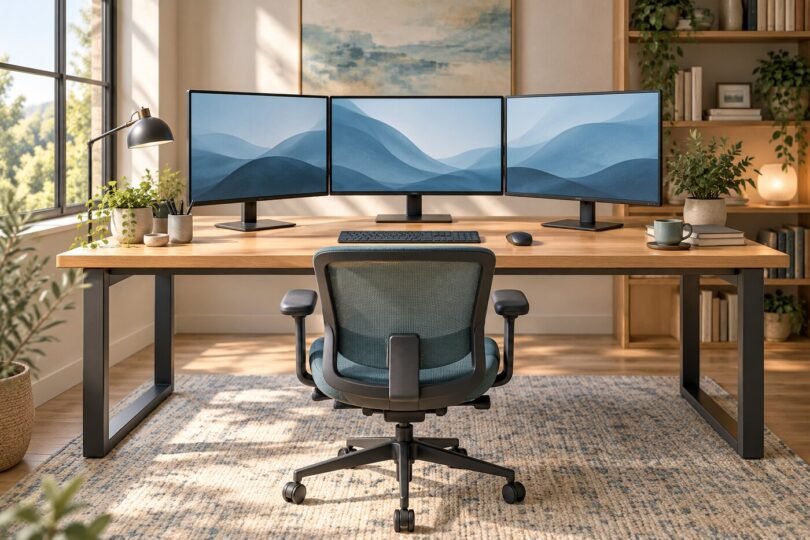

For three monitors, start by measuring the complete screen layout, then look for a desk roughly 72 inches wide and 30 inches deep. That is a practical starting point for three 24-inch displays and some angled 27-inch arrangements, not a universal fit guarantee. A wider 80-inch top is more forgiving for three 27-inch monitors, while three 32-inch displays often need a still wider layout, angled outer screens or a different arrangement.
Our shortlist is the UPLIFT V3 with a 72-by-30 or 80-by-30-inch laminate top for a configurable standing workstation, the Vari ComfortEdge 72×30 for a straightforward sit-stand option, and the Tribesigns 70.8-inch LXU0142 for a fixed-height workspace. All three require a separate check of your monitors, stands or arms, equipment weight and room dimensions.
This is a research-based U.S. buying guide using product specifications and workstation guidance. We have not physically tested these desks or measured their wobble with a triple-monitor load.
Affiliate disclosure: We may earn a commission from qualifying purchases through our Amazon links, at no additional cost to you. Check the exact model, size, finish, seller and included components before ordering.
Three desks worth comparing
| Desk and configuration | Size and height | Best fit | Main limitation |
|---|---|---|---|
| UPLIFT V3, 2-leg C-frame with laminate top | 72 x 30 or 80 x 30 inches; 22.6–48.7 inches high with a 1-inch top | Choosing a larger top and a broad height range | Top, keypad and accessories must be selected carefully |
| Vari Electric Standing Desk with ComfortEdge 72×30 | 72 x 30 inches; 25–50.5 inches high | A wide sit-stand desk with a contoured front edge | Its minimum height may be too high for some seated users |
| Tribesigns 70.8-inch LXU0142, Vintage Grey/Black | 70.86 x 31.49 inches; about 29.5 inches high | A deep, fixed-height surface without lift hardware | No sit-stand adjustment; verify clamp access and loading before buying |
The dimensions describe the desk, not a certified monitor arrangement. None of these desks includes the three monitors or guarantees compatibility with an arbitrary triple-monitor mount.
1. UPLIFT V3: for a configurable triple-monitor standing desk
The UPLIFT V3 is the most flexible choice here if an 80-inch top would solve your layout problem. For a clear comparison, start with its two-leg C-frame and a rectangular 1-inch laminate top in either 72-by-30 or 80-by-30 inches. Other desktop materials change thickness and weight.
UPLIFT specifies a 355-pound lifting capacity including the desktop, plus included FlexMount cable management and cable wraps. Subtract the chosen top’s weight before budgeting for screens, arms, a computer and accessories. The published frame height is 21.6–47.7 inches before the desktop; the 1-inch top produces the range in the table.
- Choose it for: the 80-inch option, low seated setting and a configurable setup.
- Check first: the exact top and keypad in your cart. Memory presets require an appropriate advanced keypad; a basic keypad is different.
- Trade-off: accessories can complicate the purchase. A high lifting rating does not itself prove wobble-free monitor performance.
2. Vari ComfortEdge 72×30: for a wide, simple sit-stand layout
The Vari Electric Standing Desk with ComfortEdge 72×30 pairs a 72-by-30-inch surface with a contoured front edge. Vari lists four programmable height settings, a 25–50.5-inch height range and a 180-pound weight capacity for this size.
Use the 72×30 specifications: the smaller 60×30 model has a different listed capacity. Vari’s capacity figure and UPLIFT’s explicitly desktop-inclusive lift rating should not be treated as an identical load-rating methodology.
- Choose it for: a generous standard-size surface and an integrated sit-stand control setup.
- Check first: whether 25 inches is low enough for your seated keyboard position, and whether your arm clamp clears the rear structure.
- Trade-off: there is less width than an 80-inch desk. Three large monitors plus a tower and speakers may consume the entire surface.
Check the exact 72×30 ComfortEdge configuration with Vari.
3. Tribesigns LXU0142: for a fixed-height workstation
The Tribesigns LXU0142 in Vintage Grey/Black is a straightforward alternative when you want a large surface and do not need motorized height adjustment. The reviewed Amazon listing identifies a 70.86-inch width, 31.49-inch depth and approximately 29.5-inch height, with an engineered-wood surface and metal frame.
The extra depth can be useful when three original monitor stands consume significant space. However, this is not a claim that every monitor stand or clamp will fit. Ask the manufacturer about the exact top construction, permissible load and rear mounting clearance if you intend to use a heavy triple arm.
- Choose it for: a fixed, deep work surface.
- Check first: model LXU0142 and the Vintage Grey/Black variant. Tribesigns sells several different desks under similar 70.8-inch executive-desk names.
- Trade-off: fixed height makes chair and keyboard fit especially important; it cannot convert to standing use.

Tribesigns 70.8”Executive Desk, Large Office Computer Desk with Thicken Frame, Modern Simple Workstation Business Furniture for Home Office, Vintage Grey/Black
As an Amazon Associate we earn from qualifying purchases.
How wide should a desk for three monitors be?
Use the monitors’ external widths, not their advertised diagonal sizes. Add the width of all three housings for a straight, side-by-side row. Then allow for the gaps you want and any objects beside the screens. Measure the actual desk footprint needed by the stands separately.
| Monitor diagonal | Approximate combined screen width | What it means |
|---|---|---|
| Three 24-inch monitors | 62.8 inches | A 72-inch desk gives more layout margin than a 60-inch top |
| Three 27-inch monitors | 70.6 inches | Bezels can make a straight row wider than a 72-inch desk |
| Three 32-inch monitors | 83.7 inches | Even an 80-inch desk is narrower than the screen-only straight row |
These are calculated examples for flat 16:9 display areas, excluding housings, not measurements of specific products. Curved panels, ultrawides and portrait screens change the calculation. Turning the outer screens inward reduces their projected width but brings their outer edges forward, using more depth. Arms may let the screens extend beyond the top, but they do not create extra room beside a wall, cabinet or doorway.
Before ordering, lay out cardboard rectangles representing the external screen dimensions. Include stand bases, your keyboard, mouse area and speakers. If the layout works only by pushing the keyboard to the edge or turning your torso toward a side monitor, reconsider the arrangement.
Depth, monitor arms and desktop strength
A 30-inch-deep desk is a useful shopping starting point because it leaves more room for stands and keyboard placement than many 24-inch-deep tops. It is not an ergonomic rule. OSHA’s workstation guidance describes a generally preferred eye-to-screen distance of 20–40 inches. That distance starts at your eyes, not the front of the desk, and should let you read without leaning.
With three displays, a compatible monitor arm can reclaim the space used by stand bases. Check all of the following:
- Each monitor: weight without the original stand, VESA pattern and any mounting recess or adapter requirement.
- The arm: minimum and maximum supported weight per screen, supported screen widths, tilt capacity and total span. A mount advertised for three screens may not spread far enough for your specific models.
- The desktop: permitted clamp or grommet mounting, actual thickness and construction at the mounting point.
- Rear clearance: distance between the desk and wall, space under the top for the clamp, and conflicts with the frame or cable tray.
A distributed desktop load rating is not proof that one small clamp area can take the same load. Follow both manufacturers’ mounting instructions. Do not assume a reinforcement plate makes an otherwise unsuitable hollow, damaged or glass top safe.
Straight desk or L-shaped desk?
A straight desk usually makes it easier to center your chair, keyboard and primary monitor. An L-shaped desk can be useful if you also need a separate work surface for paperwork or equipment. Its total outer dimensions can be misleading, though: the narrow return may add storage space without giving the main monitor row more usable width.
For a corner arrangement, measure where you will actually sit and where the screens will stand. Check leg clearance at the join and the support structure under any planned clamp. An L shape is worth buying when the room and workflow benefit from the return, rather than simply because the listing says it holds multiple monitors.
Set up around the work you do most
OSHA’s workstation checklist recommends keeping the primary monitor directly in front, with additional monitors beside it. If you split work evenly, arrange the screens to minimize head movement within a comfortable viewing angle. Keep the most frequently used application near the center rather than spending long stretches turned toward an outer panel.
For a standing desk, include every item that moves in your equipment plan. Leave adequate cable slack throughout the full travel range and keep the path clear of shelves, window ledges and under-desk storage. Follow the desk manual; collision detection is not a substitute for a clear workspace. Check stability with your own equipment during the retailer’s return period, if its terms allow.
Frequently asked questions
Can a 60-inch desk hold three monitors?
Possibly, particularly with smaller screens, an angled arrangement or portrait side displays. Three 24-inch 16:9 screen areas already total about 62.8 inches before bezels, so a straight row will overhang a 60-inch top. Confirm that all bases or mounts remain properly supported and that the surrounding room has clearance.
Is a 72-inch desk enough for three 27-inch monitors?
It can work, but it is a tight straight-row layout. The screen areas alone total about 70.6 inches, and housings add width. An 80-inch desk gives more margin; otherwise, mock up the angled layout and mount reach before purchasing.
Do I need a single triple-monitor arm?
No. Original stands, three separate arms, or a dual arm plus a single arm may be suitable. Choose the combination that supports each display and reaches the intended positions without overloading or crowding the desktop mounting points.
How much weight capacity do I need?
Add the actual weights of the monitors, mounting hardware, computer and anything else the desk must carry. For a lift rating that includes the desktop, add the top as well. Stay within the exact manufacturer’s instructions and leave room for future equipment. Monitor count alone does not establish the load.
How we chose these desks
Reviewed October 4, 2026. We compared usable surface dimensions, height adjustment, documented load-rating details and realistic buying trade-offs. The list includes two standing configurations and one fixed-height model, rather than ranking unrelated accessories as desks. Product specifications come from the linked manufacturer pages and the exact Tribesigns listing; sizing examples are our geometric calculations. We did not perform hands-on load or stability tests. Prices, options, availability and policies may change.
Featured image: AI-generated editorial illustration, not a photograph of a reviewed product.