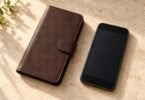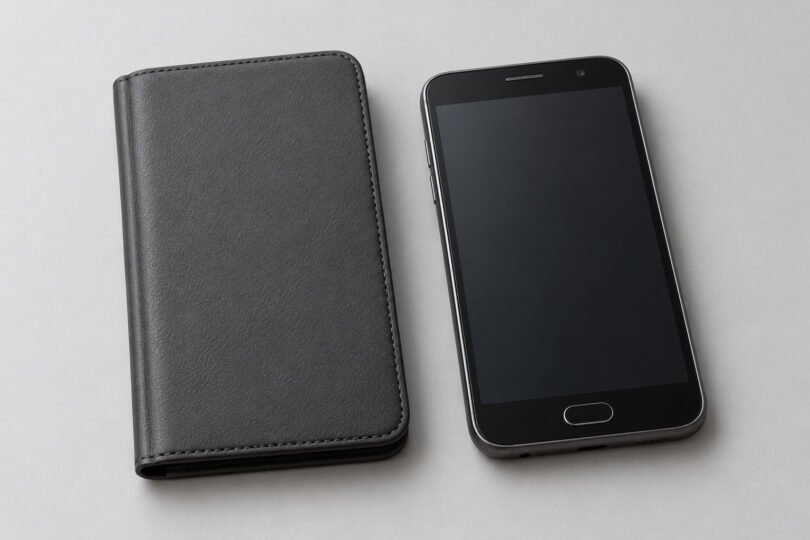

The right Galaxy J7 2016 case is the one made for your phone’s exact model number. “Galaxy J7” covers several different bodies, and adding “2016” to a shopping search does not resolve every regional or carrier variation. Check the model first, then choose the case style.
For a confirmed SM-J710 device, look for a case listing that explicitly identifies the Galaxy J7 (2016) and confirms your full model suffix. Avoid choosing a molded case from screen size, a familiar product photo or a long list of similar J7 names alone.
Find the model number before ordering
Open Settings → About phone or About device and copy the model number exactly. On some older software, Samsung says you may need to open Status. Follow Samsung’s model-identification instructions if you cannot find it. The model number is the useful identifier for case shopping; you do not need to publish your IMEI or serial number.
Samsung’s Saudi support page identifies one Galaxy J7 (2016) as SM-J710F/DS. Its shared J510/J710 manual also names J710F, J710FN and J710GN variants with several suffixes. A shared manual does not prove that every case accommodates every regional version, so retain the suffix when asking a maker or seller to confirm fit.
If your phone reports a different code, use that code to start a fresh fit check. For example, a listing for a J7 V or an SM-J727 model should not be assumed to fit an SM-J710 simply because both names contain “J7.”
Galaxy J7 names that are easy to confuse
The following Samsung specifications show why a model-specific fit list matters. Dimensions are height × width × depth and apply to the identified version.
| Phone or documented version | Samsung’s body dimensions | Case-shopping implication |
|---|---|---|
| Galaxy J7 (2016), SM-J710F/DS | 151.7 × 76.0 × 7.8 mm | Use a listing that confirms the J710 model and your suffix. |
| Galaxy J7 Prime, Indian launch version | 151.7 × 75.0 × 8.0 mm | “Prime” changes the product identity; matching height does not establish case fit. |
| Galaxy J7 (2017), SM-J730F/DS | 152.5 × 74.8 × 8.0 mm | A later J730 case is a separate fit choice. |
Sources: Samsung’s J710 specifications, J7 Prime launch specifications and J730 specifications.
Carrier names add another layer. Samsung separately documents the Galaxy J7 V for Verizon. Treat J7 V, J7 Prime, J7 Perx, J7 Sky Pro, later-generation J7 and Galaxy S7 listings as separate fit questions. A seller’s combined title may describe selectable variants; verify the specific option in your cart.
Two documented case examples to use as references
These manufacturer pages establish the intended phone generation. They do not establish that a matching case is available from a particular seller today. Use the product identifiers to check the actual item offered, including the selected phone variant and return terms.
Samsung Galaxy J7 (2016) Flip Wallet, EF-WJ710
Samsung’s EF-WJ710PBEGWW support page names this accessory as the Galaxy J7 (2016) Flip Wallet. It is a useful model-specific reference if you want a cover that closes over the front of the phone.
Check before buying: ask the seller to confirm the accessory code and your full phone model, and inspect the closure and mounting shell in the actual listing. The support page does not establish current stock, card capacity, material, warranty availability or a drop-protection rating. Do not pay extra for those claims without supporting details for the item being sold.
Zore Premier Silicon Cover, T14017
Zore’s Galaxy J7 2016 Premier Silicon Cover page identifies product code T14017 and barcode 8680436490631. It provides a documented soft-cover example to compare with a flip-wallet design.
Check before buying: current stock is unconfirmed. Check the selected color and availability with the seller, and verify the code, phone fit and local delivery before ordering. Its generic protective wording should not be read as a measured drop-test result or waterproof certification.
Pick a case style around how you carry the phone
- For a pocket: start with a simple, close-fitting back cover. Check the total bulk, grip and raised edges in the listing, then confirm that your charging plug fits through the opening.
- For a bag: a flip cover may suit you if you want a front flap while the phone is stored. Check whether it closes properly with anything you plan to put in its pockets and whether the flap is comfortable during calls.
- For a stand or belt clip: confirm that the exact case includes the advertised part. A kickstand or holster in one photo may belong to a different variant or bundle.
- For a thicker protective design: look for clear construction details and a credible model-specific protection claim. The word “rugged” alone does not tell you a tested drop height.
For an older phone, usable fit and easy returns can matter more than buying an elaborate accessory bundle. Avoid padding the purchase with chargers, batteries or screen protectors unless each one is separately compatible and needed.
Check the openings, buttons and front edge
Samsung’s J510/J710 user manual, page 11, shows the controls and openings that a case needs to accommodate. The manual covers several models; compare the diagram with your own phone rather than treating it as an exact case mold.
- Rear camera area: keep the camera, flash and rear loudspeaker clear. A case with a hole for the camera but no useful opening for the speaker can still be the wrong choice.
- Side keys: check that the power and volume controls line up and move normally after installation.
- Bottom edge: check the microphone, charging connection and headset jack. The openings must allow your own plugs to seat fully.
- Front edge: keep the receiver, front camera, flash and proximity sensor unobstructed. Check access to the Home, Back and Recents controls.
Photos of both the empty case and the case installed on the matching phone are useful. If the pictures, title and fit list conflict, ask for clarification before ordering. Do not stretch, trim or force a molded case onto a phone it was not designed to hold.
What to test when the case arrives
Keep the packaging and check fit while you can still return the case. Seat the phone gently and inspect every corner. The cover should stay attached without bending the phone, holding a button down or lifting the screen protector.
Try the power and volume buttons, connect your charger and wired headset if you use one, take a rear photo with flash, play speaker audio and make a normal call. These checks help reveal blocked openings or awkward controls. They are practical fit checks, not a drop or water-resistance test.
If the case does not fit, photograph the mismatch and contact the seller under its return policy. Recheck the full phone model and the ordered variant before buying a replacement.
Common Galaxy J7 case questions
Will a Galaxy S7 case fit a Galaxy J7 (2016)?
Do not buy an S7 case for a J7. “S7” and “J7” identify different phone families. Use a case maker’s explicit fit statement for your J7 model.
Will a J7 Prime or J7 V case fit?
Do not assume so. The name alone is insufficient, and Samsung’s documented J7 Prime body differs from the SM-J710F/DS body. Require a fit statement that includes the exact phone you own.
Is the same screen size enough to confirm fit?
No. A molded case also depends on body width, thickness, corners, button placement and camera or speaker openings. Use the full model number and the selected case variant.
What if I cannot find a confirmed case?
Ask the case maker or seller for a written fit confirmation using your model number. If you consider a general pouch instead, compare its stated internal dimensions with the actual phone and anything already fitted to it. A pouch needs its own size check and will not provide the same access as a fitted cover.