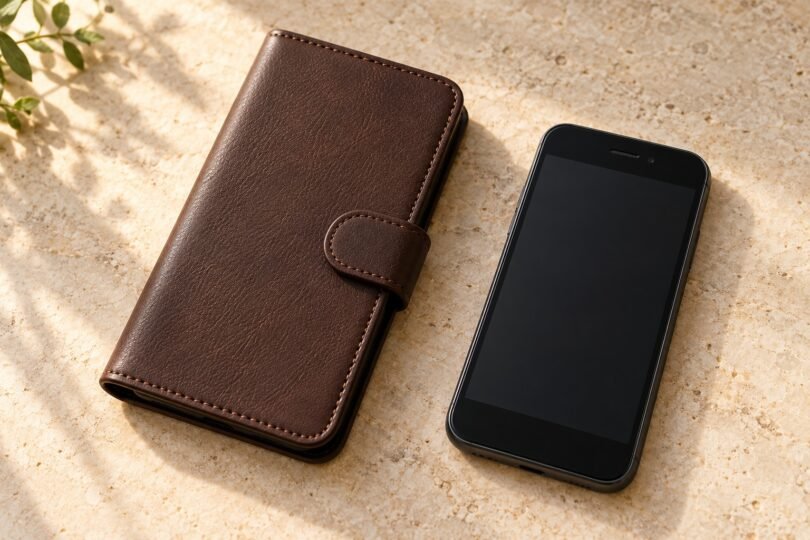

A Samsung J7 flip case is worth choosing only after you match the phone’s complete model number. Once that is settled, the useful differences are the front flap, closure, card storage and whether the cover actually folds into a stand. A long list of J7 names in a seller’s title does not establish that one molded shell fits them all.
For a simple screen-covering folio, start with an accessory documented for your J7 generation. For a wallet or viewing stand, ask for the inside and folded views of the exact case you will receive. Samsung’s surviving support pages identify two distinct accessories, the EF-WJ710 Flip Wallet for Galaxy J7 (2016) and EF-WJ730 Wallet Cover for Galaxy J7 (2017); they do not establish present-day stock or every feature of a seller’s item.
Match the phone before comparing flip cases
Open Settings and look under About phone or About device; on some older software, model information is under Status. Copy the full model code, including letters and any /DS suffix. Samsung explains these routes in its model-number guide. You do not need to give a case seller your IMEI or serial number.
- Galaxy J7 (2016): Samsung identifies SM-J710F/DS as this model. Its published body dimensions are 151.7 × 76.0 × 7.8 mm.
- Galaxy J7 (2017): the documented SM-J730F/DS measures 152.5 × 74.8 × 8.0 mm.
- Galaxy J7 Prime: Samsung’s launch specifications give 151.7 × 75.0 × 8.0 mm. The similar height does not establish the same case fit.
Those are different product bodies, so the generation and full model code matter more than a shared J7 name or screen size. See Samsung’s J7 (2016) specifications, J7 (2017) specifications and J7 Prime launch specifications. Do not infer fit for a J7 V, Perx, Sky Pro, Crown or another suffix from this short list.
If you own the J7 (2016), our Galaxy J7 (2016) case guide covers the broader shell and opening checks. The choices below concentrate on how a flip cover works in daily use.
Two official accessory names to check
Samsung EF-WJ710: Galaxy J7 (2016) Flip Wallet
Samsung’s EF-WJ710PBEGWW support page identifies the accessory as the Galaxy J7 (2016) Flip Wallet. It is a useful reference when comparing a seller’s packaging and part number. A listing that names EF-WJ730 instead is describing the other accessory below.
Before buying remaining stock, ask the seller to confirm your complete phone code, the full accessory code and the actual item’s condition. The support record alone does not verify card capacity, a kickstand, automatic wake, genuine-leather construction or current availability. Require the instructions for that exact case before removing a phone’s original rear cover.
Samsung EF-WJ730: Galaxy J7 (2017) Wallet Cover
Samsung’s EF-WJ730CFEGWW support page names the Galaxy J7 (2017) Wallet Cover. Keep that full product code with the offer you are checking; similarly named listings and different suffixes should not be treated as the identical color or package.
This is a documented generation-specific accessory to investigate if your phone matches. The page does not confirm a present retail offer, stand function, slot count or automatic screen behavior. If a seller cannot confirm the exact handset and accessory combination, choose another listing with clear compatibility and returns.
Choose the folio features you will actually use
A closure that works with your usual load
Look at how the cover stays shut: a tab, clasp or a flap without a separate fastener. A magnetic closure is not evidence of automatic wake or sleep. For a wallet design, ask whether the closure still meets cleanly with the stated number of cards inside. An overloaded cover that bows away from the screen defeats the point of a tidy folio.
Consider which way the flap opens and where it rests during a call. Check that the fastening tab will not sit across the camera when the cover is folded back. A closure you can operate comfortably is more useful than an extra pocket you do not need.
Card slots, cash pockets and screen contact
Count the actual slots shown for the selected case. A product photograph containing several cards is not a capacity specification, and a cash pocket is not necessarily a suitable coin compartment. Check that loaded cards sit fully inside the pockets and that their edges or any fastener do not press into the display.
If your particular phone supports NFC, a stored card can affect it. Samsung’s Flip Wallet troubleshooting advice says to remove a credit card and test again when NFC is not working normally. This does not mean every J7 variant has NFC. Card slots and a magnetic tab also do not establish RFID blocking; require separate evidence for that exact case if it matters to you.
A stand with a documented folding position
Choose a stand folio only when the maker or exact listing shows how its hinge folds and where the phone rests. Confirm landscape or portrait use and whether the support requires the phone to be partly released from its shell. A picture of a cover propped open is not enough to promise adjustable angles.
When it arrives, try the documented position on a stable tabletop with your normal cards in place. Tap the screen lightly and connect the charging cable you intend to use. If the stand collapses or the cable forces an awkward angle, return it within the seller’s terms.
Window covers and automatic screen features
A clear or cut-out window only establishes that part of the screen can be seen. Touch response through a window, call answering with the flap shut and automatic wake or sleep each need explicit support for the exact phone, cover and software combination. Do not assume these features from words such as smart, view or magnetic.
If those functions are essential, ask for the model-specific instructions before ordering. Otherwise, choose the cover on the assumption that you will open the flap to use the screen.
Check the delivered case before keeping it
- Confirm the label. Compare the delivered handset compatibility, accessory code, color and included pieces with the order. Keep the packaging while checking fit.
- Seat the phone gently. Follow the case’s instructions. Stop if the shell needs force, leaves a corner unseated or presses a button continuously.
- Check every opening. Try the volume and power buttons, charging and headset plugs, camera and flash, speaker and microphone. Keep the front receiver and sensors clear; Samsung’s J510/J710 manual provides a useful layout reference for the models it covers.
- Test the flap both ways. Make a call with it open and folded back, take a photo with flash, then load only the intended cards and check the closure again.
- Inspect old stock. Look for peeling surfaces, cracked hinges, loose stitching and damaged tabs. Ask about returns before buying clearance or marketplace stock.
Common questions
Will a case advertised just for Samsung J7 fit?
The name alone is insufficient. Send the seller the full model number and request confirmation for the exact selected case. A flexible outer cover does not make its fitted inner shell universal.
Does a flip cover replace a screen protector?
The flap covers the display when closed; it does not establish impact protection while open. If you want a separate screen protector, check that its edges and added thickness work with the shell and that the flap closes without pressure.
Is a leather-style wallet waterproof or drop rated?
A material description is not a water or drop rating. Buy on the basis of documented features, and require model-specific evidence for any protection claim. No rating is established here for the two Samsung support records.