
For gaming with glasses, start by trying the Turtle Beach Stealth 600 Gen 3 if you want a headset with an explicit glasses-friendly cushion design. Compare the Logitech G435 if low weight is your priority, or the wired HyperX Cloud III if you prefer a conventional padded headset without a wireless battery to manage.
None is guaranteed to fit every frame or head. The important interaction is between your glasses’ temples, the ear cushions and the headset’s clamping force. A model that feels comfortable for one player can press painfully on another player’s glasses.
Research checked October 4, 2026 using official product specifications. We have not measured clamping force, tested these headsets with different glasses, or compared microphone and sound quality. Recommendations are feature-based candidates for a personal fit check, not a comfort ranking established by testing.
Three headset designs to compare
| Model | Reason to try it | Main tradeoff |
|---|---|---|
| Turtle Beach Stealth 600 Gen 3 | ProSpecs glasses-friendly memory-foam cushions | Choose the correct platform version; wireless comfort still needs checking |
| Logitech G435 | Manufacturer-listed 165-gram weight | Low weight does not establish low pressure at the glasses’ temples |
| HyperX Cloud III, wired | Memory-foam padding and several wired connection options | Leatherette cushions and frame fit may feel different from fabric designs |
Turtle Beach Stealth 600 Gen 3: an explicit glasses-friendly option
The Stealth 600 Gen 3 page identifies ProSpecs glasses-friendly technology in its memory-foam ear cushions, which use an athletic-weave fabric covering. That makes it the most directly relevant design feature in this shortlist for glasses wearers.
We would try it first if you want wireless gaming and your platform is supported by the exact version. The family has Xbox, PlayStation and PC selections. Read the selected model’s compatibility rather than assuming the same transmitter works identically with every console.
Tradeoff: glasses-friendly is a manufacturer design claim, not a promise of pressure-free wear. Also, its QuickSwitch feature switches between 2.4GHz wireless and Bluetooth sources; do not buy it expecting simultaneous audio mixing merely because both connections are listed.
Logitech G435: compare it when weight matters
Logitech lists the G435 at 165 grams and describes both LIGHTSPEED wireless and Bluetooth connectivity. Its official page lists LIGHTSPEED use with PC, Mac, PlayStation 4 and PlayStation 5.
This is our comparison if you dislike a heavy headset resting on your head. Weight is a useful specification, but it does not tell you how tightly the cups squeeze or how the pads press on your particular glasses. Try it with the frames you normally wear, including any thicker temples.
Tradeoff: confirm your platform and connection mode. Do not assume Xbox support from the generic word “wireless,” or assume Bluetooth game-chat behavior is the same as a dedicated USB connection. Logitech also notes that a firmware update may be needed for Nintendo Switch Bluetooth pairing.
HyperX Cloud III wired: for a straightforward wired setup
The wired Cloud III uses memory foam in its headband and ear cushions, with leatherette around the pads. HyperX lists 3.5mm, USB-A and USB-C connection options and a detachable microphone.
We would compare it when you prefer a wired headset and want to avoid charging another device. Confirm which connection works with your console, computer or controller and whether any software features are available on that platform.
Tradeoff: this is the wired Cloud III, not the Cloud III Wireless or another Cloud-family product. The pad material, fit and feel need checking on your own head; a familiar product name does not establish identical comfort across generations.
What actually matters when you wear glasses
Pressure where the temples pass through the pads
Wear your glasses normally and see where the pads contact the side arms. Watch for a concentrated pressure point, the frame being pushed forward or the glasses shifting when you turn your head. Do not choose a headset that requires you to move your glasses out of a usable position.
Pad depth and opening size
Your ears should fit comfortably within or against the intended cushion design. A deep-looking pad in a photograph may compress differently once worn. Compare the actual fit rather than assuming that every over-ear label means the cups will clear your ears.
Headband adjustment and overall balance
Adjust the headset within its normal range so the cups sit naturally. A lighter design may still press on the glasses, while a heavier model may distribute its weight differently. This guide has not measured those forces, so there is no numerical comfort score to rely on.
Pad material and temperature
Fabric and leatherette feel different, and personal preference matters. Consider the room where you play and whether the pads become uncomfortable over your normal session. Do not assume that a softer pad will automatically solve every pressure point.
A useful fit check during the return period
- Wear the glasses you use for gaming, not a different pair chosen only for the test.
- Adjust the headset normally without bending or stretching parts beyond the manufacturer’s instructions.
- Try a short session, then reassess comfort before extending it. Stop if you notice pain, numbness or significant pressure.
- Turn your head and look down to see whether the glasses or headset slide.
- Check voice chat, mute controls and your actual platform connection.
- Compare how the sound changes when the cushions sit naturally around your frames, without pressing them unnaturally tight.
This is a suggested personal evaluation, not a procedure that proves a headset safe or comfortable for everyone. Read the seller’s return and hygiene rules before ordering, especially for opened audio products.
Do not confuse gaming headsets with VR headsets
A gaming audio headset provides headphones and a microphone. A VR headset puts displays and optics in front of your eyes and has separate prescription-glasses clearance concerns. This guide compares audio headsets; a VR device or head strap is not a substitute for one.
Similarly, replacement ear cushions are not universal. Check that the manufacturer supports the exact replacement. Changing pad shape or material can affect fit, isolation and sound, so it is not automatically an upgrade.
Frequently asked questions
Does “glasses-friendly” guarantee comfort?
No. It identifies a design intention. Your frame shape, head size and the way the cushions compress still determine the result.
Should I remove my glasses to use a headset?
You should not need to compromise the vision you need for gaming to make an audio headset fit. Compare another design if the pressure or fit is wrong.
Can I loosen a headset by bending it?
Follow the manufacturer’s adjustment instructions. Do not force the frame or apply heat to change its shape. A different size or design is preferable to damaging the headset.
Bottom line: try Stealth 600 Gen 3 for its explicit glasses-friendly cushions, G435 for low weight, or wired Cloud III for a wired padded design. The deciding factor is a comfortable fit with your own glasses and the correct connection for your platform.
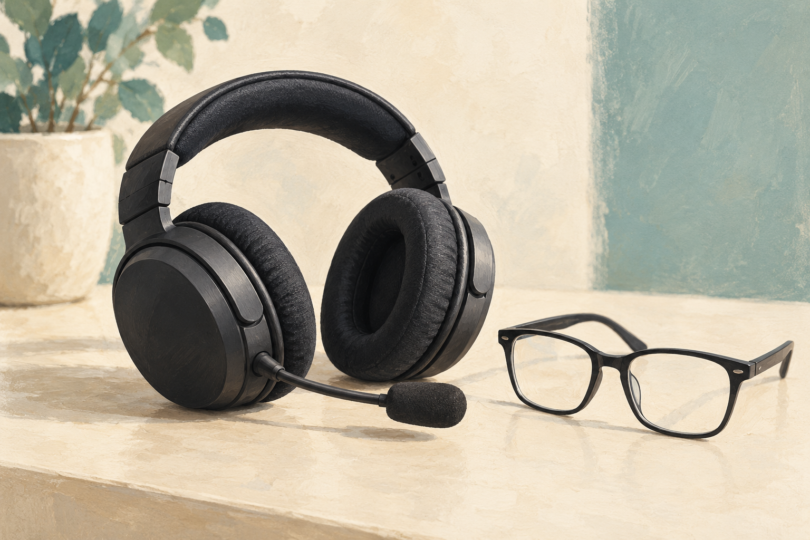
Image note: AI-generated generic editorial illustration; it does not identify a headset, demonstrate a fit or prove comfort with glasses.