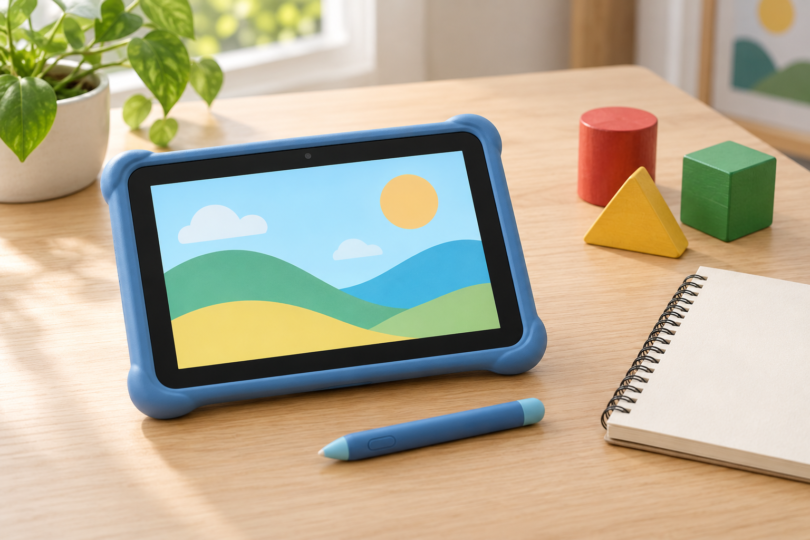

Our first LeapPad tablet pick is the LeapPad Academy for families who want LeapFrog’s downloadable-app approach and the option of its separate Academy subscription. The LeapPad Ultimate Ready for School is an older alternative worth considering specifically for its game-cartridge slot. They are different models with different content paths, so choose the games first and check the exact device before ordering.
This comparison uses product documentation, support pages and exact retailer listings. We have not tested either tablet’s durability, parental controls, account registration or app downloads. The recommendations concern documented features; they do not promise learning gains or guarantee that any device makes online activity safe.
Best LeapPad tablets by content preference
| Exact pick | Best fit | Manufacturer age guidance | Main trade-off |
|---|---|---|---|
| LeapPad Academy, Green, 80-602210 | Downloadable LeapFrog apps and optional LeapFrog Academy service | 3–8 years | Wi-Fi, a parent account and setup are required to access all included apps; the subscription renews for a charge unless cancelled |
| LeapPad Ultimate Ready for School, Green, 80-602070 | Families seeking a documented cartridge slot | 3–6 years for this Ready for School edition | Older platform; confirm exact game compatibility, setup and seller condition before buying |
LeapPad Academy: best for the download-based approach
LeapFrog lists the Academy for ages 3–8, with a 7-inch touchscreen, 16GB of memory, included apps, a stylus and a removable bumper with kickstand. The manufacturer describes 20 included apps. Its manual says Wi-Fi, a parent account and device setup are needed to access all included apps, so plan time for an adult to prepare it before giving it to a child.
Why choose it: Academy is the more direct choice here for someone who wants downloadable LeapFrog content and access to the separately offered LeapFrog Academy service. Its parent settings include app management, time controls and LeapSearch website controls. Review those settings yourself and adjust them for the child who will use it.
Where it falls short: Extra apps can cost more, and a trial is not permanent subscription access. LeapFrog advertises a three-month Academy trial with this tablet; the manual says billing begins after the trial and continues until cancellation. Check current eligibility and renewal terms before signing up. Do not assume every general Android app is available or compatible.
The selected listing is one Green LeapPad Academy, model 80-602210. Confirm the exact model, included charging equipment and condition. See LeapFrog’s Academy product details and setup manual before choosing it.

LeapFrog LeapPad Academy — Green, Model 80-602210
As an Amazon Associate we earn from qualifying purchases.
LeapPad Ultimate Ready for School: best for a cartridge slot
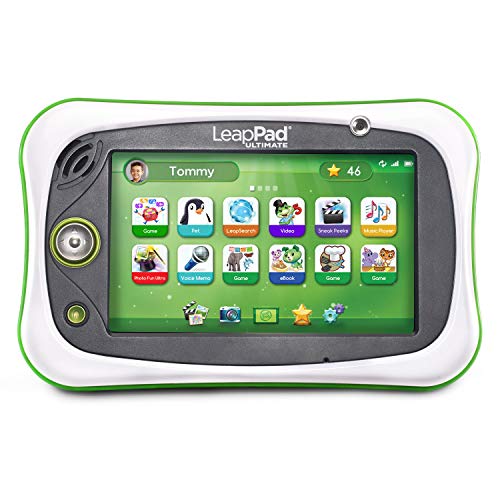
This recommendation is specifically the Green Ready for School edition, model 80-602070. Its product description recommends ages 3–6. LeapFrog documents a 7-inch screen, 8GB of memory and a cartridge slot for compatible games; cartridges are sold separately. This is distinct from the standard Ultimate edition, so do not transfer the age range or included-content claims from one listing to another.
Why choose it: The cartridge slot is the main reason to consider this older model over Academy. It can make sense when the games you want are offered as compatible cartridges. Check the exact game’s device list and format before buying: a download and a cartridge bearing the same game title are not interchangeable purchase choices.
Where it falls short: Treat it as an older platform with setup and service dependencies to check. LeapFrog still publishes an Ultimate support page and a Connect download link, but the presence of those pages does not guarantee a future service lifetime or successful activation of a particular used unit. Check current regional app access and the seller’s return terms before committing.
The linked configuration is one Green Ultimate Ready for School tablet, model 80-602070. Read the specific edition’s product page and Ultimate support information. We would choose it only when its cartridge format is the feature you need.
Check games, accounts and ongoing costs first
Check each game individually. LeapFrog’s Busy Builder download page, for example, names both Academy and Ultimate in its compatibility list. That is evidence for that title, not every game in the catalog. Verify the age guidance, supported tablet and download or cartridge format for the content you actually want.
Confirm service access in your country. App purchases and account setup depend on LeapFrog’s services and regional store. Public product and support pages do not prove that a paid download or a secondhand device will activate successfully. If a particular app is essential, confirm it with LeapFrog before buying the hardware. For used tablets, establish that you can complete setup with your own parent account.
Plan adult setup and supervision. Both models document parent settings, but controls need to be configured and reviewed. Decide which content is appropriate, manage purchases and time limits, and check the tablet and charging equipment before handing it over. Avoid choosing on claims such as “kid-proof,” guaranteed school readiness or completely safe browsing.
Frequently asked questions
Which LeapPad tablet should I buy first?
Academy is our first pick for its download-based content approach and optional Academy service. Consider the older Ultimate Ready for School specifically when you want its documented cartridge slot and have verified the games you need.
What ages are these models intended for?
LeapFrog lists Academy for ages 3–8. The product-specific description and selected listing for Ultimate Ready for School recommend ages 3–6; use that guidance for model 80-602070 rather than the broader age range shown for other Ultimate editions.
Is LeapFrog Academy the same as the LeapPad Academy tablet?
No. LeapPad Academy is the hardware; LeapFrog Academy is a separate subscription service. The tablet’s advertised trial renews for a charge unless cancelled. Review the offer and terms before enrolling.
Can every LeapFrog game work on both tablets?
Do not assume so. Check each game’s named compatible devices and its format. Academy’s manual shows a microSD slot, while Ultimate has a documented game-cartridge slot; a memory card is not a game cartridge.
Do these tablets work without any setup or internet access?
Do not count on that. Academy requires Wi-Fi, a parent account and setup for all included apps. Ultimate’s guide also requires registration and says its included-app downloads are available through Wi-Fi setup. Some content supports offline play, but prepare and check the specific games before travel.