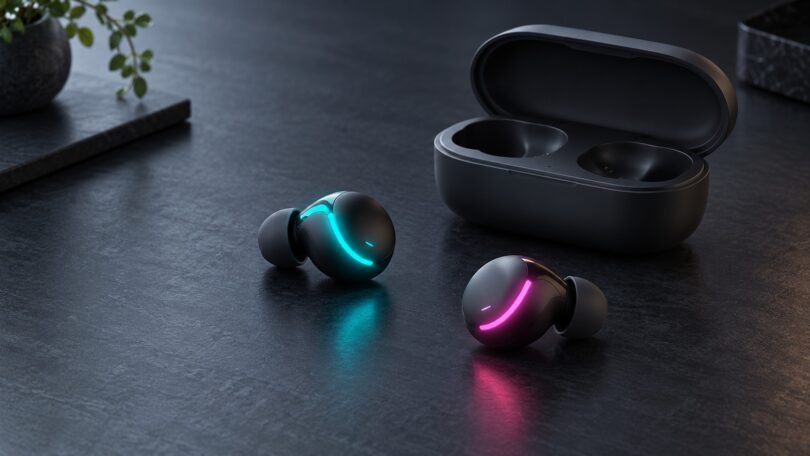

For light-up earbuds you can actually see while wearing them, look for lighting on the earbuds themselves. A glowing charging case, battery display or pairing light can look impressive in a listing without giving you the effect you want.
The four models below have manufacturer-documented RGB lighting on the earbuds. Start with your connection: Bluetooth for a phone, a compatible wireless dongle for gaming, or a wired USB-C model. Some are older designs, so check exact-model availability and software support before buying. This comparison uses manufacturer specifications and manuals; it does not claim hands-on sound or comfort testing.
Which light-up earbuds fit your setup?
- For Bluetooth listening: Razer Hammerhead True Wireless (2nd Generation) is an older option with illuminated earbud logos.
- For Bluetooth and a gaming dongle: compare Razer Hammerhead Pro HyperSpeed with ASUS ROG Cetra True Wireless SpeedNova.
- For a wired connection: ASUS ROG Cetra II combines USB-C audio with glowing earbud logos.
These names matter. Hammerhead generations and Cetra variants have different connections, lighting and accessories. Match the complete model name rather than choosing from a shared brand name or a similar photograph.
Four RGB earbud models to compare
Razer Hammerhead True Wireless (2nd Generation): Bluetooth with lit earbuds
The second-generation Hammerhead True Wireless places Chroma RGB lighting on the outward-facing earbud buttons. Its case has a separate battery indicator. Razer’s manual specifies Bluetooth 5.2 and microphones, making this the straightforward Bluetooth model in this comparison.
The standard package contains the earbuds, charging case, USB charging cable and silicone tips in three sizes. The cable charges the case; it is not presented as a wired audio connection. There is no gaming dongle in this package.
Check before buying: make sure the listing says “2nd Generation.” Also check Razer’s current app instructions for your phone before relying on a particular lighting-control app. App support and instructions can differ between Android and iOS.
Read Razer’s second-generation manual (PDF).
Razer Hammerhead Pro HyperSpeed: illuminated earbuds with two wireless connections
Pro HyperSpeed also has Chroma RGB on the earbuds. Its main distinction here is the choice between Bluetooth and a 2.4 GHz USB-C wireless dongle. Razer’s manual describes RGB customization through the Razer Audio mobile app.
The standard package includes the earbuds, wireless charging case, USB-C dongle, USB-A-to-USB-C charging cable, USB-A-to-USB-C adapter cable and three sizes of ear tips. A wireless charging pad is separate.
Check before buying: the manual names Android, iOS, iPadOS, PC, PlayStation 4, PlayStation 5 and Nintendo Switch among compatible platforms. Choose the appropriate connection for your device; that list does not promise Bluetooth audio on every console. It also does not establish Xbox support. Used or open-box offers need particular attention because the dongle and adapter are important parts of this package.
Read the Pro HyperSpeed manual (PDF).
ASUS ROG Cetra True Wireless SpeedNova: RGB with a platform-specific dongle option
SpeedNova offers illuminated ROG logos, Bluetooth and a 2.4 GHz USB-C dongle. ASUS describes customizable RGB effects and Armoury Crate controls. Its specification sheet lists RGB lighting but “No” under Aura, so do not assume it will synchronize with every Aura-equipped device.
The standard accessories are a charging case, USB-C dongle, USB-C-to-USB-A adapter, three sizes of ear tips, charging cable and documentation. Confirm those items in the seller’s selected package.
ASUS separates platform support by connection:
- Bluetooth: PC, Mac, iOS, Android and Nintendo Switch.
- SpeedNova dongle: PC, Mac, Android, Nintendo Switch, PlayStation 4 and PlayStation 5.
Check before buying: choose the full “Cetra True Wireless SpeedNova” name. The standard Cetra True Wireless and the wired Cetra II are separate products. Neither the shared Cetra name nor a USB-C socket proves that your specific device supports the connection you want.
See ASUS’s SpeedNova product details and platform and accessory specifications.
ASUS ROG Cetra II: wired USB-C with glowing logos
The Cetra II is the wired option. Its USB-C connection carries audio, and RGB lighting shines through the ROG logos on the earbuds. ASUS lists static, breathing, color-cycle and strobing effects. Microphones are built into the earbuds, with controls on the cable for playback, volume and noise-canceling modes.
ASUS lists mobile phones, PCs, Macs and Nintendo Switch, but check your exact host and software support. The product page specifically notes that Armoury Crate on ROG Phone 5 supports lighting controls only. The included accessories are a travel case, silicone tips and fins in three sizes, and foam tips.
Check before buying: select “ROG Cetra II” with USB-C. The Cetra II Core uses a 3.5 mm connection and has different features. Cetra II lights the earbud logos; it is not a glowing-cable design.
See ASUS’s Cetra II specifications and lighting details.
What “light-up” can mean in a product listing
Before comparing sound features or battery claims, identify which part lights up and when:
- Earbud RGB: decorative lighting on the parts you wear. Look for a manual diagram or a demonstration with the earbuds outside the case.
- Case lighting: an illuminated strip, logo or panel on the charging case. This is useful if you want a desk accessory, but the case may stay in your pocket while you listen.
- Status lights and battery displays: indicators for charging, pairing or remaining power. These can turn off after a short time.
- Glowing cables: a separate wired-earphone category. Check whether the cable actively lights up, how the lighting is powered and whether its controls are independent of the audio.
- Passive glow-in-the-dark material: a coating that absorbs light and then glows. Do not assume it offers selectable colors or powered lighting effects.
A useful example is the Razer Hammerhead V3 HyperSpeed. Its manual labels the earbuds’ touch sensors and the charging case’s status indicator. Razer’s support FAQ explains that its Chroma lighting is on the case and provides status effects that are not user-customizable. Choose it for its documented audio features if they suit you, but do not treat it as the same illuminated-earbud design as the second-generation or Pro HyperSpeed models. See Razer’s V3 HyperSpeed FAQ and manual (PDF).
Checks that matter more than the product photo
Compare battery life with lighting enabled
Use the battery figure for the mode you will actually use. On SpeedNova, ASUS lists up to 11.5 hours per earbud charge in Bluetooth mode with ANC and RGB off, versus 10 hours with RGB on and ANC off. Its larger 46-hour headline includes case recharges. Those are manufacturer figures, not our measured results; volume, features and conditions can change runtime.
Separate listening, chat and lighting controls
Audio playback, microphone input and app-controlled lighting are three different requirements. Before buying for a console or work computer, check that the exact connection supports the audio and microphone functions you need. Then check whether the lighting-control software works on a device you own. A USB adapter changes the connector; it does not by itself guarantee audio or app compatibility.
Check the selected package and return terms
Compare the listing’s model, connection, included dongle, adapters and ear-tip sizes with the manufacturer’s documentation. Check the actual selected color or bundle, especially when one listing groups several generations. For older models, look closely at the item’s condition and seller warranty terms. Check the return policy for opened in-ear products before paying; fit is difficult to judge from photographs.
Frequently asked questions
Can I turn the lights off?
Check the exact model’s controls. Customizable RGB products may offer lighting settings through their companion app, while a case status indicator can behave automatically. SpeedNova’s published battery specifications explicitly include RGB-on and RGB-off modes. Avoid applying one model’s instructions to another.
Will RGB earbuds flash to the music?
Only buy for that effect when the exact model’s documentation confirms it. Static colors, breathing effects and color cycling do not establish music synchronization. A photograph of glowing earbuds cannot show how an effect behaves.
Which should I choose for a phone or gaming system?
For a phone, check Bluetooth support and the lighting app first. For gaming, start with the manufacturer’s platform list and connection method, then confirm microphone support for your intended game or chat app. Choose wired USB-C if you prefer that connection and your device supports the exact model. Once those requirements are met, compare fit, lighting controls and the seller’s complete package.