
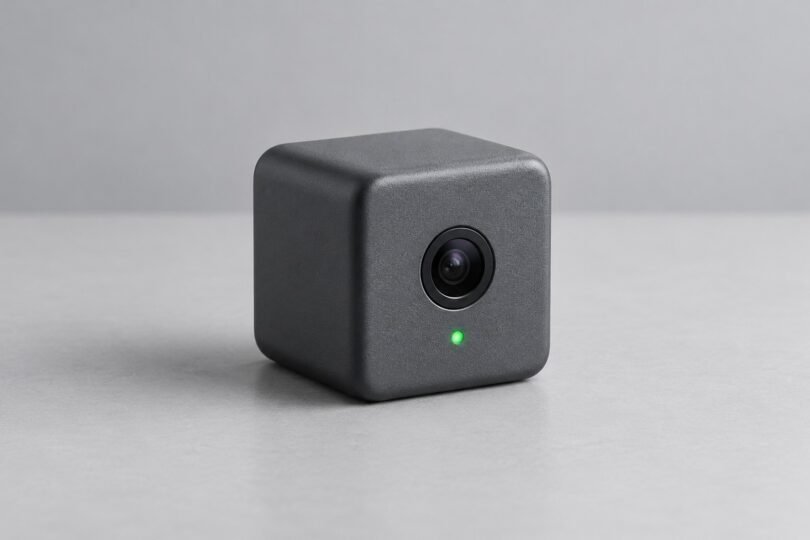

If you are looking for a miniature spy camera, first decide whether you need a small camera for visible home monitoring, a portable recorder for an agreed recording, or an inspection tool for equipment. Those jobs need different lenses, power supplies and storage. A tiny body alone tells you very little about whether a camera will do the job.
For a fixed indoor view with recordings stored on the camera, consider the Tapo C110 revision described below. For a compact camera in an existing Blink system, compare the Blink Mini 2 and its storage accessories. For short, portable recordings, the Insta360 GO 3S is the more relevant design. Keep cameras visible, explain their use to people who may be recorded, and check the rules that apply to your location and situation.
Which kind of small camera do you need?
- Remote monitoring: choose a connected security camera with an app, a reliable power supply and a clear plan for saving footage.
- Portable recording: choose a battery-powered camera that records to internal memory or a card. Check continuous recording time at your intended resolution.
- Equipment inspection: look for an inspection camera or borescope with a documented close-focus distance and lighting appropriate to the job. A small security camera may not focus on an object a few inches away.
“Wireless” can describe the network connection even when the camera needs a power cable. Likewise, local storage does not necessarily mean the camera works without internet. Treat those as separate buying questions.
Three compact-camera examples
| Camera | Useful fit | Power and recording | Main limitation |
|---|---|---|---|
| Tapo C110, US product page labeled V2.20 | Visible indoor monitoring with on-camera storage | Plug-in power; microSD or optional paid cloud storage | Check the hardware revision before buying a card |
| Blink Mini 2 | Compact monitoring in a Blink system | Plug-in power; cloud plan or separate compatible local-storage hardware | Requires an always-on internet connection |
| Insta360 GO 3S | Short, portable recordings made with permission | Rechargeable camera; built-in storage | Not a remote livestreaming security camera |
Tapo C110: consider it for local recording indoors
The US Tapo C110 product page, labeled V2.20, specifies 2304 × 1296 video at 15 frames per second, a 107.6° horizontal field of view and a body measuring 67.6 × 54.6 × 98.9 mm. It uses a 9V DC adapter and 2.4 GHz Wi-Fi. It is a small indoor camera, with a visible body and power lead.
That revision supports a separately purchased microSD card up to 512 GB; Tapo Care cloud storage requires a subscription. It also has a microphone and speaker for two-way audio. Older C110 specifications can differ, so match the box and device label to the relevant regional documentation rather than assuming every C110 is identical.
Tapo documents a Privacy Mode that stops video and audio streaming and recording. This is useful when monitoring is not wanted. Check the camera’s recording and microphone settings separately before putting it into everyday use.
Blink Mini 2: account for the storage accessories
The Blink Mini 2 specifications list a 51 × 51 × 40 mm camera body, 1080p video up to 30 frames per second and a 115° horizontal field of view. It has a microphone and speaker, uses 2.4 GHz Wi-Fi and takes power through USB-C. This is the Mini 2, not the similarly named Mini 2K+.
According to the Mini 2 FAQ, it needs an always-on Wi-Fi internet connection. For a new account, cloud clip storage after the trial and person detection require a Blink subscription. A compatible local-storage setup is the alternative for saving motion clips. Outdoor use requires the specified Blink Weather Resistant Power Adapter, sold separately.
Blink’s local-storage guide specifies a USB drive for Sync Module 2 or a microSD card for Sync Module XR; Sync Module Core does not support local storage. Include those accessories in the total cost. Local storage and the daily backup of cloud clips offered with a subscription are different features.
Mini 2 supports privacy zones that exclude selected areas from recording. Use these to limit the view, then verify the saved result. A visual privacy zone is not proof that conversations outside that zone cannot be heard.
Insta360 GO 3S: consider it for short portable recordings
The GO 3S camera measures 25.6 × 54.4 × 24.8 mm and weighs 39.1 g without its Action Pod. Its user manual describes video up to 4K, adjustable field-of-view settings and audio recording. This makes it a candidate for a walk-through, a demonstration or a short project video when everyone involved agrees to being recorded.
Insta360 documents 64 GB and 128 GB internal-storage versions. Choose the capacity you need; this is not a camera that relies on swapping a microSD card. Normal onboard recording does not require a cloud-storage subscription.
Be careful with battery comparisons. Insta360’s published runtime is approximately 38 minutes for the camera alone and 140 minutes with the camera in the Action Pod. Those figures were measured at 1080p/30 fps, 25°C, with Wi-Fi and the screen off. They are not a promise of the same runtime while recording in 4K.
The manufacturer explicitly says GO 3S does not support livestreaming. Buy it for recording footage to retrieve afterward, rather than for checking a remote property through a security-camera service.
What to check before buying a miniature camera
Recording, remote viewing and subscriptions
Write down the feature you actually need: viewing live video, saving motion events, continuous recording or downloading a clip. Confirm each one in the manual. A free app does not mean free cloud recording, and a trial can temporarily make paid features look standard.
For local storage, check the supported card or drive type, capacity, recording schedule and what happens when storage fills. For cloud storage, check retention, download options and the number of cameras covered. Do not assume a camera advertised with motion alerts also saves every event without a card, hub or plan.
Power and useful runtime
For a fixed camera, plan a suitable power outlet and an unobstructed, visible position. For a portable model, compare active recording time under similar settings. Standby time is a different measurement. Factor in time to recharge and transfer files, and avoid treating battery capacity alone as a runtime estimate.
Before relying on a setup, make a short recording and replay it. Confirm that a saved file exists, its timestamp is right and the battery or power arrangement lasts for the session you need.
Field of view, focus and low light
Compare horizontal field of view with horizontal field of view. A diagonal angle is not directly comparable. A wider view can cover more of a scene, but it does not guarantee useful detail on a distant object.
Check focus distance if you want to record a workbench or inspect machinery. For example, Blink lists the Mini 2’s fixed-focus range as three feet to infinity, so it is not a close-up inspection tool. Check a sample from your own lighting and distance before relying on any camera to show small details.
Resolution and “night vision” labels do not guarantee readable text or clear moving faces. Look for documented recording resolution, frame rate and lighting requirements. Avoid claims that a tiny camera can see everything, at any distance, in complete darkness.
Privacy and software support are buying features
In the United States, rules for recording conversations and using hidden cameras vary by state and circumstances. The Reporters Committee’s recording-law guide explains why audio, video and privacy rules need separate attention. Outside the US, check the relevant local authority. Owning the camera or the property does not settle every permission question.
For the uses in this guide, make the camera visible, tell affected people what it records and obtain permission where needed. Keep it out of bathrooms, changing areas and other private spaces. Limit its view to the agreed purpose. If sound is unnecessary, choose a model that lets you disable audio recording and verify that setting in a saved clip.
The FTC recommends checking security features before purchase, using a unique password, enabling two-factor authentication where available and keeping the camera and app updated. Review who can access the feed and recordings. Local storage alone does not establish that a connected camera is isolated from the internet.
Blink publishes a security-update commitment on its Mini 2 specification page. Tapo buyers should match their hardware and region in the C110 support center. For GO 3S, use the manufacturer’s firmware-update guidance. An available support page is useful, but it is not a guarantee of indefinite support or freedom from security flaws.
Choose by the recording you need
Start with power and storage. A plug-in camera is a practical starting point for a fixed view; a battery camera is more suitable for short portable sessions. Then check audio controls, software support, framing and the full cost of required accessories or subscriptions. The most useful small camera is one that records the agreed scene reliably and gives you clear control over who can see it.


