
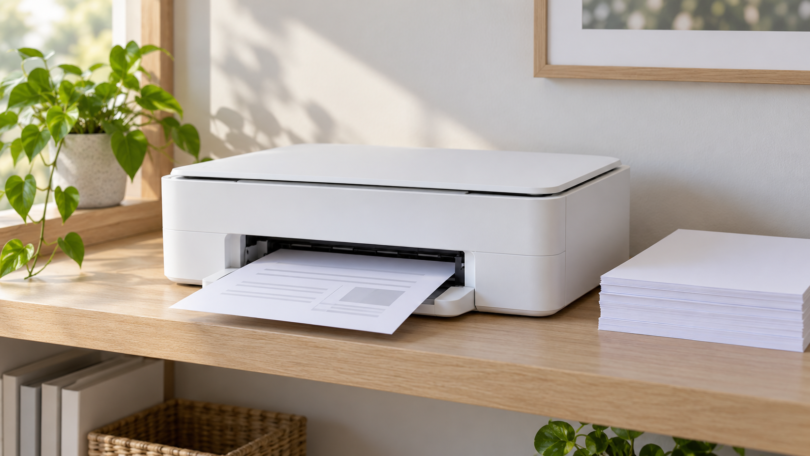

For occasional letters, return labels and forms, a monochrome laser printer is a useful place to start. It avoids an inkjet printhead’s ink-cleaning routine, but still needs suitable paper, correct storage and normal maintenance. No printer is guaranteed to sit unused indefinitely and work perfectly on demand.
The Brother HL-L2460DW is our first option for occasional black-and-white documents. Choose the Brother MFC-L3780CDW if you also need color documents and a document-feeder scanner. The Epson EcoTank ET-2980 is a conditional choice for someone who wants inkjet color and will look after the printhead; a large ink supply alone is not a reason to buy it for very rare printing.
Three printers for different occasional-use jobs
Brother HL-L2460DW: for black-and-white printing without a scanner
The HL-L2460DW is a monochrome laser, print-only model with automatic two-sided printing, a 250-sheet main tray and a single-sheet manual feed. It offers USB, Ethernet and dual-band Wi-Fi. It cannot print in color, scan originals or make standalone copies.
That focused feature set suits someone who mostly prints ordinary documents. Choose it because those functions match your work, rather than because it has the largest quoted monthly duty cycle. Brother specifies a recommended monthly volume of up to 2,500 pages and a maximum duty cycle of up to 35,000. The latter is not a recommended target or a promise about how long the printer can remain idle.
Supplies are straightforward to identify: TN830-series black toner and a separate DR830 drum. The box includes starter toner rated for approximately 700 pages. The standard TN830 and high-yield TN830XL are rated for approximately 1,200 and 3,000 pages respectively under the maker’s stated test standard. Those page estimates do not establish your cost per page or the number of years a cartridge will last.
Check before buying: the U.S. brochure says macOS printing uses AirPrint and that Mac printer drivers are not provided. Confirm the current support options for your exact computer or mobile device. The ordinary HL-L2460DW package also should not be confused with an XL bundle.

Brother HL-L2460DW Monochrome Laser Printer, 1 Printer
As an Amazon Associate we earn from qualifying purchases.
Brother MFC-L3780CDW: for color documents and two-sided scanning
The MFC-L3780CDW combines color printing, scanning, copying and fax. Its printing technology is digital color LED, a toner-based system that Brother describes as producing laser-quality output. It has automatic duplex printing and single-pass two-sided scanning/copying through a 50-page document feeder.
This is the more useful option when occasional work arrives as a stack of paper to digitize, or when charts and color documents are essential. It includes a 250-sheet main tray, 30-sheet multipurpose tray, USB, Gigabit Ethernet and dual-band Wi-Fi. The larger machine and more complicated supplies are meaningful tradeoffs if you only print a few monochrome pages.
Budget for four TN229-series toner colors, the DR229CL drum set, BU229CL belt and WT229CL waste-toner box over the machine’s life. Not all of those parts need replacing together. Follow the machine’s messages and manual rather than replacing everything on a calendar. Brother rates recommended monthly volume at up to 4,000 pages and maximum duty cycle at up to 50,000; neither makes it maintenance-free.
Check before buying: the MFC-L3780CDW brochure specifies AirPrint for printing and scanning on macOS. Some functions, including the listed network-folder scan feature, are Windows-only. Check the exact workflow you need instead of assuming every advertised feature works on every OS.
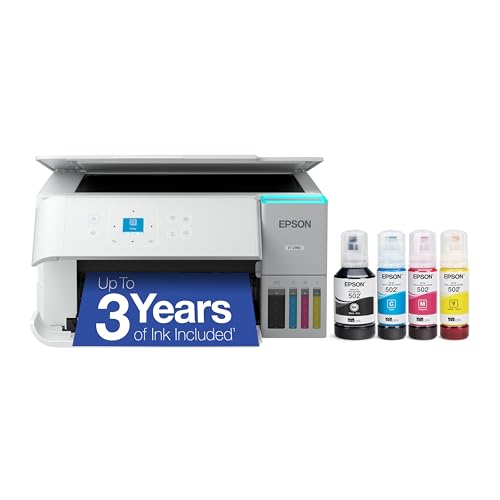
Epson EcoTank ET-2980, white C11CL41202: for an inkjet workflow you will maintain
The white ET-2980 is a color ink-tank printer with a flatbed scanner, copying, a 100-sheet paper tray and automatic two-sided printing. Its scanner requires individual placement of originals; there is no automatic document feeder. Connectivity includes Wi-Fi and USB, with no Ethernet port.
Consider it if you specifically want inkjet color output and expect enough continuing use to justify buying a tank printer. For a handful of pages several months apart, the maintenance burden deserves more attention than the size of the bottles. We have not calculated a break-even point against the Brother printers because actual usage, supplies and purchase prices vary.
The U.S. ET-2980 uses Epson 502 black, cyan, magenta and yellow ink and a user-replaceable T04D100 maintenance box. This is the retail ET-2980, not the separate ET-2980U ReadyPrint configuration. Do not transfer ink numbers or subscription terms between them.
Epson also documents the Smart Panel mobile app. Check the ET-2980 support downloads for your exact operating system and required print or scan function before buying; mobile-app support does not establish every desktop feature.
The idle-use tradeoff: Epson’s ET-2980 manual explains nozzle checks, head cleaning, power cleaning and ink flushing. Cleaning consumes ink, and the maintenance box collects surplus ink from printing and cleaning. The manual says to clean the nozzles when print quality declines, with a nozzle check first; it does not promise that the ink cannot dry out. Use the power button and wait for shutdown before disconnecting power so the head can return to its home position.
How to choose when you rarely print
Decide whether you need color at home
If almost every job is a black-and-white form, the HL-L2460DW keeps the purchase focused on that job. If color is essential, distinguish office charts from photo output on a particular paper. Check the exact media specifications before buying; automatic duplex support does not apply to every paper size or finish.
Separate scanning from printing
A print-only machine does not acquire a scanner through a phone app. If you regularly digitize multipage originals, the MFC-L3780CDW’s feeder matters. If you only scan a page or a small item occasionally, a flatbed such as the Epson’s may be enough. For documents that cannot enter a feeder, use the appropriate flatbed workflow.
Count the full cost of ownership
Compare the printer, replacement supplies, additional maintenance parts and your expected print volume. Starter supplies differ from replacement cartridges. Brother’s Refresh subscription offers have separate enrollment and ongoing terms; compare an optional subscription against buying supplies as needed. There is no universal toner-versus-ink savings figure that fits every occasional user.
Plan for a printer that has been sitting
Store paper as its manufacturer directs and follow the printer’s environmental and maintenance instructions. Brother’s HL-L2460DW guide still calls for regular cleaning and warns against unpacking replacement toner long before installation. The color model’s guide also covers LED-head and other cleaning. Before an important deadline, print a sample page early enough to deal with a problem.
Frequently asked questions
Is a laser printer always best for infrequent use?
No. A monochrome laser is a strong starting point for occasional text, but it cannot supply color or scanning unless the exact model includes those features. A toner-based color all-in-one may be excessive for a few pages, while an inkjet needs its own maintenance routine.
How long can these printers sit unused?
There is no single verified idle interval for all three. Storage conditions, consumables and the machine’s condition matter. Follow the exact manual, and do not treat an advertised page yield as an idle-life guarantee.
Should I print a cleaning page every week?
Do not invent a schedule that conflicts with the manual. Epson recommends checking nozzles and cleaning when needed; cleaning itself uses ink. Toner machines have different maintenance procedures. Follow the instructions for the model you own.
Is it worth owning a printer for a few pages a year?
Compare ownership with a local printing service, factoring in travel, opening hours and how you will handle private documents. If owning one is worthwhile, choose the simplest machine that covers the work you actually do.
