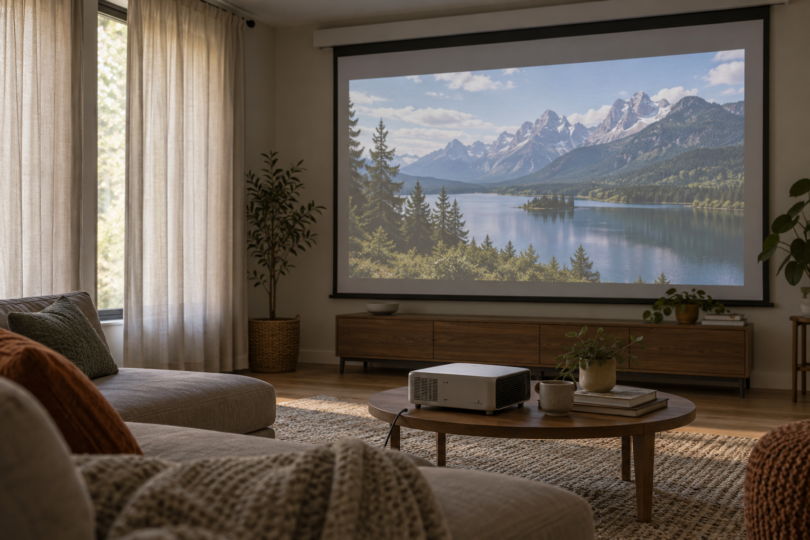

For daytime viewing, start with the room: a projector needs a screen that is kept out of direct sunlight, some control over window light and enough output for the image size you want. The Epson Lifestudio Grand Plus is the strongest fit here for a cabinet-based ultra-short-throw setup with a compatible screen. The BenQ TK710 suits a conventional projector position when you want laser illumination, while the Epson Home Cinema 3800 offers more optical placement flexibility if a replaceable lamp is acceptable.
None is a promise of a cinema-quality picture in full sun. Ambient light washes out projected images, especially their darker parts. BenQ’s daylight guidance emphasizes shade and lighting conditions as well as brightness. If direct sunlight will regularly hit the viewing surface and you cannot shade it, reconsider the location or use a direct-view display.
Three projectors worth comparing for a brighter room
| Exact model | Manufacturer brightness specification | Placement and light source | Main tradeoff |
|---|---|---|---|
| Epson Lifestudio Grand Plus, black V11HB83120 | 4,000 lumens white, ISO 21118; 4,000 lumens color, IDMS 15.4 | Ultra-short throw; laser; tabletop position near screen | Needs careful cabinet/screen planning; screen sold separately |
| BenQ TK710 | 3,200 ANSI lumens | Standard throw; laser; 1.15–1.50 throw ratio | Limited vertical lens shift; verify screen compatibility at your throw distance |
| Epson Home Cinema 3800, V11H959020 | 3,000 lumens white, ISO 21118; 3,000 lumens color, IDMS 15.4 | Standard throw; lamp; 1.32–2.15 throw ratio | Periodic lamp replacement; 4K Enhancement rather than native 4K panels |
These are the makers’ stated ratings, with their measurement labels preserved. They are not measurements in your room or a calibrated head-to-head comparison. Epson’s separate white and color figures describe different measurements; do not add them together.
1. Epson Lifestudio Grand Plus: for a living-room UST installation
The selected Lifestudio Grand Plus in black, model V11HB83120, combines an ultra-short-throw lens, laser illumination and 3LCD projection. Epson specifies up to a 150-inch image and 4,000 lumens each of ISO-rated white output and IDMS-rated color output. Its 4K display technology uses pixel shifting to produce up to 8.29 million pixels on screen.
Its main advantage is placement near the screen, which avoids putting a projector far back in the room. The practical cost is precise installation: measure the cabinet depth, screen height and projection geometry before ordering. A short gap behind the projector does not describe the full depth needed for its chassis and furniture.
Epson’s specification sheet lists tabletop front projection, a 27.4-inch-wide by 13.4-inch-deep chassis and a separately sold ALR screen. It also identifies the quoted brightness in Dynamic mode. Budget for a correctly matched UST screen and choose the intended image size before the furniture.
This is the option to investigate when a large living-room picture and near-screen placement are the priorities. It still benefits from shades. The screen and room are part of the system; the projector’s brightness number does not remove that requirement.
2. BenQ TK710: for standard-throw laser projection
The BenQ TK710 uses a laser light source and is specified at 3,200 ANSI lumens with 4K UHD output. Its exact specification page lists a 1.15–1.50 throw ratio, 1.3× optical zoom and +10% vertical lens shift. This is the TK710, not the shorter-throw TK710STi.
Choose it when you have a suitable shelf or ceiling position and prefer a laser source to a lamp-based model. Its optical adjustment is more limited than the Home Cinema 3800’s, so measure the lens position carefully. Do not assume digital keystone correction can substitute for a well-aligned installation without changing the image.
A standard-throw label also does not guarantee that every standard-throw ALR screen works at every zoom position. Some screens require a minimum throw ratio that reaches the far end of the TK710’s range. Get the screen maker to confirm your exact projector, image width and mounting distance before buying the pair.
3. Epson Home Cinema 3800: for more flexible optical placement
The Home Cinema 3800, model V11H959020, is a 3LCD lamp projector with 3,000 lumens of white output and 3,000 lumens of color output. Its 1.62× zoom and 1.32–2.15 throw ratio give it a wider placement range than the TK710. Epson also specifies vertical lens shift up to ±60% with the horizontal position centered, and horizontal shift up to ±24% with the vertical position centered. Those maximum adjustments are not a promise that both can be used fully at once.
This makes it worth comparing when the room dictates a less convenient projector position. Factor replacement lamps into ownership costs and check the condition of any used example. Its resolution specification is 4K Enhancement, expressed by Epson as 1920 × 1080 × 2. It accepts 4K input, but it should not be described as a native-4K-panel projector or as displaying the same pixel count as the Grand Plus.
How to choose a projector for daytime viewing
Read the brightness unit before comparing the number
Look for a defined output measurement such as ANSI lumens or the manufacturer’s ISO-rated white-light specification. An unexplained “9,500L,” an LED-lumen figure and a light-source lumen rating should not be treated as equivalent projected output. BenQ explains the distinction between projected output and light-source or LED marketing figures.
In the ANSI method described by BenQ, the average of nine illuminance readings across the projected image, measured in lux, is multiplied by the image area in square meters to calculate light output in lumens.
Keep the measurement standard and operating mode attached to the number. Do not apply a universal conversion formula to an unidentified listing. Picture mode, power settings, screen and installation affect the result you see, so a brightness specification is a starting point for comparison, not a daylight guarantee.
Match the screen to the projection angle
An ambient-light-rejecting screen redirects or absorbs light according to its design. It is not a universal sunlight shield. For example, Elite’s StarBright CLR 3 material is designed for tabletop UST projection and is explicitly incompatible with short- or standard-throw projectors. It is not the material to pair automatically with the TK710 or Home Cinema 3800.
Conversely, Elite’s CineGrey 5D specifies standard long-throw projection and a minimum 1.5 throw ratio. That illustrates why you must check the installation, not just the words “ALR screen.” The TK710’s 1.15–1.50 range does not qualify across its entire zoom range. Confirm viewing angles, minimum throw and light direction for whichever screen you select.
Measure image size and lens distance together
For standard-throw planning, throw ratio multiplied by image width gives an approximate lens-to-screen distance. A 100-inch-diagonal 16:9 image is about 87.2 inches wide. Using the published optical ranges gives roughly 8.4–10.9 feet for the TK710 and 9.6–15.6 feet for the Home Cinema 3800. These are calculated planning ranges, before mounting clearances and any screen-specific restrictions.
Use the exact model’s installation diagram before drilling or buying a cabinet. Do not apply these standard-throw distances to the Grand Plus, where the relationship between the lens, chassis, cabinet and bottom of the screen needs its own diagram.
Control the light hitting the screen
Look at the intended wall at the time you actually watch. Use shades or curtains to keep sun off the screen, move lamps away from it and try a smaller image before assuming you need the maximum advertised size. With the same projected light spread over more area, the larger image receives less light per unit area. Brightness cannot restore dark detail that room light has washed out.
If a demonstration is possible, use your likely screen size and daytime lighting. Include dark movie scenes as well as bright sports footage. A colorful promotional image in a dim showroom is not a useful substitute for the conditions in your room.
Questions to answer before buying
How many lumens do I need?
There is no universal threshold for “daytime.” A shaded room with a moderate-size screen is different from an uncovered window facing the screen. The three choices above provide documented output ratings and different installation options, but room light, screen size and the surface still determine whether the result suits you.
Will a small portable projector do the same job?
Check its actual output. For perspective, the KODAK LUMA 150 is rated by its maker at 60 ANSI lumens. Its portability serves a different priority from the brighter fixed-room options here. A large supported image size or a bundled cloth screen does not establish daytime performance.
Does 4K or HDR make a projector better in daylight?
Those labels concern image detail and signal handling; they do not stop ambient light from reaching the screen. Check resolution separately from brightness, and distinguish 4K input support from the projector’s displayed resolution. For daytime use, a correctly sized screen and controlled light remain central to the result.
Which is the best fit?
Choose the Lifestudio Grand Plus for a planned tabletop UST system, the TK710 for a standard-throw laser setup, or the Home Cinema 3800 when its zoom and lens shift solve your placement problem. Make the final choice with the screen and room layout in view. If you cannot keep direct sun off the screen, solve that problem before spending more on a projector.