

The best RV security camera system depends on what you need to see: someone approaching a parked camper, or the space behind you while reversing. For alerts while you are away, start with internet access, recording and dependable power. For maneuvering, choose a vehicle observation system with a dedicated monitor.
These three options cover different setups. Start with the connection and power you can provide, then check the model’s recording limits.
Choose the right type of RV camera
- Parked security with your own Wi-Fi: A battery camera such as the Tapo C425 suits a doorway or storage compartment when your RV router stays online.
- Parked security without campground Wi-Fi: A cellular camera such as the Reolink Go PT Ultra uses its own compatible SIM and data plan. It still needs usable cellular coverage.
- Reversing and viewing around the RV from inside: The Furrion Vision S+ connects cameras to an in-vehicle monitor. Its parked viewing features serve a different purpose from remote phone alerts.
A camera can miss activity or lose power. Keep using locks, sensible parking choices, mirrors and a spotter where appropriate.
Three RV camera options to compare
Tapo C425: for parked monitoring through an RV router

Tapo C425 MagCam, White, Single Camera
As an Amazon Associate we earn from qualifying purchases.
The Tapo C425 combines 2K QHD video, a rechargeable battery, 2.4 GHz Wi-Fi and an IP66-rated camera enclosure. A microSD card up to 512 GB stores recordings locally; Tapo Care cloud storage requires a subscription. The camera works without a separate hub.
Good fit: Watching an entry area when you already have an always-on RV router. Watch out: It records motion clips rather than continuous video. A magnetic mount is convenient at camp, but do not assume it is suitable for travel vibration. Secure or remove temporary mounts before driving. Check the compatible solar panel and accessories for the hardware version you buy.
Reolink Go PT Ultra: for locations with cellular service
The Go PT Ultra provides 4K video over a cellular connection, with battery power and Solar Panel 2 support. It stores motion-triggered recordings on a microSD card up to 128 GB. Its enclosure is rated IP64.
Good fit: Checking a parked RV where campground internet is unavailable but a supported carrier works. Watch out: Confirm the regional camera version, SIM compatibility, coverage and ongoing plan costs. Pan-and-tilt moves the lens; it does not show every side of the RV simultaneously. Cloud availability varies by country. Check what the selected bundle includes.
View Go PT Ultra options at Reolink
Furrion Vision S+ FOS5HTASF: for driving and local observation
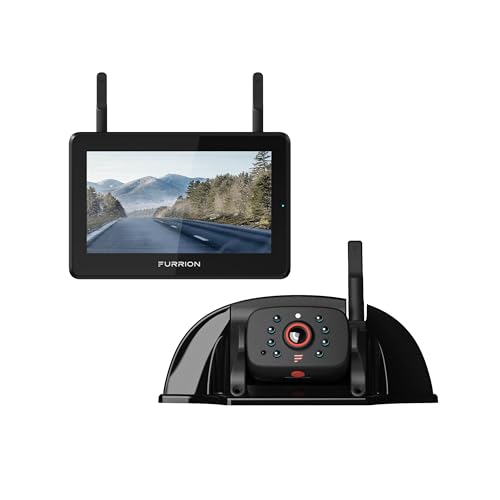
This exact Furrion kit pairs a 5-inch monitor with a 1080p rear sharkfin camera. It uses a proprietary wireless camera-to-monitor connection and supports SD-card recording; the card is separate. Properly wired, its motion detection can wake the monitor while parked.
Good fit: Rearward visibility and checking outside from inside the RV. Watch out: Budget for the installation and verify parked power for both camera and monitor. Do not assume a camera powered only when reversing stays on overnight. Vision S+ components are incompatible with older Vision S, Vision 1 and Vision 2 systems.
Wi-Fi, cellular and local storage: plan all three
Campground Wi-Fi may require a browser sign-in page, expire between sessions or block devices from communicating. TP-Link warns against connecting Tapo cameras to open or portal-based networks. Your own compatible router provides a consistent camera network, but its internet connection and power must remain available after you leave.
Cellular avoids reliance on the campground network, but weak signal or an exhausted plan can interrupt remote access. Reolink explains that live viewing, playback, uploads and alerts consume data. Check usage during your first trip rather than assuming a small plan will last.
Local storage can preserve recordings during some network outages, but it cannot deliver remote alerts without connectivity. Tapo says configured cameras can continue microSD recording after losing their router connection; test your exact setup before relying on it. A stolen camera may take its card with it. Export important clips promptly.
Power, placement and privacy before you leave
Include the router, hotspot, recorder and monitor in your power budget. Battery-life claims depend on activity, viewing time and conditions. Solar charging also depends on exposure: a shaded campsite may need manual recharging. Check charging limits separately from operating limits; TP-Link lists C425 charging at 32–113°F, even though operation extends below freezing.
Keep ports sealed as directed and respect temperature limits. A weather rating alone does not establish that a home camera or removable bracket is road-ready. Position cameras to cover your entry points, avoiding neighboring windows and private camping areas. Check local recording requirements and campground rules before enabling audio.
Follow the FTC’s camera-security guidance: use unique passwords, available two-factor authentication, encrypted Wi-Fi and current firmware. Finally, walk through the detection area in daylight and darkness, review the saved clips, and test remote access with your phone disconnected from the RV’s Wi-Fi.
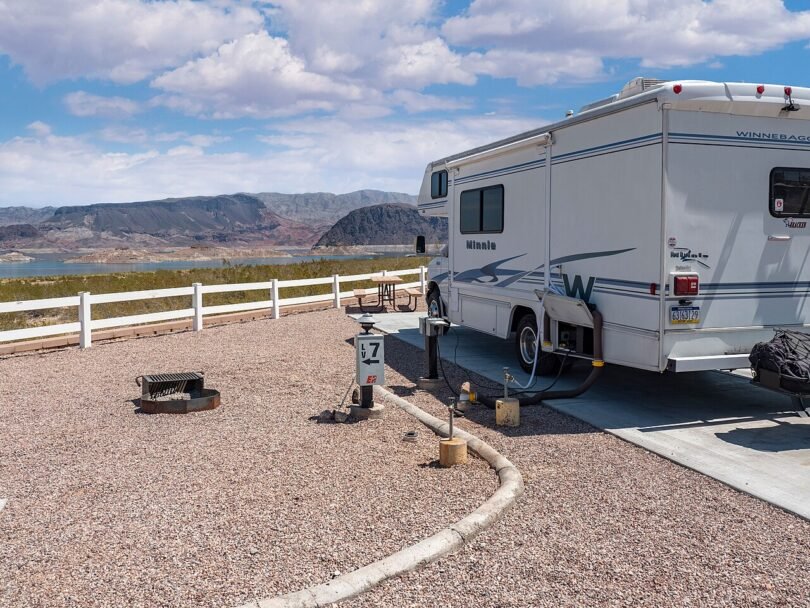
Photo: Boulder Beach RV Park, National Park Service / Andrew Cattoir, public domain.


