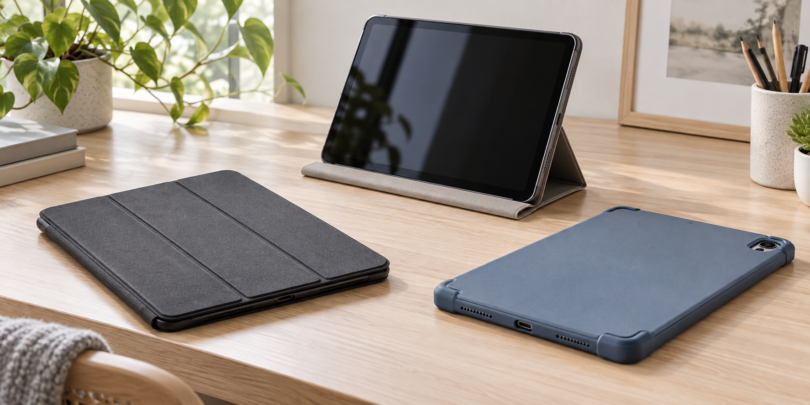

A good tablet case starts with the exact tablet you own. Our shortlist covers three useful choices: a slim ProCase folio for the 10.2-inch iPad, Spigen’s Rugged Armor Pro for the Galaxy Tab S9 FE, and Logitech Combo Touch for people who want a keyboard on an iPad 10th generation or iPad (A16). These are separate fits, so choose your device row before comparing features.
The recommendations below use manufacturer specifications and the selected retail models. They focus on fit, cover style, pen storage and typing needs; they do not claim measured drop resistance or hands-on durability results.
Compare three tablet cases by exact fit
| Selected case | Tablet fit covered here | Best reason to choose it | Main trade-off |
|---|---|---|---|
| ProCase PC-08361922, Black | 10.2-inch iPad: 7th generation (2019), 8th generation (2020), 9th generation (2021) | A slim folio with a translucent hard back and folding stand | No keyboard; does not support using Apple’s Smart Keyboard in the case |
| Spigen Rugged Armor Pro ACS06857, Black | Samsung Galaxy Tab S9 FE, 10.9-inch (2023) | Folding cover, reinforced design and built-in S Pen storage | A separate variant is required for the S9 FE+ |
| Logitech Combo Touch 920-011433, Oxford Gray, US layout | iPad 10th generation, 10.9-inch (2022); iPad (A16), 11-inch (2025) | A detachable backlit keyboard, trackpad and adjustable kickstand | More to carry and more desk space to allow than with a simple folio |
1. ProCase 10.2-inch iPad case: a straightforward slim folio

ProCase PC-08361922 for iPad 10.2-inch 7th/8th/9th Generation, Black
As an Amazon Associate we earn from qualifying purchases.
Keep the ProCase on your list if you own a 7th-, 8th- or 9th-generation 10.2-inch iPad and mainly want a cover for carrying, reading and watching video. The selected black PC-08361922 has a translucent hard-shell back and a folding front cover. It supports automatic sleep/wake and leaves access to the camera, speakers, ports and buttons.
The appeal is simplicity: you can fold the cover into a stand without carrying a keyboard. It is the least complicated choice here for someone who normally types on the screen or uses a separate keyboard.
Check before buying: the selected size is specifically “iPad 9th/8th/7th gen 10.2 inch.” It is not the 10th-generation 10.9-inch iPad case or the 11-inch iPad (A16) case. ProCase also explicitly says this design does not support using Apple’s Smart Keyboard in the case. The listing identifies one case; the tablet is not included.
Use ProCase’s generation and model-number guide to double-check your iPad. Treat the slim cover as everyday carrying protection, not a promise against damage from a particular fall.
2. Spigen Rugged Armor Pro: a pen-friendly Galaxy Tab S9 FE cover

For the 10.9-inch Galaxy Tab S9 FE, the black ACS06857 combines a folding front cover with a more substantial back design and a built-in S Pen holder. That makes it a useful option when your pen tends to get separated from the tablet in a bag.
Spigen describes a dual-layer construction, corner cushioning and raised screen and camera edges. The cover also provides a stand for hands-free viewing. These features explain the choice for commuting and everyday handling; they do not establish a tested drop height for this article.
Check before buying: confirm ACS06857 and Galaxy Tab S9 FE in the selected listing. The S9 FE+ has a separate case option, and the similar “Tab S9” naming is not a fit guarantee. This recommendation is for the S9 FE configuration that Spigen identifies on its own selected product page.
Choose it when a cover and pen storage matter more than the thinnest possible shell. The retail package is one case; a tablet and S Pen are not part of that purchase. It has no keyboard, so frequent typing still calls for the on-screen keyboard or a separate accessory.
3. Logitech Combo Touch: for typing on a compatible iPad

Combo Touch is the pick here when the tablet is also a writing machine. The 920-011433 configuration includes a detachable backlit keyboard, trackpad and case with an adjustable kickstand. It connects and draws power through the iPad’s Smart Connector, so the keyboard does not require separate battery charging.
The detachable keyboard is the practical advantage: leave it attached for documents, then remove it when reading or sketching while keeping the tablet in its case. Logitech describes four modes: type, view, sketch and read.
Check before buying: this is the Oxford Gray, English US (QWERTY) model for iPad 10th generation and iPad (A16). The older 10.2-inch iPads, iPad Air and iPad Pro have different case choices. A shared “Combo Touch” name does not make those versions interchangeable.
Allow room behind the tablet for the kickstand and in front for the keyboard. This design is easiest to plan around on a desk or table; if you mainly read while holding the tablet, a simpler cover may suit you better. The package contains the keyboard case and documentation, not an iPad or stylus. See Logitech’s exact model page for compatibility and included components.
How to avoid buying the wrong tablet case
Find the model first. For an iPad, use Settings > General > About and check the model name and number against Apple’s identification guide. For a Samsung tablet, use Settings > About tablet, as described in Samsung’s model-number guide. Record the generation as well as the screen size.
Match the selected variant. A product page may group several sizes together. Recheck the chosen device, color and model after changing options. Camera openings, buttons, speakers, connectors and overall dimensions all need to line up; a matching diagonal screen size alone is not enough.
Choose the carrying setup. A folio covers the screen in a bag and folds into a stand. A case with pen storage helps keep a stylus with the tablet. A keyboard case adds typing controls but also adds an extra part to carry and space to use. Pick for your normal day rather than an occasional task.
Check accessories together. A pen holder is not proof of charging support, and a case opening is not proof that every screen protector or keyboard will fit. Compare the exact case and accessory specifications before ordering them as a set. None of the cases here should be treated as a waterproof enclosure.
Frequently asked questions
Will any 10- or 11-inch case fit my tablet?
No. Match the tablet family, generation and model, not just its screen measurement. For example, the ProCase here fits the 10.2-inch iPad 7th, 8th and 9th generations; the selected Combo Touch fits the iPad 10th generation and iPad (A16).
Which case is best for a 10.2-inch iPad?
Of these picks, the black ProCase PC-08361922 is the slim folio for the 7th-, 8th- and 9th-generation 10.2-inch iPads. Choose it for a simple cover and stand. It does not accommodate Apple’s Smart Keyboard in the case.
Does the Spigen case include an S Pen?
No. The ACS06857 listing is for one case with an S Pen holder. The tablet and pen are separate. Confirm that your tablet is the Galaxy Tab S9 FE configuration covered by the selected case.
Does Logitech Combo Touch need to be charged?
The selected 920-011433 keyboard draws power from a compatible iPad through the Smart Connector. It does not need separate charging. Your iPad still needs its normal charging routine.
Will a case make my tablet drop-proof or waterproof?
Do not assume that. Covers, raised edges and cushioned corners can serve different protective purposes, but no drop-proof or waterproof guarantee is established here. Treat manufacturer protection descriptions as specific claims with limits, and keep the tablet away from water and hard impacts.