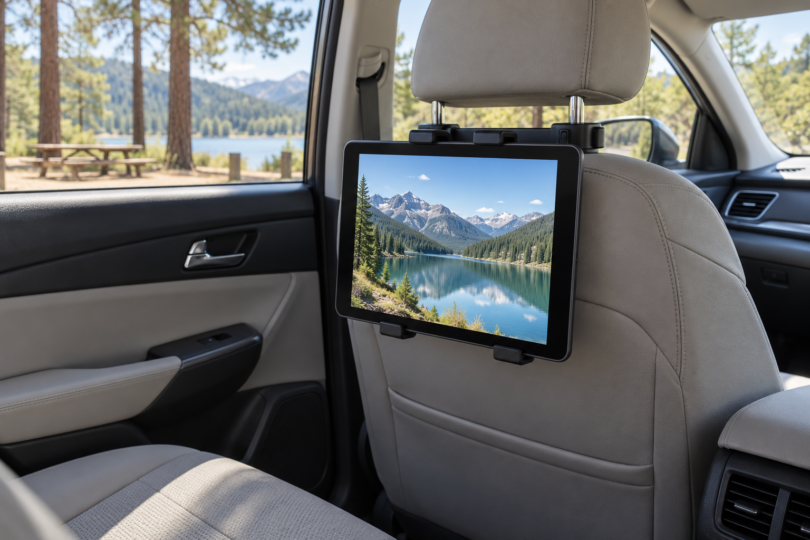

For a removable tablet setup in a car, start with the iPad mini (A17 Pro) Wi-Fi + Cellular if you want a light, compact iPad with built-in GPS/GNSS. Consider the Samsung Galaxy Tab Active5 5G when rugged Android hardware, a replaceable battery and supported docking options matter more. Both are compact choices that still need a correctly fitted mount and a sensible power plan.
This comparison is for passenger use and tasks completed while safely parked. Set up routes and media before moving; the driver should not operate or watch entertainment on the tablet while driving. NHTSA identifies interaction with entertainment and navigation systems as a source of distraction. Neither recommendation is a tested installation for your vehicle, and we have not measured mount retention, reception, battery life or thermal performance.
Best tablets for a removable car setup
| Exact tablet to compare | Best fit | Installation tradeoff |
|---|---|---|
| iPad mini A17 Pro, Wi-Fi + Cellular, 128GB, Space Gray; MXPN3LL/A | Lightweight iPad with an 8.3-inch screen and GPS/GNSS | Cellular version matters for built-in GPS; remove it from a hot parked car |
| Galaxy Tab Active5 5G, 128GB, SM-X308UZGAN14 | Rugged Android work tablet with replaceable battery and POGO connection | Thicker and heavier; No Battery Mode has strict power requirements |
1. iPad mini A17 Pro Cellular: best compact iPad choice
The selected 128GB Space Gray configuration is MXPN3LL/A. Apple specifies an 8.3-inch display, a 195.4 × 134.8 × 6.3 mm body and a 297 g weight for the cellular model. Its small footprint makes it our choice when you want an iPad you can remove from the car and carry with you, rather than leave behind as permanent equipment.
The cellular version supports 5G and LTE, but service requires a compatible carrier and data plan. It uses eSIM, with no physical SIM support. If you only need downloaded passenger entertainment, consider whether paying for cellular hardware and ongoing service fits that use before choosing this exact version.
USB-C handles charging. The listed U.S. package includes a one-meter USB-C cable and 20W USB-C power adapter; that wall adapter is not a car charger. Check the output and compatibility of the vehicle’s USB port or chosen vehicle adapter, then test the complete setup while parked. Do not assume a USB socket can maintain the battery during every workload.
The main limitation for a car install is heat. Apple specifies a 0–35°C operating ambient range and warns against leaving an iPad in a parked car. Direct sun plus charging or navigation can bring thermal limits into play: charging may slow or stop and the screen may dim. A removable mount and taking the tablet inside are more sensible than treating the dashboard as permanent storage.

Apple iPad mini A17 Pro, 128GB Wi-Fi + Cellular, Space Gray
As an Amazon Associate we earn from qualifying purchases.
2. Galaxy Tab Active5 5G: best for a rugged Android work setup
The U.S. SM-X308UZGAN14 is a 128GB 5G Galaxy Tab Active5, distinct from the Wi-Fi version and the larger Active5 Pro. Samsung’s documentation identifies 6GB of RAM, an 8-inch TFT display, a 126.8 × 213.8 × 10.1 mm body and a listed 433 g weight, with regional weight variation noted. That makes it thicker and heavier than the cellular iPad mini, which matters when selecting a holder and mounting base.
Its practical attractions are a removable 5,050mAh battery, USB-C, POGO contacts and a 3.5mm audio jack. Samsung lists an included S Pen and a separately sold POGO charging dock. For a vehicle used for field work, those features make the Active5 worth comparing with a consumer tablet, but the correct dock, mount and power accessories still need to be matched to this exact model.
No Battery Mode is a specific feature, not permission to improvise vehicle wiring. Samsung says it must be enabled and requires a dedicated USB-C power accessory supplying at least 9V and 2.3A with USB Power Delivery 2.0 or later. The mode also limits CPU performance and reduces maximum brightness and volume. Have a qualified installer evaluate any permanent power or docking installation; do not connect the tablet directly to vehicle wiring.
Samsung lists IP68 and MIL-STD-810H testing, while explicitly warning that real-world conditions differ and extreme-condition performance is not guaranteed. Those statements do not establish crash safety or unrestricted parked-car heat tolerance. Samsung’s general temperature guidance also warns about hot cars and prolonged direct sunlight. Plan to remove and protect this tablet too.
Match the full model code before checkout. The Amazon listing’s model and UPC agree with Samsung’s U.S. model list, but some generic retailer fields conflict with Samsung’s specifications, including RAM, display technology and dimensions. Use Samsung’s 6GB/128GB and TFT specifications for this model, and ask the seller to resolve any different configuration before ordering. Confirm included accessories rather than inferring a complete vehicle kit from product pictures.
Samsung currently lists Galaxy Tab Active5 among enterprise models receiving quarterly security updates. Recheck support and install available updates before using a tablet for work accounts. The original launch promise of up to five years of security maintenance is not five new years from the day you buy an older unit.

Choose the mount before committing to the tablet
Measure the tablet with its case fitted, including its width, height, thickness and total weight. Compare those measurements with the holder’s stated limits and check the exact vehicle mounting base separately. A holder advertised for a screen-size range does not by itself establish fit, secure retention or a clear view of vehicle controls. Leave the USB port and buttons accessible without cables under tension.
Keep any installation out of airbag deployment areas and away from the driver’s view or operating controls. RAM’s installation safety notice expressly cautions against those locations. Consult the vehicle manual and mount manufacturer for the actual installation position. For a rear-seat tablet, check headrest geometry, seat movement and passenger clearance before selecting a holder; this shortlist does not certify a specific mount.
Use a compatible, undamaged vehicle power adapter and cable, with wiring routed so it cannot interfere with pedals, controls or seat mechanisms. Test charging, screen visibility and connection reliability while parked. If the device becomes too hot, stop use and follow its manufacturer’s cooling guidance; a higher-wattage charger is not a solution to thermal shutdown. Permanent wiring, retained power and vehicle-battery protection belong with a qualified installer.
Check the apps and audio route you actually need. A tablet’s Bluetooth or USB port is not evidence that it integrates with every head unit, vehicle microphone or steering-wheel control. Confirm those connections with the vehicle and accessory instructions before buying. Download passenger content ahead of time and make any route or playback changes while safely parked.
Compare the complete purchase: tablet, case, correctly rated holder and base, power adapter, cables, optional dock and any data plan. A removable system is easier to take indoors when parked. We do not quote live prices, promise universal car compatibility or recommend leaving either device installed unattended in high heat.
Frequently asked questions
Which tablet is better for an everyday car setup?
Choose the iPad mini Cellular if you want a lighter compact iPad with documented GPS/GNSS. Choose the Active5 5G when its removable battery, Android workflow and docking features justify the extra thickness and weight. In either case, the mount and power arrangement must be suitable for your vehicle.
Can I leave a tablet in the car all summer?
We would not plan on that for either pick. Apple warns that parked-car temperatures can exceed its storage range, and Samsung warns about hot cars and direct sunlight. Rugged-device test labels are not a guarantee against every temperature, battery or installation hazard.
Do I need the cellular iPad mini for GPS?
For the built-in GPS/GNSS listed in Apple’s specifications, choose the Wi-Fi + Cellular version. A mobile data plan is a separate decision, and the availability of maps, traffic updates or downloaded routes depends on your app and connection. Check those requirements before traveling.