
The TP-Link RE315 is our starting pick for a Ring camera with one nearby Wi-Fi weak spot. Choose the TP-Link RE550 if you also want a Gigabit Ethernet port or plan to run a network cable to an access point. Ring Chime Pro (2nd Gen) remains a useful option for existing owners who want Ring alerts and a Ring-specific extension network, but check the exact model carefully.
A Wi-Fi extender only helps when it can receive a usable connection from your router. Before buying, check whether your problem is weak reception at the camera, an incompatible network setting, or slow internet service. Those problems need different fixes.
Our recommendations compare manufacturer specifications and setup guidance. We have not conducted hands-on range or camera-reliability tests.
Best Wi-Fi extenders for a Ring camera: the shortlist
| Device | Best fit | Key limitation |
|---|---|---|
| TP-Link RE315 | Extending an existing network to one weak area | Its Ethernet port is limited to 10/100 Mbps |
| TP-Link RE550 | A Gigabit Ethernet connection and wired access-point use | The larger speed class does not guarantee a better camera connection |
| Ring Chime Pro (2nd Gen) | Existing owners who want Ring alerts and Ring-device extension | Check the generation; Chime and Chime Plus are different products |
Both TP-Link models support 2.4 GHz and 5 GHz. Select the band your particular camera supports, and check the router’s security settings and the extender’s hardware-version support before ordering.
1. TP-Link RE315: a sensible choice for one weak spot
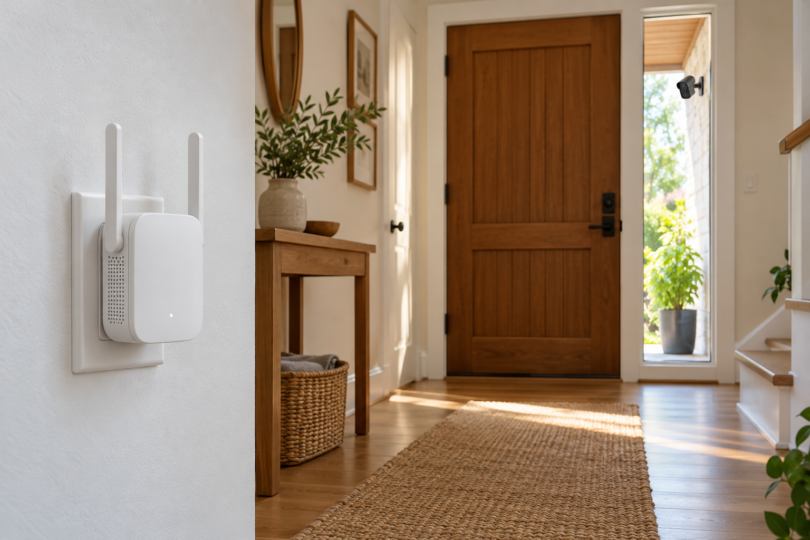
The RE315 provides dual-band Wi-Fi, two external antennas and a signal indicator to help with positioning. It can operate as a wireless range extender or as an access point connected to your router by Ethernet. Setup is available through TP-Link’s Tether app or web interface.
That combination makes it a reasonable first option when the router works well through most of the house, but a camera near the entrance struggles. Its general Wi-Fi network can also serve other compatible devices in that area. This recommendation depends on having a suitable outlet where the RE315 can still receive a strong router signal.
Trade-off: the Ethernet port is 10/100 Mbps, not Gigabit. That matters if you also want to use it for a fast wired computer connection or a higher-capacity wired access point. For a camera, matching its band and improving the connection path are more useful buying criteria than chasing the largest number on the box.

TP-Link RE315 AC1200 Dual-Band Wi-Fi Range Extender
As an Amazon Associate we earn from qualifying purchases.
2. TP-Link RE550: choose it for the Gigabit port
The RE550 adds a Gigabit Ethernet port, three external antennas, and dual-band range-extender or access-point operation. Its clearest advantage here is the wired option: you can connect it to the router with Ethernet and create Wi-Fi nearer the camera.
Consider it when the same area needs connectivity for other devices, or when an Ethernet run is practical. Using a cable for the router-to-access-point connection avoids relying on a weak wireless link across that part of the house. The Ring camera still connects by Wi-Fi unless that exact camera has its own supported Ethernet connection.
Trade-off: the RE550’s AC1900 label is a wireless speed class, not a promised internet speed or camera-video improvement. Walls, interference, router placement and the camera’s own radio still matter. Do not choose it solely because its advertised speed is higher than the RE315’s.

3. Ring Chime Pro (2nd Gen): worth using if you already own it
Chime Pro (2nd Gen) combines audible Ring alerts, a nightlight and Wi-Fi extension for Ring devices. Ring documents 2.4 GHz and 5 GHz connectivity. Its appeal is managing the connection and alerts in the Ring app rather than adding another network-management app.
If you already have one, connect the camera to the Chime Pro Network and run Ring’s Placement Test before buying a different extender. Simply plugging in Chime Pro or linking it for chime alerts is not the same as moving the camera onto its extension network.
If a seller offers one, verify that the listing is specifically for Chime Pro (2nd Gen). The ordinary Chime provides audio alerts; Wi-Fi extension is a separate Pro feature. Ring’s Chime Plus documentation describes alerts, a nightlight and sensor integration without listing Wi-Fi extension, so do not treat it as an interchangeable extender.
Check these three things before buying
1. The camera’s supported Wi-Fi band
Check the exact model and generation in the Ring app, then its specifications. For example, Ring lists Indoor Cam (2nd Gen) as 2.4 GHz, while Spotlight Cam Pro supports 2.4 GHz or 5 GHz. A dual-band extender does not add 5 GHz capability to a 2.4 GHz-only camera. Keep the extender’s 2.4 GHz network available for those cameras.
The extender also needs a supported connection back to the router. Check both sides of that link; buying a dual-band model is not a reason to disable 2.4 GHz across the home.
2. Signal strength and internet upload speed
Open the camera’s Device Health screen and check RSSI. A reading closer to zero indicates a stronger signal. Ring describes the -70 to -80 range as poor, with possible delays or interruptions. Compare that reading before and after changing the extender’s position.
Test internet performance near the router as well as at the camera. An extender cannot increase the speed your internet provider supplies. Ring’s upload guidance lists 2 Mbps per 1080p device, 10 Mbps per 2K device and 15 Mbps per 4K device. Check your exact camera’s requirements and allow for multiple cameras uploading together.
3. Router security and mesh compatibility
A camera that sees the network but reports an incompatible-network error may have a security-mode problem. Ring’s setup guidance identifies unsupported encryption, such as WPA3 on certain models, as a separate issue from signal strength. Follow the instructions for your camera and router, or ask their support teams to help.
Basic range extension and joining a mesh system are different features. TP-Link notes that EasyMesh behavior depends on compatible hardware and firmware and that vendor firmware conflicts can prevent connections. Check the exact router and extender versions; sharing a brand name does not establish mesh compatibility.
Where to put the extender
Start roughly between the router and the camera, in a place that still has a good router signal. Use the extender’s signal indicator or Chime Pro’s placement test, then test Live View and alerts from the actual camera. A socket beside a camera in a dead zone can be too far from the router to help.
Keep the device clear of large metal objects and other obstructions. If no indoor position gives a reliable wireless link, consider running Ethernet to an access point. TP-Link’s placement guidance recommends AP mode when obstacles or distance prevent a stable wireless connection. Keep these plug-in extenders indoors. Use equipment specifically rated for the conditions if the extender itself must go outside.
What not to buy for this problem
The Ring Alarm Range Extender extends the Alarm base station’s Z-Wave network. It does not extend the Wi-Fi connection used by a Ring camera. Camera mounts, solar panels and replacement power adapters also serve different jobs.
If several rooms have weak Wi-Fi, consider a compatible mesh system or wired access points before adding multiple repeaters. For one weak area, the RE315 is the simpler starting point; the RE550 earns its place when its Gigabit port is useful. For an existing Chime Pro owner, try the Ring app’s network and placement tools first.