
The Raymarine Dragonfly 5 Pro is a compact, standalone fishfinder and chartplotter with a 5-inch display, conventional CHIRP sonar and CHIRP DownVision. Raymarine now lists the Dragonfly Pro family among its retired products, so the useful buying question is whether a particular used or remaining-stock package is complete and working.
If you already own one, concentrate on the correct transducer, sound cabling, readable charts and a reliable installation. If you are considering buying one, compare the total cost of a usable package rather than the display price alone. A bargain head unit becomes less attractive when its transducer, bracket or chart card is missing.
Dragonfly 5 Pro: the important specifications
- Model: Dragonfly 5 Pro, base model SKU E70293. Chart bundles can have additional identifiers.
- Display: 5-inch, 800 × 480 resolution, optically bonded screen.
- Sonar: separate CHIRP fish-targeting and DownVision imaging channels.
- Standard transducer package: CPT-DVS transom-mount transducer with combined power/transducer cable.
- Navigation: integrated GPS/chartplotter; confirm the chart card and its coverage for the package offered.
- Wireless feature: built-in Wi-Fi for the historical Wi-Fish app workflow.
- Power: nominal 12 V DC; Raymarine lists a 10.8–15.6 V operating range.
Raymarine gives a nominal sonar depth range of approximately 2–600 feet, subject to conditions. That is a published specification, not a guarantee of usable detail at maximum depth on every boat. Installation quality, water conditions and the sonar view being used affect results.
Make sure the listing is actually a 5 Pro
Read the product label rather than relying on a title containing “Dragonfly.” The Raymarine installation and operation manual distinguishes the 5 Pro from other members of the family:
- Dragonfly 5 Pro: fishfinder plus chartplotter.
- Dragonfly 5 DVS: fishfinder without the Pro model’s chartplotter role.
- Dragonfly 5 M: chartplotter-only model.
- Dragonfly 7 Pro: a different display size with its own mounting and cover considerations.
Other Raymarine products, including instrument displays, autopilot controls and Axiom transducers, should not be treated as alternate versions of the Dragonfly 5 Pro. Shared branding does not establish electrical, sonar or mounting compatibility.
What it does well, and where its limits matter
Two sonar views for different questions
The conventional sonar channel is useful for following depth and interpreting targets in the water column. DownVision provides a different presentation for examining bottom features and structure. Compare the same area in both views before deciding what a mark represents. Neither view can identify a fish species with certainty.
On a 5-inch screen, displaying several panes leaves less room for each view. During a demonstration, try the split-screen arrangement you actually want to use and check whether you can read it comfortably from your normal operating position. A screen that looks adequate in a close-up sales photo may be harder to read across a cockpit.
A standalone installation
Raymarine describes Dragonfly products as non-networkable in the manual. Treat this as a self-contained sonar/chartplotter purchase. Do not buy it expecting to add radar, share sonar across a modern multifunction-display network or turn the unit into an autopilot controller.
That is an important decision point before spending money on accessories: write down any future integration you need, then check it against the intended system. A working standalone unit may be enough for your fishing, but replacement cables cannot add an unsupported network function.
Used-unit inspection checklist
- Verify identity and condition. Request a readable label photo and photographs of the screen, connector, mounting hardware and transducer. Look for corrosion, damaged pins, cracked mounts and cuts in the cable jacket.
- Ask for an actual operating demonstration. Check the buttons, brightness, menus and restart behavior. A simulation screen or a photo of the startup logo does not establish working sonar.
- Confirm GPS reception outdoors. Have the seller demonstrate position acquisition where the receiver has a clear sky view. An indoor bench demonstration cannot settle this check.
- Confirm sonar in the water. A real installation demonstration should show a plausible depth reading and both available sonar views. If a water test is impossible, account for that uncertainty in the purchase decision.
- Inspect the complete package. Check the display bracket and fastening parts, transducer bracket, cable and chart card. Make a written list of anything absent before agreeing on a price.
- Check the return arrangement. Confirm how an undisclosed fault would be handled, especially when buying an older electronic unit that cannot be demonstrated fully.
A working display cannot prove that a damaged or substituted transducer is correct. Photograph the markings on both parts and compare them with the manual rather than ordering adapters by connector color alone.
Transducers, cable generations and one useful accessory
The manual identifies CPT-DVS, part R70374, as the dual-channel transducer and R70439 as the CPT-DV/CPT-DVS transom bracket. It also documents different connector generations and adapter directions. That matters because an original Dragonfly-6 or Dragonfly-7 cable arrangement is not automatically the same as a Dragonfly-5 setup.
For a verified compatible Dragonfly installation that needs additional cable reach, Raymarine lists the A80312 4 m extension. It extends the combined transducer/power connection. Measure the actual routing distance first, including safe routing around obstructions, without creating a taut connection at the display or transducer.

Raymarine A80312 Dragonfly CPT-DV/CPT-DVS Transducer and Power Extension Cable, 4 m, 1 Cable
As an Amazon Associate we earn from qualifying purchases.
This card is for an accessory, not a fishfinder or transducer. Buy it only after confirming the existing transducer and connector arrangement. It does not convert an incompatible sonar type, restore a failed display or add networking. Follow the installation manual’s connection and cable-routing requirements rather than splicing a sonar cable or forcing a mismatched plug.
Charts, software and Wi-Fi checks
Charts: Have the seller identify the included card, coverage area and chart version. Do not assume a package advertised with Navionics includes a transferable, current subscription or the waters you fish. Check the exact chart product’s compatibility with the Dragonfly before purchasing an update or replacement card.
Software: Raymarine’s Dragonfly software page lists v12.20 and a later base-map revision for the family. Use that model-specific support page to check a unit’s version and update procedure. The page warns owners to back up important data and maintain reliable power during updates. Keep software-update files off the chart card, as instructed.
Wi-Fi: Wi-Fish was part of the original product’s feature set. Before assigning value to it today, verify app availability and operation on the phone or tablet you intend to use. Historical app requirements do not guarantee compatibility with a current mobile operating system. The unit’s own display should meet your needs even if that optional workflow is unavailable.
If sonar or power is unreliable
Start with the installation rather than buying replacement parts at random. Note whether the problem occurs at startup, when another electrical load switches on, while stationary or only at boat speed. With power isolated, inspect accessible connectors and cable condition, then follow the manual or have a marine-electronics installer check the supply and mounting.
For a transom-mounted transducer, aerated water and mounting position can affect the return. A seller’s claim that the unit “just needs a new transducer” should be treated as an unverified diagnosis. Price the purchase as a repair risk unless the fault has been isolated.
Is a Dragonfly 5 Pro still worth buying?
A complete, demonstrated unit can be worth considering for someone who wants its specific standalone functions and accepts the limits of retired hardware. An incomplete unit, uncertain chart coverage, damaged cabling or a requirement for modern network integration makes the decision less favorable.
Before paying, total the display, missing components, installation and chart costs, then compare that total with a supported alternative. Keep an independent navigation backup and do not make an aging chartplotter or its depth reading your only basis for safe navigation.
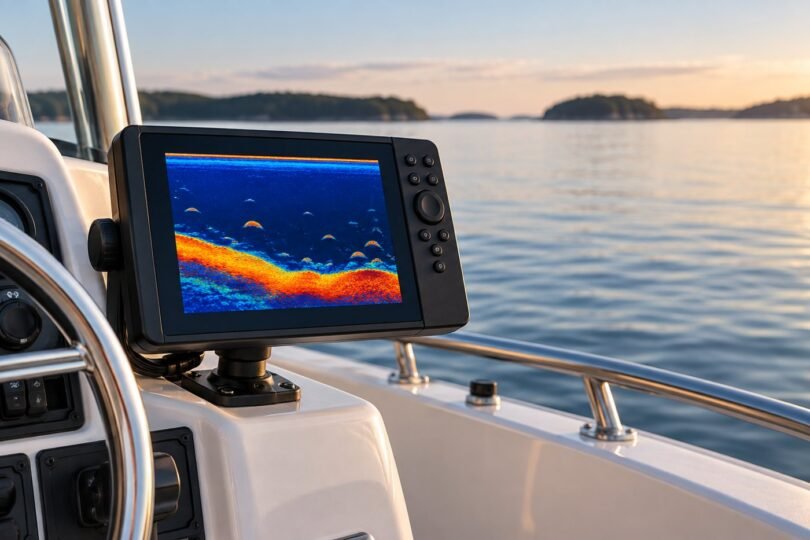
Image note: AI-generated editorial illustration; not a photograph of a named product or an installation/compatibility diagram.