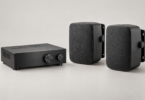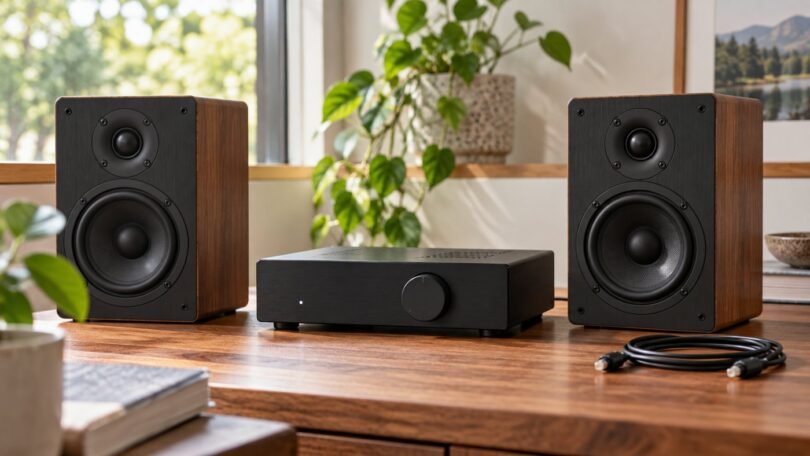

A mini amplifier with an optical input is a useful way to connect a TV or digital source to a pair of passive speakers without making room for a full-size receiver. The key is buying a speaker amplifier with a built-in digital input. A headphone DAC, Bluetooth receiver or optical-to-RCA converter by itself will not power passive speakers.
Two models worth comparing are the S.M.S.L AD18 and LOXJIE A30. Both combine optical input with speaker outputs and remote control; their connection layouts and headphone facilities differ. This is a specifications-based buying guide, rather than a listening-test ranking. Match the amplifier to your speakers, source and room before comparing headline power figures.
Start with your speakers and TV
- Passive speakers: look for left/right speaker terminals and an amplifier approved for the speakers’ impedance.
- Powered speakers: these already contain amplification. Use a compatible line-level source or DAC instead of connecting another amplifier’s speaker outputs to their RCA input.
- TV with optical output: check the TV manual for its digital-audio settings and whether it can send two-channel PCM.
- HDMI-only source: an optical-input amplifier cannot accept HDMI directly. Decide whether a different amplifier with HDMI ARC would simplify the system.
- Subwoofer: distinguish a line-level output for a powered subwoofer from an amplified output for a passive subwoofer.
S.M.S.L AD18: a compact option with several digital inputs
The manufacturer’s AD18 page identifies USB, coaxial, analog, Bluetooth and two optical input options, along with a separate headphone-amplifier circuit. The reviewed listing is the black AD18, one amplifier. This makes it a candidate for a small system with more than one digital source, provided the connections you need match the sockets on the actual unit.
The important shopping check is the rear panel. One optical connection uses a different socket arrangement from the ordinary square TOSLINK connection, so read the supplied manual before ordering extra cables. Also confirm which functions share a connector and how the subwoofer output is configured. A photograph of multiple sockets is not proof that every advertised mode can be connected simultaneously.
Choose it for its input flexibility and compact form rather than an expectation of a particular measured loudness. Retailer listings use inconsistent sample-rate wording, and the advertised maximum wattage should not be treated as continuous clean output into every speaker load. If you need a specific input rate, verify that rate in the manual for the unit being sold.
S.M.S.L AD18 Stereo Amplifier, Black, One Unit
As an Amazon Associate we earn from qualifying purchases.
LOXJIE A30: optical input with a powered-subwoofer connection
The LOXJIE A30 specification page lists optical, coaxial, USB and Bluetooth inputs, remote operation, tone adjustment and a subwoofer pre-out for an active subwoofer. The reviewed ASIN identifies the black A30 with remote control. It also has a front headphone connection, which is useful when one desk serves both speakers and headphones.
A practical advantage is having speaker amplification and digital input in one enclosure. You can plan a TV-and-speaker system around the optical connection and add a powered subwoofer if needed. The subwoofer still needs its own mains power and suitable signal cable. Do not connect a bare passive subwoofer to a pre-out and expect it to play.
Check the selected source and output mode during setup; a headphone mode can explain silent speakers. The A30’s analog and coaxial connections also require attention to the manual because a socket is shared. Decide which sources need permanent connections before assuming every input name means an independent socket. No claim is made here that the A30 sounds better than the AD18; that would require controlled comparative testing.
Why optical input does not guarantee TV compatibility
An optical cable carries a digital signal, but the receiving amplifier must understand its format. For a stereo amplifier, two-channel PCM is the sensible starting point unless the exact manual explicitly supports another format. Sending a Dolby Digital or DTS bitstream to equipment that cannot decode it can result in no usable sound.
Sony’s optical-audio troubleshooting guidance recommends checking the selected input, cable seating, external-speaker settings and PCM output when the connected system does not support Dolby Digital or DTS. Menu names vary by TV. Some TVs also handle built-in apps and devices connected through HDMI differently, so test the source you actually watch.
Optical does not provide HDMI-CEC control. Do not assume the TV remote will change the amplifier’s volume or power just because sound is connected. Plan to use the amplifier remote unless your TV and remote documentation establish a supported control method. This is often a more important everyday difference than a higher number in a product title.
Power, speaker impedance and cabinet space
Start with the impedance range in the amplifier manual and the nominal impedance of each speaker. Avoid adding parallel speakers or using a speaker selector unless the resulting load is supported. A small Class D amplifier can work well in an appropriately matched system, but enclosure size alone says little about power at a given distortion level.
For a meaningful power comparison, look for the same load, distortion limit, supply voltage and number of channels driven. If those conditions are absent, treat large wattage claims as incomplete. Speaker sensitivity, listening distance and desired volume also affect how much output is needed. Allow enough headroom for normal listening without pushing the system into obvious distortion.
Measure the whole installation, including the power brick, protruding plugs, speaker-wire bends and remote line of sight. Leave the ventilation clearance specified by the manufacturer. A unit that fits tightly on a shelf may still be a poor choice if its connectors or cooling space are blocked.
A simple first-setup checklist
- With equipment off, connect each passive speaker to the correct left/right terminals, keeping polarity consistent and loose wire strands contained.
- Connect the source’s optical output to the correct optical input. Remove any protective cable caps and avoid sharp bends.
- Use the manufacturer-specified power supply. Do not substitute a higher-voltage adapter to chase additional output.
- Select optical input, choose the speaker output mode where applicable, and set the source to compatible stereo PCM.
- Start at low volume, then confirm both channels. Check a second source or cable if the system remains silent.
Which should you choose?
Shortlist the AD18 if its combination of digital inputs fits your existing sources. Consider the A30 if its connection layout and powered-subwoofer pre-out suit your desk or TV system. In either case, confirm the exact supplied accessories, seller, return terms and manual revision before purchase. If one-remote TV operation is essential, make HDMI ARC and control compatibility part of the search instead of treating an optical mini amplifier as an automatic solution.
Image note: AI-generated editorial illustration; not a photograph of a named product or an installation/compatibility diagram.