
For the original DJI Mavic Pro controller, start by matching the mount to its folding lower arms. The LifThor Mjolnir Compact is a useful option for a tablet-and-tripod setup, the Mavmount folding-controller adapter offers a clearly specified clamp range, and the UZOPI holder is a simpler mount with a neck strap. A holder advertised for the newer RC-N1 controller is not automatically suitable.
This guide covers tablet mounting on the first-generation Mavic Pro and Pro Platinum controller. It does not cover Mavic 3 Pro or controllers with their own built-in display. Check the exact controller, tablet dimensions, and cable together before ordering.
Mavic Pro tablet holders at a glance
| Holder | Why consider it | Fit information | Main limitation |
|---|---|---|---|
| LifThor Mjolnir Compact | Tripod mounting and an optional thicker-device clamp | Manufacturer lists the original Mavic 1 Pro; standard advertised device range is 4–12.9 inches | XL clamp and quick-release parts are optional |
| Mavmount adapter for DJI folding controllers | Wide, measurable clamp opening | The version here has a 122–235 mm clamp; original Pro and Platinum are explicitly listed | Verify the folding-controller base and included clamp, especially when buying used |
| UZOPI aluminum tablet holder | Simple foldable mount with included neck strap | Listing describes a Mavic/Spark holder for 4–12-inch devices | Diagonal-size claims do not establish case thickness or load capacity |
These are legacy-controller accessories. Confirm the exact variant, supplied parts, return terms, and availability with the seller. A listing remaining online does not guarantee that the correct version can be delivered.
1. LifThor Mjolnir Compact: for tripod-supported use
The Mjolnir Compact’s aluminum base includes a 1/4-inch-20 tripod socket and a lanyard loop. LifThor lists a 200 g weight and compatibility with the original Mavic 1 Pro, Mavic 2, first Mavic Air, first Mavic Mini, and Spark controllers. That makes it worth considering when you want the controller supported from below rather than relying entirely on your hands.
Pay attention to the clamp package. The standard product is advertised for 4–12.9-inch devices; the optional XL clamp is specified for 7.9–12.9-inch tablets up to 21 mm thick. Measure your tablet with its case before choosing. A quick-release bracket is another optional component, so do not assume it is included.
- Pros: Integrated tripod point and lanyard loop; documented thicker-device option.
- Cons: Adds weight and parts to pack; accessory choices affect the complete setup.
See the manufacturer’s Mjolnir Compact specifications and options. Match the Compact model rather than substituting a similarly named LifThor mount for an RC-N controller.
2. Mavmount folding-controller adapter: for a wider clamp
The version linked here uses a 122–235 mm spring-loaded clamp, a ball head, and a machined anodized aluminum plate. Mavmount explicitly lists the Mavic (1) Pro and Pro Platinum as compatible. Its 1/4-inch-20 mounting thread also allows an appropriate tripod or support to be used.
The practical advantage is the published opening range. Following Mavmount’s measuring guide, measure the tablet’s height when held in landscape orientation, including the case if you will leave it on. That dimension must fit inside the chosen clamp range. Also check that its jaws can grip the case securely without pressing a button.
- Pros: Explicit original-controller compatibility; wide clamp range; adjustable screen angle.
- Cons: The optional lanyard kit changes the package; older listings may supply a different clamp or only part of the system.
See the 122–235 mm adapter for DJI folding controllers. Use that full product name when comparing a seller’s photos and contents.
3. UZOPI tablet holder: for a straightforward folding mount
The linked UZOPI listing describes an aluminum-alloy and ABS mount with a neck lanyard, designed for the Mavic/Spark-style controller. It is advertised for 4–12-inch phones and tablets. Its appeal is a relatively simple two-piece purchase: holder and strap, without selecting a separate tripod system.
Treat that advertised size range as a starting point. The listing does not provide enough reliable dimensional information to establish every thick case or heavy tablet as suitable. Ask the seller to confirm your device’s width, thickness, and weight if they are close to the limits; choose a more specifically documented clamp for an unusually large setup.
- Pros: Neck strap included; folds for storage; direct Amazon listing available for the identified holder.
- Cons: Less precise fit information than the Mavmount range; a supplied strap does not replace checking every clamp and joint.
The Amazon link below is for the U UZOPI aluminum adjustable remote-controller tablet holder with neck strap, ASIN B071RK5FYY.

U UZOPI Tablet Holder, 4–12-Inch Mavic/Spark Mount, One Holder with Neck Strap
As an Amazon Associate we earn from qualifying purchases.
Check these five things before buying
- Controller generation: Look at your actual remote. Original Mavic Pro mounts are intended for the older controller with folding lower device grips. DJI’s original Mavic Pro specifications are a useful reference; “Mavic Pro” and “Mavic 3 Pro” are different products.
- Tablet dimensions: Measure the edge the clamp will grip, case thickness, and overall weight. Two tablets with the same diagonal can have different outer dimensions. Keep the power and volume buttons clear.
- Control access: You must be able to move both sticks fully and reach the pause button, switches, and dials. The screen and bracket must leave the antennas free to be positioned as DJI instructs.
- Data cable: Choose a data-capable cable with the right connector at each end and enough length for the mounted position. Leave a little slack at the plugs, but keep loose cable away from the sticks.
- App compatibility: The original Mavic Pro uses DJI GO 4. A mechanically compatible tablet holder does not prove that your tablet and operating-system version work correctly with the flight app.
Set up and check the mount before flying
Follow the instructions supplied with the exact mount and the DJI Mavic Pro user manual. Assemble the holder with the aircraft powered off. Seat the controller and tablet fully, tighten the adjustable joints as instructed, and check the assembly over a soft surface before taking it outside.
Next, confirm that the tablet stays in place through the viewing angles you intend to use. Check access to controls and that the cable is not pulling on either socket. Carry the controller securely rather than using the tablet as a handle. A larger screen also increases the amount of equipment you must hold and pack.
When connecting through the controller’s lower USB port, disconnect the cable in the side port. DJI’s connection troubleshooting guide warns that leaving the side cable connected can interfere with the lower connection. Verify the live view and control status on the ground before takeoff. If the app disconnects, resolve the cable, device, or app issue first; changing the holder alone may not fix it.
Frequently asked questions
Will an RC-N1 tablet holder fit the original Mavic Pro?
Only if the exact accessory explicitly supports both controller designs. Many mounts grip the newer RC-N1’s top phone support, which is a different mounting arrangement. Look for “Mavic 1 Pro,” “original Mavic Pro,” or an unmistakable photo of the folding controller in the compatibility information.
Can I use a 12.9-inch iPad?
Potentially, with a compatible clamp and supported software. The Mavmount range and LifThor options above include large-tablet configurations, but the case can change the fit. Check actual dimensions, secure jaw contact, weight, and access to controls instead of relying on the diagonal alone.
Does a bigger tablet improve the drone’s camera quality?
No. It provides more screen area for the app and framing, but does not change the aircraft’s camera or recording specification. Choose a setup that is readable and manageable for you, rather than assuming the largest screen is always the best option.
Should I buy a holder before choosing the tablet?
Confirm that your intended tablet runs DJI GO 4 successfully first. Then choose a holder and cable for that device. This avoids ending up with a secure mechanical fit for a tablet that cannot provide a dependable live view.
How we selected these holders
We checked original Mavic Pro compatibility, manufacturer documentation, clamp information, mounting features, and the exact UZOPI Amazon listing. The recommendations describe practical uses and limitations; they are not based on hands-on testing or load tests. Manufacturer links are used where an exact Amazon version could not be verified. We do not assign numerical ratings or claim current prices or stock.
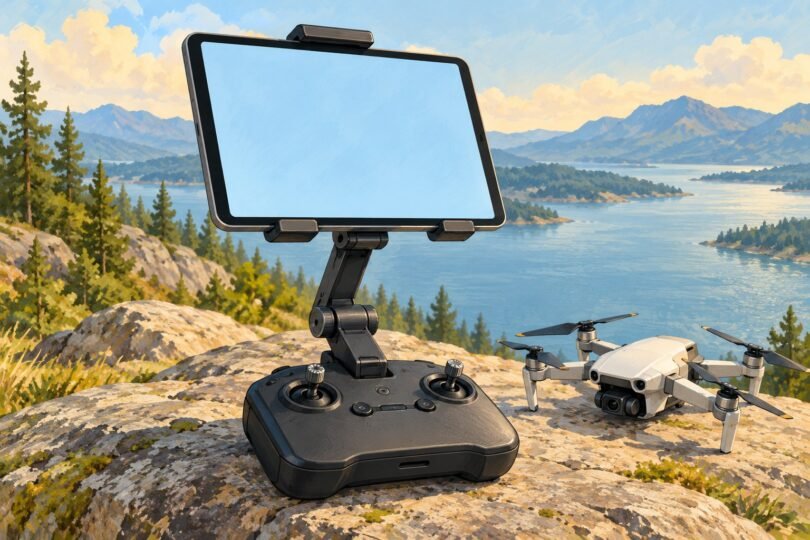
Featured image: AI-generated editorial illustration; not a specific reviewed product.