
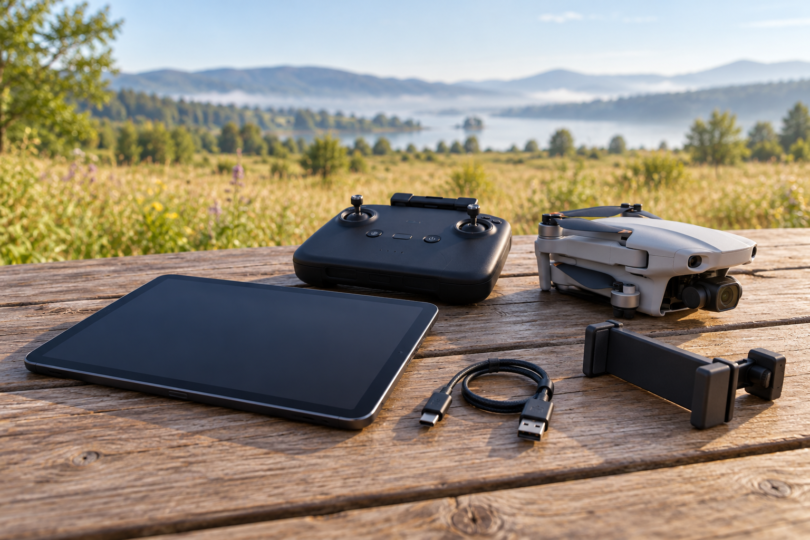

For a drone setup that supports an iPad, our two tablet picks are the iPad mini (A17 Pro) for a lighter controller setup and the iPad (A16) for a larger view. Compatibility comes first: confirm the exact aircraft, controller, flight app, iPadOS version and mount before buying either one. A tablet that can install an app is not automatically a verified flight-control combination.
Check your drone setup first
DJI’s DJI Fly App Store listing supports iPad and requires iPadOS 13.0 or later. DJI’s separate download page labels downloading as phone-only and lists tested phone models, rather than either iPad recommended here. These picks are therefore hardware recommendations for a confirmed iPad setup; they are not a claim that DJI has flight-tested these exact iPad models.
A concrete example is the Mavic Air 2 with its RC-N1 controller: DJI lists Mavic Air 2 in DJI Fly and explicitly says an iPad can connect using a remote-controller tablet holder. That statement does not establish compatibility with every later aircraft, controller or iPad generation. Check your own combination with the drone maker, then verify the connection and live camera view on the ground before flying.
If you already use a screen-equipped controller, first decide whether you need a tablet at all. The DJI RC 2 has a built-in 5.5-inch display, and DJI says it cannot install third-party apps. Do not treat its USB-C port as a generic way to replace the controller screen with an iPad.
Two tablets to consider
| Tablet and linked configuration | Display | Size and weight | Best fit and main limit |
|---|---|---|---|
| iPad mini (A17 Pro), 128GB Wi-Fi, Purple | 8.3-inch; 500 nits; laminated with antireflective coating | 195.4 × 134.8 × 6.3 mm; 293 g | Compact setup; still needs a compatible mount and exact flight-system check |
| iPad (A16), 128GB Wi-Fi, Blue | Marketed as 11-inch; 500 nits | 248.6 × 179.5 × 7 mm; 477 g | Larger view; noticeably more weight and mounting space |
Both linked offers are Wi-Fi models without AppleCare+ selected. Apple lists GPS/GNSS only for the Wi-Fi + Cellular versions. Neither linked model fits directly in the RC-N1’s stated 180 × 86 × 10 mm mobile-device envelope, so allow for a compatible tablet holder and a cable of suitable length.
1. iPad mini (A17 Pro): best for a compact setup
The iPad mini (A17 Pro) is our first hardware choice when keeping the setup compact matters. The Wi-Fi version weighs 293 grams, and its 8.3-inch display has a laminated construction and antireflective coating. Its smaller body should be easier to accommodate than the A16 iPad, provided your chosen mount supports its actual dimensions and case.
The tradeoff is screen space: maps and camera controls occupy a physically smaller display. Apple’s 500-nit brightness specification does not establish readability in every outdoor condition. Check glare, viewing angle and heat in your intended setup rather than assuming an antireflective coating makes a tablet sunlight-proof.
The exact linked model is MXN93LL/A: Purple, 128GB, Wi-Fi, without AppleCare+. The selected listing and Apple’s U.S. specifications list one iPad mini, a one-meter USB-C charge cable and a 20W USB-C power adapter. A drone mount is not part of that package. Confirm a suitable controller data cable separately; the included cable’s length and connector arrangement may not suit your mount.

Apple iPad mini A17 Pro, 128GB Wi-Fi, Purple
As an Amazon Associate we earn from qualifying purchases.
2. iPad (A16): best for a larger view
The iPad (A16) is the alternative when a larger view matters more than compactness. Its display is marketed as 11-inch; Apple specifies 10.86 inches when measured diagonally as a rectangle. That gives more physical room than the mini, while the listed brightness is the same 500 nits. Buying the bigger tablet does not buy a brighter specified display.
At 477 grams for the Wi-Fi model, it adds 184 grams compared with the mini before a holder or case. Its 179.5 mm width is also substantially greater. We would choose it only after confirming a mount’s clamp opening, thickness allowance, load support and clearance around the controller’s sticks and antennas. Do not infer mounting compatibility from screen diagonal alone.
The linked MD4A4LL/A configuration is Blue, 128GB and Wi-Fi, without AppleCare+. The package lists one iPad, a one-meter USB-C charge cable and a 20W USB-C power adapter. Apple specifies USB 2.0 data through its USB-C port; the mini supports USB 3. Those port specifications do not establish better flight-video performance in either model.

Mounting, location and power checks
Use a compatible data cable connected to the controller’s mobile-device port. DJI’s RC-N1 troubleshooting guidance specifically calls out using the correct port. Secure the tablet without covering controls or pulling on connectors, and verify the app recognizes the controller before launch. A charging icon alone does not prove a working data connection.
Decide whether you need the tablet’s own satellite positioning. Apple reserves GPS/GNSS for the cellular versions of both models, so the Wi-Fi offers above are the wrong configurations if your workflow requires that hardware. The aircraft’s navigation system is separate: DJI, for example, lists GPS+GLONASS on Mavic Air 2. Check the aircraft manual for home-point and location-dependent functions instead of assuming every feature uses the tablet’s position.
Start with both tablet and controller charged. DJI quotes six hours for the Mavic Air 2 controller without charging a mobile device and four hours while charging one; those figures are not a guarantee for every tablet setup. Apple’s tablet battery figures are for web browsing or video playback, so do not plan flight sessions around them as if they measured flight-app use at outdoor brightness.
Apple specifies an ambient operating range of 0–35°C for iPad and warns that excessive heat can dim or black out the display, reduce performance or stop charging. Keep the setup out of prolonged direct sun, assess the screen before takeoff and avoid beginning a flight with a heat warning or unreliable display. A controller’s wider temperature rating does not expand the tablet’s operating range.
Android, Autel and other apps
For Android, DJI Fly’s current APK requirements say Android 9.0 or later and list recommended phones. That does not verify a Galaxy Tab, Lenovo tablet or Fire tablet for your drone. Likewise, Autel’s EVO Lite documentation identifies Autel Sky as its app; DJI Fly compatibility says nothing about Autel. Check that the required app is currently available in your region and supports the exact device and aircraft firmware before purchasing.
Safe use matters more than screen size
A bigger display does not replace looking at the aircraft. For U.S. recreational flying, the FAA requires visual line of sight, or a co-located visual observer in direct communication, and giving way to other aircraft. Controlled airspace requires prior FAA authorization; in Class G airspace, recreational flight is limited to 400 feet. Follow all applicable rules for your flight, not just these screen-related basics.
Frequently asked questions
Which tablet would we choose first?
Once the flight app, controller and mount are confirmed, the iPad mini (A17 Pro) is our compact pick. Choose the iPad (A16) when the larger display is worth its extra size and weight. Neither recommendation is a promise of compatibility with every drone.
Do I need the cellular version?
You need that hardware version if the tablet itself must provide GPS/GNSS; Apple does not list it for these Wi-Fi models. Decide separately whether you need a mobile data plan, and check how your particular flight app handles maps and location.
Can an iPad replace the Mavic Air 2 controller?
No. DJI explicitly says Mavic Air 2 cannot be controlled from a mobile device over Wi-Fi and must use the remote controller. In the documented tablet setup, the iPad connects to that controller.
