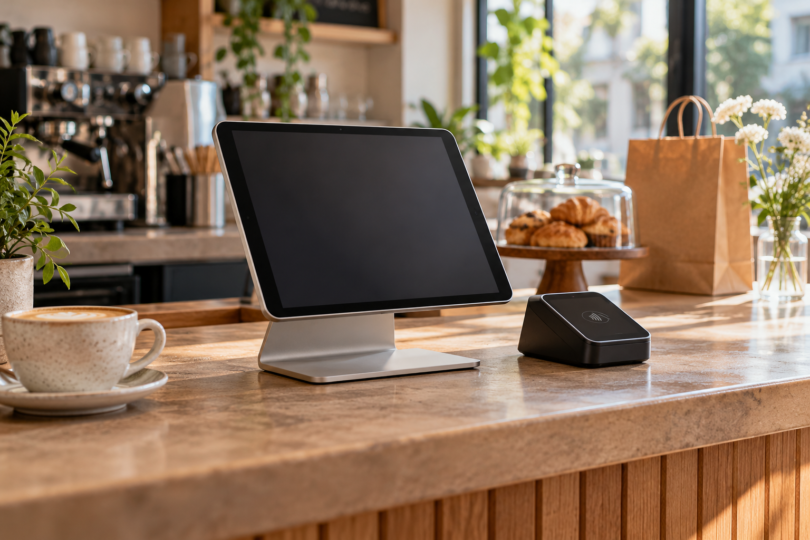

The iPad (A16) is our first choice for a Square Reader setup at a counter. Choose the iPad mini (A17 Pro) when carrying a smaller tablet matters more than having a large checkout screen. Square’s U.S. compatibility checker lists both for its second-generation contactless and chip Reader. These recommendations compare documented features and compatibility; they are not hands-on payment tests.
This guide covers a separate Square Reader for contactless and chip, second generation, paired with a tablet for a U.S. business. A reader, a tablet holder and Square Stand are different purchases. Start with Square’s device checker, selecting the exact tablet and hardware you intend to use.
The shortlist
| Tablet | Best fit | Reader connection | Main tradeoff |
|---|---|---|---|
| iPad (A16), 128GB Wi-Fi | Countertop checkout | Bluetooth to second-generation Reader | Larger to carry; Wi-Fi model needs an internet connection |
| iPad mini (A17 Pro), 128GB Wi-Fi | Compact mobile setup | Bluetooth to second-generation Reader | Smaller screen; not compatible with USB-C Square Stand |
1. iPad (A16): our pick for a checkout counter
The A16 iPad gives you a larger working surface than the mini, which is the main reason we would choose it for a fixed checkout. Apple specifies a 2360-by-1640 display, Bluetooth 5.3 and a USB-C port. Its screen measures 10.86 inches diagonally as a rectangle, with less usable area at the rounded corners.
It also leaves you a documented countertop upgrade path: Square lists the iPad A16 for Square Stand with USB-C. That Stand has its own contactless and chip payment hardware. You do not need to buy a separate Reader merely to accept those payments through the Stand. An ordinary tablet holder has no such payment function.
The configuration below is one 128GB Wi-Fi iPad in Blue, U.S. model MD4A4LL/A. Budget separately for the payment hardware and any holder you need. Choose your internet arrangement before choosing Wi-Fi versus cellular; the Wi-Fi model does not include cellular connectivity.

Apple iPad A16, 128GB Wi-Fi, Blue, one tablet
As an Amazon Associate we earn from qualifying purchases.
2. iPad mini (A17 Pro): our pick for a smaller setup
The mini’s 8.3-inch display and 293-gram Wi-Fi-model weight make it the more compact option on this shortlist. Apple also specifies Bluetooth 5.3 and USB-C. We would favor it when you need to pack the tablet between events or hold it while checking out a customer, provided the smaller interface suits your workflow.
Square lists this exact generation as compatible with second-generation Reader, but marks it incompatible with USB-C Square Stand. Pair the separate Reader over Bluetooth and use a suitable non-payment holder if needed. Do not buy a Stand because its connector looks right; the tablet’s model and physical fit still matter.
The linked configuration is one 128GB Wi-Fi iPad mini in Space Gray, U.S. model MXN63LL/A. It is the A17 Pro generation, not the earlier sixth-generation mini. Check those details if a retailer switches capacity, color, connectivity or bundle options.

The compatibility checks that matter before buying
App and operating system
Square’s U.S. checker currently states iOS 17.1 or later for these Reader connections on Apple devices, and Android 7.0 or later for Android. On an iPad, check its iPadOS version. Treat the stated minimum as a starting requirement, then check the current listing for the Square app your business uses and install its latest supported release. Square directs iOS users to the App Store and Android users to Google Play for updates.
Bluetooth versus USB-C
Use Bluetooth for a separate contactless-and-chip Reader connected directly to either iPad. The Reader’s USB-C charging socket does not establish wired iPad compatibility. Square documents a wired option for second-generation Reader version 1 and first-generation version 3 on Android, using the appropriate adapter; its iOS wired exception is through Square Stand. Follow Square’s setup instructions for your generation.
Internet, accessories and region
Plan a secure internet connection and power for the reader before the first sale. Check printers, scanners and other accessories against the exact Square hardware and platform. Square’s hardware is approved for its intended country, and card processing requires you to be in the country where the account was activated. This U.S. shortlist does not establish support for an imported reader or an overseas account.
What about Android tablets and Amazon Fire?
An Android version number or a USB-C connector alone is not a purchase recommendation. Look up the exact tablet in Square’s checker and confirm the app and accessories needed for your business. Do not treat a Galaxy Tab model as interchangeable with its Plus, FE, Lite or cellular sibling. We would also avoid buying an Amazon Fire tablet for this job on the strength of a sideloading workaround; obtain explicit support for that exact setup before spending money.
Frequently asked questions
Does a Square Reader come with these tablets?
No. The selected listings are single-tablet configurations. Add the appropriate Square payment hardware separately, or choose a compatible Square Stand setup with built-in contactless and chip payments.
Can I use a Wi-Fi-only tablet?
Yes, these selected models have Wi-Fi and Bluetooth. Arrange the secure internet connection Square requires for setup and normal operation; choosing a Wi-Fi tablet does not provide a cellular data plan.
Will either iPad fit every Square Stand?
No. The A16 model is listed for USB-C Square Stand; the mini A17 Pro is not. Older Stand generations have their own compatibility requirements, so identify both products rather than assuming that the Square brand establishes fit.
Can I connect the contactless Reader straight to the iPad with USB-C?
Square does not support that direct wired iOS connection. Use Bluetooth, or follow its documented wired connection through a compatible Square Stand. This answer concerns the contactless-and-chip Reader, not the separate USB-C magstripe reader.
Should I replace a tablet I already own?
Check the exact model, current operating system and intended Square app first. If the setup remains supported and suits your checkout, keeping it can avoid an unnecessary purchase. For a new setup, choose the A16 for screen space or the mini for portability, then verify the full hardware combination before ordering.