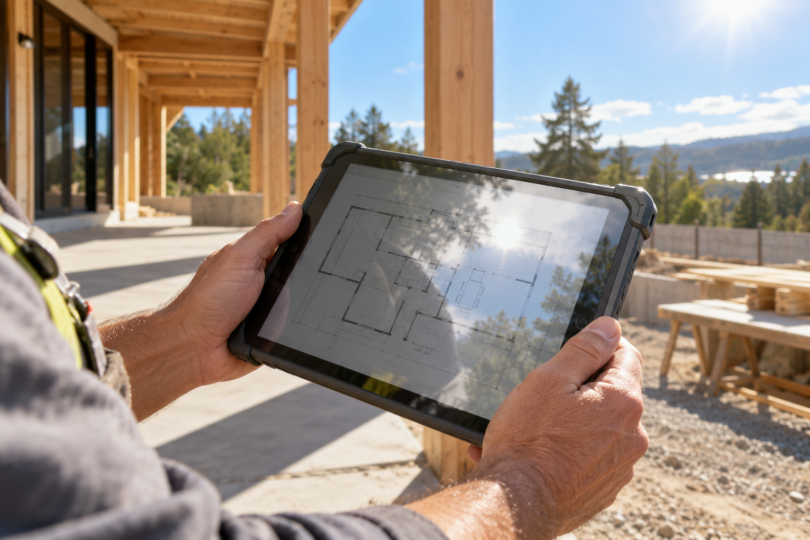

For a tablet you will carry into direct sunlight, our two picks solve different problems: the Samsung Galaxy Tab Active5 Pro is the more practical choice for field forms, gloved input and replaceable batteries; the 11-inch iPad Pro M5 is the stronger display-led choice when you need iPad apps and a high published SDR brightness. Neither recommendation means you can leave the tablet baking in the sun. Heat management and the way you position the screen matter alongside its specifications.
Choose around the job first. For inspections that alternate between outdoor checks and a shaded work area, we would prioritize the Active5 Pro’s work features. For viewing detailed documents, photographs or drawing apps between indoor and outdoor sessions, we would prioritize the iPad’s screen. If your requirement is uninterrupted use on an exposed dashboard or an all-day outdoor kiosk, ask for a device and mounting system with documented operating limits for that installation before choosing either.
Two tablets worth comparing for direct-sun use
| Tablet and configuration | Why choose it | Display evidence | What to plan around |
|---|---|---|---|
| Galaxy Tab Active5 Pro, 256GB Wi-Fi, Green | Field forms, included S Pen, replaceable batteries | 10.1-inch display; Samsung advertises up to 600 nits and Vision Booster | Rugged construction is not a guarantee of unlimited sun exposure; No Battery Mode reduces brightness |
| iPad Pro 11-inch M5, 256GB Wi-Fi, Space Black, standard glass | iPad apps, detailed visual work and a higher published SDR ceiling | Tandem OLED; 1,000-nit maximum SDR brightness | Heat can dim the screen; Pencil and keyboard are outside this package |
These are manufacturer brightness specifications, not measurements from a side-by-side sunlight test. They do not establish how long either screen can hold its maximum in your weather, the effect of a case, or how readable your particular app will be. Treat the numbers as a starting point and check the complete working setup during the seller’s applicable return period.
Samsung Galaxy Tab Active5 Pro: our pick for field forms
The Active5 Pro makes sense when the outdoor task involves walking between work areas, entering notes and using a pen. Samsung specifies a 10.1-inch screen, Vision Booster and up to 600 nits. Its bundled S Pen and removable battery arrangement give it a different purpose from a thin entertainment tablet. Those features are useful reasons to shortlist it even though the published brightness number is lower than the iPad’s. Samsung’s product specifications explain the work features and their conditions.
The tablet and S Pen carry an IP68 rating, based on specified dust and freshwater laboratory tests. That does not establish a thermal rating for continuous sunshine. Samsung also qualifies its glove support: results depend on glove material, thickness and the environment. Check your actual work gloves before relying on touch input.
Dual Hot-Swap allows battery changes one at a time; spare batteries are separate purchases. For a powered installation, No Battery Mode requires a suitable dedicated USB-C PD power source and reduces brightness as well as some performance. It is therefore a power-management option, not a way to get the brightest possible outdoor screen.
The linked offer identifies model SM-X350NZGEN20, one Green Wi-Fi tablet with 256GB storage, a power adapter, USB-C cable, S Pen and protective sleeve. Its title describes 8GB RAM, matching Samsung’s published 8GB/256GB pairing, but the Amazon configuration selector inconsistently says “6GB Flash Memory.” Confirm the model and memory on the seller’s order details before purchasing. This is the Wi-Fi configuration, not the separate 5G model.

Samsung Galaxy Tab Active5 Pro, 256GB Wi-Fi, Green
As an Amazon Associate we earn from qualifying purchases.
iPad Pro 11-inch M5: our pick for iPad apps and visual work
The iPad Pro’s display is its clearest reason to make this shortlist. Apple specifies a tandem OLED panel, an antireflective coating and a maximum SDR brightness of 1,000 nits. Its advertised 1,600-nit peak applies to HDR content; it is not the everyday full-screen brightness available to every document or web page. For work that depends on iPad software, the documented SDR headroom is more relevant than treating the biggest HDR number as a sunlight score. See Apple’s display specifications.
The linked 256GB model has standard glass. Apple’s optional nano-texture glass is restricted to 1TB and 2TB versions and is designed to scatter ambient light. Do not expect that option to arrive with this listing, or assume that an aftermarket matte protector gives the same optical result. If reflections are your main problem, compare the actual glass options in person before paying for more storage solely to obtain a different surface.
The selected offer is model MDWK4LL/A: one 11-inch M5 iPad Pro, 256GB, Wi-Fi, Space Black, standard glass, without Apple Pencil. The listed box includes a USB-C charge cable and 20W USB-C power adapter. A compatible Pencil or keyboard adds to the total setup cost. Apple lists built-in GPS/GNSS on Wi-Fi + Cellular versions, so choose that version separately if your workflow specifically needs it.

How to make the buying decision
Separate glare from heat
A screen can become difficult to see because of reflections, or because the device has reduced brightness as it heats up. Apple warns that prolonged direct sunlight and demanding activities in hot conditions can lead to dimming or a black screen. Samsung likewise identifies continual direct-sun use as a cause of overheating. If a temperature warning appears, follow the manufacturer’s cooling instructions. Apple’s temperature guidance and Samsung’s heat guidance are more useful here than an unsupported “sunlight proof” label.
Plan a place to shade the tablet between short outdoor checks. Try screen angles that keep bright reflections away from the content you need to read, and check the device in its intended case or mount. For a fixed installation, include the enclosure and power arrangement in the assessment; buying a brighter screen alone does not establish that the installation is suitable.
Check the software and the full kit
Make a short list of the forms, maps, camera tools and account systems you actually use. Confirm their tablet support, offline behavior and any required accessories before choosing an operating system. For field navigation or jobs away from Wi-Fi, verify location hardware and the connectivity plan explicitly rather than assuming every version of the same tablet has cellular service.
Compare the cost of the complete kit you will carry: tablet, protective setup, pen, charging equipment and any spare battery or connectivity service. The Active5 offer already lists a pen and sleeve, while the selected iPad offer excludes a Pencil. A return policy that lets you evaluate your normal app in your normal setting is more useful than a seller’s general claim that a screen works outdoors.
Common questions
Can I leave one of these tablets in direct sunlight all day?
We would not choose either on that assumption. Apple’s guidance specifically cautions against extended direct-sun exposure; Samsung also lists continual sun exposure among overheating causes. An all-day fixed outdoor application needs a documented device, enclosure and power solution for its operating conditions.
Does the rugged tablet automatically have the better sunlight screen?
No. The Active5 Pro earns its place here through its work features, while the iPad Pro has the higher published SDR brightness ceiling. Ruggedness, screen reflections, brightness mode and temperature behavior are separate things to evaluate. Neither specification sheet replaces checking your own app and viewing angle.
Which one would you choose?
Choose the Active5 Pro if forms, an included pen and battery replacement fit the job. Choose the iPad Pro if your required apps run on iPad and display performance is the priority. For either, budget for a shaded place to work and confirm the exact configuration before ordering.