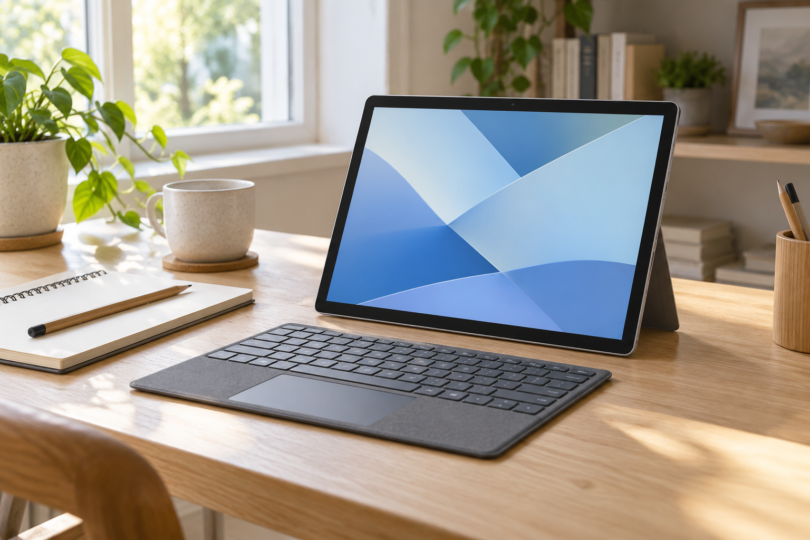

The best value Windows 10 tablet is usually one you can move to Windows 11 without replacing it again. Start with the Surface Go 4 with 8GB RAM and 128GB storage if you need a small Intel tablet, the Surface Pro 12-inch with 16GB RAM if a larger screen and Windows on Arm suit your software, or the CHUWI Hi10 Max 125U keyboard bundle if you want more storage in an Intel detachable. Compare the complete package, including the keyboard, charger and Windows edition.
There is an important catch for anyone searching specifically for Windows 10: Microsoft ended its normal support on October 14, 2025. A low purchase price does not make an unpatched tablet a good everyday computer. The choices below prioritize Windows 11; Windows 10 is a temporary, separately licensed and supported legacy option where a particular application requires it.
Which Windows tablet is the best value for your needs?
| Exact configuration to compare | Best reason to consider it | Operating system and accessories | Main compromise |
|---|---|---|---|
| Microsoft Surface Go 4, Intel N200, 8GB LPDDR5, 128GB UFS, Platinum | Compact 10.5-inch Intel tablet | Choose Windows 11 Pro; Surface Go Type Cover sold separately; standard new-device box includes a 24W power supply | Small working area and 8GB memory; confirm an actual seller offer |
| Microsoft Surface Pro 12-inch, 1st Edition, Snapdragon X Plus 8-core, 16GB LPDDR5x, 256GB UFS, Platinum, Wi-Fi | Larger screen and more memory in a light detachable | Windows 11 Home; 12-inch keyboard and wall charger sold separately; USB-C charging cable included | Arm compatibility must be checked for your applications and peripherals |
| CHUWI Hi10 Max 125U + Keyboard, SKU H1M125UKB, Intel Core Ultra 5 125U, 12GB LPDDR5, 512GB SSD | More built-in storage and a specified keyboard bundle | Windows 11 Pro; select the keyboard bundle, not the tablet-only option | Check availability, destination-specific support and return costs before ordering |
Microsoft’s Go 4 store page and CHUWI’s 125U keyboard bundle showed out of stock when checked. Treat those two as configurations to price with an authorized seller or revisit when available. Do not pay a scarcity premium simply because a listing calls a tablet “Windows 10 compatible.”
1. Surface Go 4: the compact Intel choice
The Surface Go 4 for Business is the clearest match if you want a genuinely small Windows tablet. Its 10.5-inch, 1920 × 1280 display is smaller than the other two options, and its approximately 521g tablet weight excludes the keyboard. The N200 processor, 8GB RAM and 128GB UFS configuration is worth comparing for forms, email and a modest document workload.
Choose 128GB over the 64GB version if the total price difference is reasonable: Windows and applications consume part of the advertised storage. A microSDXC slot is useful for files, but it does not add RAM. For frequent split-screen work or large files, the other two configurations offer more room on screen or more built-in storage.
Microsoft documents both Windows 10 Pro and Windows 11 Pro versions, while its current store listing specifies Windows 11 Pro. Ask the seller to name the installed, activated edition on the invoice. Do not assume every Windows 11 offer includes a transferable Windows 10 license. Add the correct Surface Go Type Cover to the total if you need one; a photo with a keyboard is not proof that it is included.
2. Surface Pro 12-inch: more memory, with an Arm compatibility check
For a larger everyday workspace, compare the Surface Pro 12-inch, 1st Edition in Platinum with the Snapdragon X Plus eight-core processor, 16GB memory and 256GB storage. This is the first-edition X Plus model, not a newer X2 configuration. It has a 2196 × 1464 LCD and weighs about 686g without its keyboard.
The appeal is the extra memory and screen area, especially if you work in several applications. It runs Windows 11 Home. Its storage is UFS, even though some storefront option labels use “SSD”; do not compare it as though it had the same removable SSD arrangement as every larger Surface Pro.
Budget separately for the Surface Pro 12-inch Keyboard and a suitable USB-C wall charger. The standard tablet package includes a charging cable but no wall charger. A compatible accessory you already own can change the value calculation substantially.
Before choosing Snapdragon, check your exact printer, scanner, VPN, accessibility software and specialist applications against Microsoft’s Windows on Arm guidance and the software maker’s requirements. Many applications can run through emulation, but drivers need appropriate Arm support. This is a Windows 11 option; it is not a recommendation to install Windows 10 on this hardware.
3. CHUWI Hi10 Max 125U: a storage-focused bundle to compare
The Hi10 Max 125U + Keyboard bundle, SKU H1M125UKB, combines an Intel Core Ultra 5 125U, 12GB LPDDR5 memory and a 512GB SSD. Its 12.96-inch, 2880 × 1920 screen provides a larger document workspace than the Go 4. The maker lists Windows 11 Pro.
Be precise about the model: earlier Hi10 Max tablets use N100 or N150 processors. The 125U model, tablet-only option and keyboard-and-stylus bundle are different purchases. This comparison is for the keyboard bundle; the H7 stylus is not part of that named bundle.
Its storage and included keyboard can make it worth pricing against a fully equipped Surface. That does not establish that it is the cheapest or that it will run a particular workload faster. Check the delivered total, keyboard layout, charger specification, warranty service location and return shipping terms. The maker’s page mentions preinstalled Office, but preinstallation alone does not establish a perpetual Office license; confirm the exact edition and activation entitlement separately.
If you really need Windows 10
First establish whether the application needs Windows 10 specifically or simply needs a Windows PC. Ask the software vendor about Windows 11 support before buying an older operating system to solve a problem you may not have.
For a personal device that must remain on Windows 10 temporarily, Microsoft’s consumer Extended Security Updates program currently provides critical and important security updates through October 12, 2027. It does not restore feature updates or general technical support. Eligible editions are Windows 10 22H2 Home, Professional, Pro Education and Workstations, with the latest updates and the required ESU licensing preparation package, KB5126256. Enrollment uses a non-child Microsoft account with administrator rights.
Consumer ESU excludes commercial use and various managed-device scenarios, including domain-joined, Microsoft Entra-joined and MDM-enrolled devices; Entra registration alone is treated differently. Enrollment choices and timing can vary by region, so use Microsoft’s page for your location. A business or school should check the separate organizational ESU program, which has its own licensing and annual coverage requirements. A seller saying “ESU ready” does not prove the device is enrolled.
If buying a Windows 10 Pro Surface Go 4 for that limited purpose, confirm the genuine OS license, application support and applicable ESU enrollment before using it online. Keep a plan to move to Windows 11. For used or refurbished units, also check battery condition, charger and keyboard inclusion, return rights, activation, and removal from the previous organization’s management.
How to compare the total cost
- Match the whole configuration. Compare the same processor, RAM, storage, Windows edition, condition and warranty. “Surface Pro” and “Hi10 Max” alone are not specific enough.
- Add necessary accessories. Include a keyboard, charger, any display adapter and software license you actually need. Exclude an unwanted subscription from a bundle comparison.
- Check the work you need to do. A smaller screen saves carrying space; it also leaves less room for two documents. More RAM or storage is valuable only if it solves your needs.
- Separate hardware support from Windows updates. Check the manufacturer’s driver and firmware support as well as the installed Windows version. A Windows 11 label does not mean every old hardware model has unlimited support.
The best choice
Choose the Go 4 8GB/128GB when compact size and Intel compatibility are your priorities and the complete seller offer is sensible. Choose the Surface Pro 12-inch 16GB/256GB when your apps support Arm and you want more memory and screen space. Compare the Hi10 Max 125U keyboard bundle when storage and bundle cost matter most, after checking availability and service terms. For an everyday connected computer, make Windows 11 the starting point; buy Windows 10 only for a specific, time-limited legacy requirement with a verified update plan.