
The right Wi-Fi antenna depends on the radio, connector, frequency band and direction of the connection. A larger antenna or higher dBi number is not automatically an upgrade. For a missing or broken desktop antenna, an equivalent manufacturer-approved replacement is often the simplest starting point. For a fixed connection toward one access point, a compatible directional panel can be more useful.
This guide compares three documented ALFA antenna models for specific uses, then explains the checks that prevent an expensive mismatch. The recommendations are based on manufacturer specifications and RF guidance, not invented range tests or guaranteed speed improvements.
Choose by the connection you actually need
- A fixed 2.4GHz or 5GHz connection in one direction: consider the ALFA APA-M25 directional panel.
- A compatible 6GHz Wi-Fi connection in one direction: consider the tri-band ALFA APA-M25-6E.
- A compatible 2.4GHz-only radio needing an indoor omnidirectional antenna: the ALFA ARS-N19 is an option, provided its size and radiation pattern suit the installation.
- A normal multi-antenna desktop replacement: first match the original antenna assembly, number of connectors and supported bands.
All three named ALFA models use an RP-SMA plug. None adds Wi-Fi capability to a computer on its own, and none connects directly to a laptop’s ordinary USB port. You need an existing compatible radio or Wi-Fi adapter with the appropriate antenna connection.
ALFA APA-M25 for a fixed dual-band direction

Alfa Network APA-M25 Dual Band 2.4GHz/5GHz 8 / 10dBi high gain Directional Indoor Panel Antenna with RP-SMA Connector (Compare to Asus WL-ANT-157)
As an Amazon Associate we earn from qualifying purchases.
The APA-M25 is an indoor directional panel covering 2.4–2.5GHz and 5.150–5.875GHz. ALFA specifies 8dBi gain on the lower band and 10dBi on the upper band, with vertical linear polarization and an RP-SMA male connector. The panel measures 167.3 × 66 × 18mm.
Its useful role is a stationary device aimed toward a known access point, with the antenna connection and radio settings approved for that combination. It is a poor default for a centrally positioned router expected to cover rooms in every direction. A directional pattern concentrates coverage, so aiming and placement are part of the purchase decision.
Choose this version only when 2.4GHz and 5GHz are the bands you need. It is not specified for 6GHz. Ignore sweeping retail promises of multiplying range: walls, interference, the remote device and the original antenna all affect the outcome.
ALFA APA-M25-6E when 6GHz matters

The APA-M25-6E extends the panel idea to three bands. Its manufacturer specification covers 2.4–2.5GHz, 5.150–5.875GHz and 5.975–7.125GHz, with rated gains of 8, 10 and 9dBi respectively. It is an indoor directional antenna with an RP-SMA male connector.
This is the more appropriate of the two panels when your supported antenna system includes 6GHz operation. Replacing an antenna cannot add that band to a Wi-Fi radio that lacks it. The access point, client, operating system and permitted regional configuration must already support the intended connection.
The suffix matters: APA-M25 and APA-M25-6E are different products. Some retail descriptions also disagree with ALFA’s beamwidth values, so check the manufacturer’s radiation-pattern information if angular coverage is critical. For ordinary 2.4GHz or 5GHz use, buying the 6E version is optional rather than a promise of faster internet.
ALFA ARS-N19 for a specific 2.4GHz-only installation

The ARS-N19 is a tall indoor omnidirectional antenna. ALFA lists a 2400–2500MHz range, 9dBi gain, 50-ohm impedance, vertical linear polarization and an RP-SMA plug. Its listed length is 392mm, so check clearance before putting it behind a desktop or under a shelf.
The important restriction is the single frequency band. Do not use it as a general replacement for an antenna that must handle 5GHz or 6GHz. Its higher gain also changes the coverage pattern; omnidirectional does not mean equally strong reception above, below and all around the antenna.
This model is worth considering only for a confirmed 2.4GHz setup where the required coverage and physical position make sense. For a general-purpose dual-band desktop connection, a correctly matched dual-band assembly is more appropriate.
Check SMA versus RP-SMA before you buy
A familiar threaded connector can still be the wrong type. A standard SMA male connector has internal threads and a center pin. An RP-SMA male connector has internal threads and a center socket. The corresponding female interfaces use external threads, with the center contact reversed between standard SMA and RP-SMA.
Amphenol’s SMA documentation explains this reverse-polarity contact arrangement. Inspect both the threads and the center contact, and compare them with your device manual. Do not force mismatched connectors together or assume that a part labeled “SMA Wi-Fi antenna” is close enough.
Some motherboards use a proprietary combined antenna connector, and internal wireless cards use much smaller connections. The RP-SMA antennas above are not direct replacements for those interfaces. If a manufacturer specifies its own replacement assembly, confirm that route before adding adapters.
Why more antenna gain can make coverage worse elsewhere
Gain describes how an antenna concentrates energy relative to a reference pattern. A passive antenna does not create extra transmitter power. Cisco’s antenna reference guide explains that increasing directional gain generally narrows the coverage angle.
That trade-off can help when both ends of a connection stay in known positions. It can be unhelpful when devices roam around a house or sit on different floors. The headline gain also says nothing by itself about how well your existing router, client and surroundings will work together.
Keep within the radio manufacturer’s supported antenna types and gain limits. Do not change region or transmit-power settings to compensate for a poor result. For outdoor links, use equipment designed for that installation and obtain qualified help with mounting, grounding and weather protection.
Placement and cable length come first
Before buying anything, move an existing external antenna away from the metal back of the computer, floor-level clutter and large obstructions if its cable allows. Keep the router and client in the same locations while comparing antenna positions. A small relocation can be more useful than replacing one antenna with a higher-gain model in the same obstructed spot.
Long coaxial extensions introduce loss. Cisco’s installation guidance recommends keeping suitable low-loss antenna cable short, with losses increasing with length and frequency. Do not assume that placing an antenna farther away is a net improvement if it requires a long, thin extension.
Preserve the connections required by your device’s multi-antenna design. A single panel is not automatically a complete replacement for a two- or three-connector assembly. Follow the radio’s antenna-port instructions instead of joining ports with a passive splitter or leaving required connections unused.
Test the result without guessing
- Record the band, antenna position and normal connection quality before changing anything.
- Compare the same task in the same location, using the same access point and band.
- Look for consistent improvement in stability and throughput, not just another signal-strength bar.
- Check whether other locations or devices became worse after a directional change.
- If performance is poor even near the router, investigate the client, router or internet connection before buying another antenna.
Bottom line: use the APA-M25 for a suitable fixed dual-band direction, the APA-M25-6E when that same role also needs 6GHz, and the ARS-N19 only for a confirmed 2.4GHz-only application. For ordinary replacement needs, matching the original connector, bands and antenna arrangement is more important than choosing the largest dBi number.
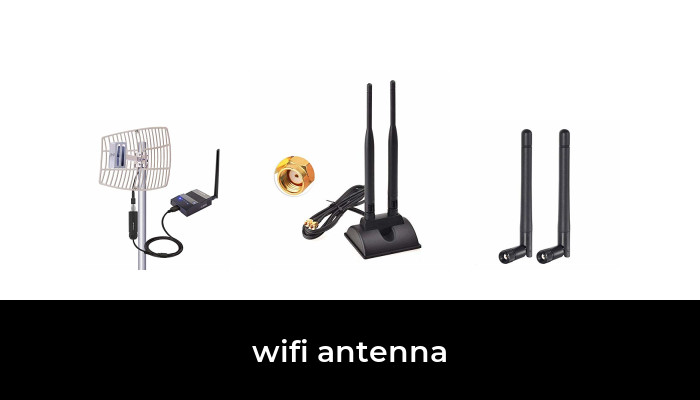
Image note: Examples from the product category; pictured models and variants may differ from the options discussed.