
If you mean a USB adapter for 5 GHz Wi-Fi, compare the TP-Link Archer TX20U Plus, the compact TX20U Nano and NETGEAR’s Nighthawk A8000. The Plus suits a desk where you can reposition its antennas; the Nano prioritizes a small footprint; the A8000 adds a 6 GHz option for a compatible Windows 11 and Wi-Fi 6E setup.
A product advertised as a “5G USB WiFi adapter” usually needs clarification. A 5 GHz Wi-Fi adapter connects to a nearby wireless router. Cellular 5G uses a mobile network and requires different hardware and a carrier service. The three products here are Wi-Fi adapters, not cellular modems.
Research checked October 4, 2026. We compared official specifications and support documentation. We have not measured speed, range, reliability or gaming latency. Prices and local availability can change.
Compare three 5 GHz USB Wi-Fi adapters
| Adapter | Useful role | Connection and bands | Main limitation |
|---|---|---|---|
| TP-Link Archer TX20U Plus | Desktop placement flexibility | USB 3.0; 2.4 and 5 GHz | External antennas and cable take space |
| TP-Link Archer TX20U Nano | A compact laptop accessory | USB 2.0; 2.4 and 5 GHz | USB 2.0 and physical placement constrain the setup |
| NETGEAR Nighthawk A8000 | Adding a compatible 6 GHz option | USB 3.0; 2.4, 5 and 6 GHz | 6 GHz requires Windows 11 and a compatible router |
All three official listings identify Windows support. Do not assume that a USB connector establishes macOS, Linux, Android, game-console or Windows-on-ARM driver compatibility. Check the exact hardware revision and operating-system build before buying.
1. Archer TX20U Plus: a practical desk option
The TX20U Plus has two adjustable antennas and a supplied one-meter USB 3.0 cable. These let you place the adapter on a desk instead of leaving it directly behind a computer case. That placement flexibility is the reason to shortlist it. No range comparison was measured for this guide.
TP-Link lists Windows 10 and 11, Wi-Fi 6, and maximum physical signal rates of 1,201 Mbps on 5 GHz and 574 Mbps on 2.4 GHz. The AX1800 name combines those bands’ advertised rates. It does not promise an 1,800 Mbps file download.
Choose it when: you have space for a separate adapter and a suitable USB port. Check first: the cable route, antenna clearance and the driver for the exact revision. The model is dual-band; it does not add 6 GHz.
2. Archer TX20U Nano: for a smaller footprint
The TX20U Nano measures 26.8 × 15.7 × 7.5 mm and uses USB 2.0. Its official specification lists Wi-Fi 6, 2.4 and 5 GHz support, and Windows 10 and 11. It is worth comparing when a protruding antenna assembly would make a portable computer awkward to carry or use.
The listing advertises the same 1,201 Mbps 5 GHz physical link rate as the Plus, but the USB interface and complete connection still affect useful throughput. Those matching radio numbers do not establish equal real-world transfer performance.
Choose it when: compactness matters more than flexible antenna placement. Check first: neighboring-port clearance and whether the computer’s position gives the adapter a usable signal. A tiny adapter hidden under a desk is not automatically the best choice for a difficult room.
3. Nighthawk A8000: if 6 GHz is part of the plan
The A8000 is a Wi-Fi 6E USB 3.0 adapter supplied with a cradle. It can use 2.4, 5 or 6 GHz, with the bands selected rather than combined into one simultaneous connection. NETGEAR lists Windows 10 and 11; on Windows 10, operation is limited to 2.4 and 5 GHz.
Its 6 GHz support guidance requires Windows 11. You also need a router that offers the appropriate 6 GHz network. Buying this adapter alone does not upgrade the router.
Choose it when: you already have, or deliberately plan, a compatible 6 GHz setup. Check first: regional availability, current drivers and the router’s actual capabilities. For an existing 5 GHz-only network, compare its cost and size against the simpler alternatives.
Before buying: check the complete connection
- Start with the computer. Record its OS version, processor architecture and available ports. Read the manufacturer’s driver download page before purchase, especially for older or less common systems.
- Identify the router. Confirm that it broadcasts 5 GHz. Wi-Fi 6 features need compatible equipment; a new client adapter cannot give an older router every newer feature.
- Separate Wi-Fi from internet speed. The router, service plan, server, radio conditions and USB connection can all limit a transfer. Compare a repeatable task in your actual room rather than treating packaging numbers as a benchmark.
- Plan placement. Check desk space, cable reach and physical obstructions. A return policy is valuable because no specification sheet proves reception at your particular workstation.
- Use supported software. Get drivers from the maker, not a third-party driver bundle. Do not disable system protections to make an incompatible accessory install.
Driver support and operating-system security support are separate issues. Microsoft states that standard Windows 10 support ended October 14, 2025. Review the applicable upgrade or Extended Security Updates options for your edition instead of interpreting a Windows 10 driver listing as ongoing OS protection.
Frequently asked questions
Will a 5 GHz adapter give me cellular 5G?
No. These adapters join a Wi-Fi network. A cellular connection needs an appropriate mobile modem or hotspot and a suitable service plan.
Is a USB 3.0 adapter always faster?
No. A faster USB interface can remove one constraint, but it does not prove better reception or a faster internet connection. Compare the full setup, not a single port specification.
Should I replace working built-in Wi-Fi?
Only if you have identified a problem or a feature you need. Check your existing adapter’s specifications and official updates first. A reliable wired Ethernet connection may also suit a fixed workstation better than another wireless accessory.
Bottom line: shortlist the TX20U Plus for desk placement, the Nano for compactness, or the A8000 for a planned 6 GHz upgrade. Verify drivers and router compatibility before comparing advertised speeds.
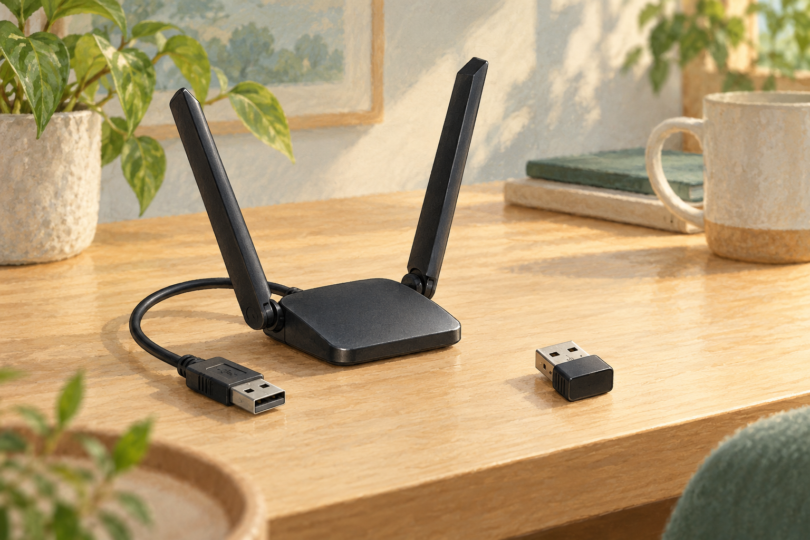
Image note: AI-generated generic editorial illustration; it does not identify an adapter model or establish speed, radio bands, drivers or operating-system compatibility.