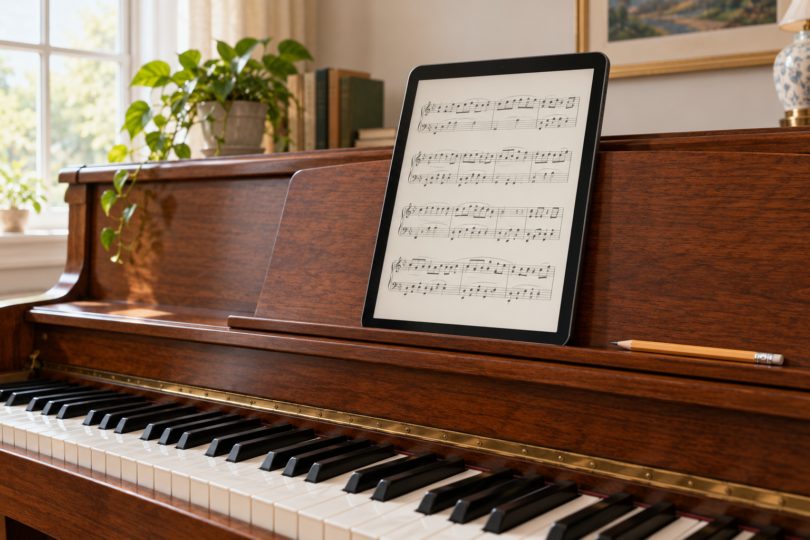

For piano sheet music, our first pick is the 13-inch iPad Air (M4) if you want forScore. The Samsung Galaxy Tab S10 FE+ is the Android alternative for MobileSheets. Both offer a large screen for a portrait score page; the app you want to use should decide the platform before processor specifications do.
Readability at the piano matters more than how a tablet looks in your hand. Put a representative score on a similar-size screen at your normal music-rest distance before buying. Dense notation, small fingerings and a two-page spread can still need enlargement on a large tablet. A diagonal measurement is not the same as a full-size paper page.
Two practical choices for piano scores
| Selected tablet | Best reason to choose it | What to budget for |
|---|---|---|
| iPad Air M4, 13-inch, Wi-Fi, 128GB, Starlight | forScore on a large iPad display | App, case or stand, and an optional compatible Apple Pencil or page-turn pedal |
| Galaxy Tab S10 FE+, 13.1-inch, Wi-Fi, 128GB, Gray | MobileSheets on Android with an included S Pen | App, case or stand, and an optional compatible page-turn pedal |
1. Apple iPad Air 13-inch (M4): for forScore

Apple iPad Air 13-inch (M4), 128GB, Wi-Fi, Starlight
As an Amazon Associate we earn from qualifying purchases.
The selected model is the 2026 M4 iPad Air with 128GB storage and Wi-Fi, in Starlight. Apple specifies a 2732 × 2048 Liquid Retina display, a fully laminated panel and an antireflective coating. The advertised 13-inch screen measures 12.9 inches diagonally as a rectangle; the viewable area is smaller because of the rounded corners.
This is our preferred choice when your plan is to build a forScore library. forScore lists iPad support and currently requires iPadOS 18 or later; Apple includes the M4 iPad Air in its iPadOS 27 compatibility list. Keep the operating system and app updated, and check the current app listing before purchase.
forScore is built around PDF scores. Its documented tools include annotations, setlists, page links for repeats and Bluetooth page-turner support. That is a useful practice and performance workflow if you already own compatible score files. It does not mean every protected music purchase imports freely, or that a scanned PDF becomes editable notation.
Apple lists support for Apple Pencil Pro and Apple Pencil (USB-C), both separate purchases. A pencil can help with fingerings and rehearsal marks, but it is optional for simply reading a score. Check that the case and music rest hold the tablet securely in portrait orientation; the Wi-Fi version weighs 616 grams before accessories.
The main tradeoff is the complete setup cost. The tablet, music app, protective case and any pedal or pencil are separate decisions. For this job, the large display and chosen software are the reasons to buy; the recommendation is not based on a claimed M4 performance advantage for turning PDF pages.
2. Samsung Galaxy Tab S10 FE+: for MobileSheets on Android

Choose the 13.1-inch FE+, with the plus sign, rather than the smaller 10.9-inch FE. The selected listing is one Gray Wi-Fi tablet with 128GB storage. Samsung’s specifications identify an LCD, an 8GB/128GB configuration and an included S Pen. The family launched with Android 15; check the installed updates on the unit you buy.
The appeal is a large Android screen with the annotation pen already included. MobileSheets supports Android 7 or later and documents score-library management, annotations, setlists and hands-free page turns. Its Android trial is a useful way to try your own scores and controls before paying for the full app.
MobileSheets offers options such as half pages in portrait and two pages at a time. Those can help you find a layout that works at the piano, but two visible pages also make each page smaller. Start with a single portrait page, crop unneeded margins where appropriate, and compare it with the app’s other display modes using a dense section of your own music.
Choose this model because you want the Android workflow. forScore’s listed platforms are Apple devices, so buying a Samsung tablet for a forScore-specific setup would require changing apps. Also check the total price against the iPad setup: an included S Pen is useful, but current tablet prices and accessory bundles can change.
Check the page-turn pedal with the app
A Bluetooth connection is only the first step. The pedal must send commands your score app recognizes, and the app must map them to the action you want. forScore documents Bluetooth page turners from makers including AirTurn and PageFlip. MobileSheets provides touch and pedal action settings in its manual. Verify the exact pedal model, tablet OS, operating mode and app instructions together.
For example, AirTurn’s DUO 500 documentation lists Bluetooth 4 or higher and several command modes; that is not a promise that every mode works identically in every app. Rehearse forward and backward turns, repeats and wake-from-idle behavior with your actual setup. Place the page-turn control where it will not interfere with the piano’s sustain or other pedals.
Prepare the score library before the performance
Import the scores you are entitled to use, check every page and annotation, and arrange the programme in the app before sitting down to play. Confirm that the required files open without a network connection, silence distracting notifications and keep a practical backup for an important performance. Neither tablet choice replaces that preparation.
Choose the iPad Air if forScore is the deciding factor. Choose the Tab S10 FE+ if you prefer MobileSheets on Android and want the included pen. In either case, test a representative score at the piano and practise the page-turn method before relying on the setup in front of an audience.
Frequently asked questions
What size tablet is best for piano sheet music?
A roughly 13-inch tablet is a sensible starting point for full-page piano scores, which is why both picks here use large displays. Your eyesight, score layout and music-rest distance still decide whether the page is comfortable. Try your own music before buying.
Can I use forScore on the Samsung Galaxy Tab S10 FE+?
forScore’s published platforms are Apple devices, including iPad. For the Samsung option, this guide recommends the documented Android version of MobileSheets. Choose the app platform before the tablet.
Do I need a stylus to read sheet music?
No stylus is needed just to view the page. One can help with handwritten rehearsal marks in a compatible app. The Tab S10 FE+ includes an S Pen; compatible Apple Pencil models are separate purchases for the iPad Air.
Will any Bluetooth foot pedal turn pages?
Do not assume so. Check the exact pedal’s command mode and your score app’s supported controls. Both forScore and MobileSheets document pedal workflows, but you should configure and rehearse the combination before a performance.
Will a sheet-music app turn a PDF into editable notation?
Do not assume that from PDF import support. forScore and MobileSheets document reading and managing scores, with annotations and page controls. If you need notation editing, scanning recognition or a particular playback feature, verify it separately in the software you plan to use.