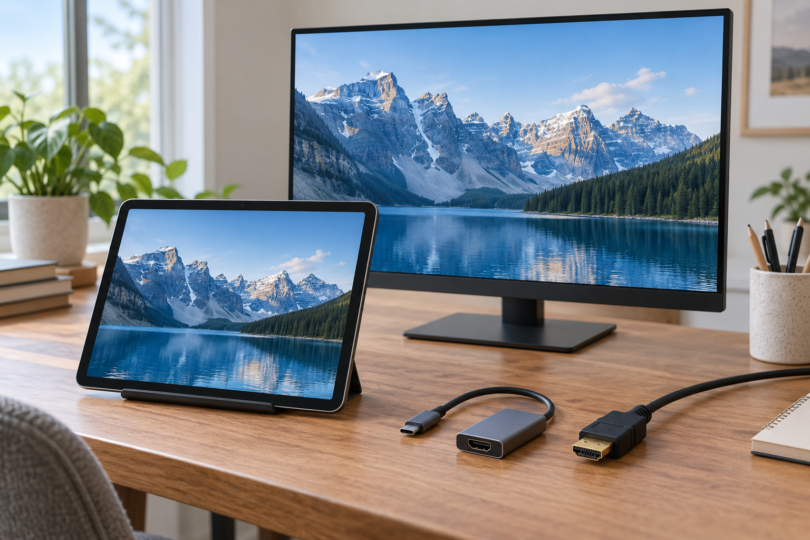

If you need a tablet with a physical HDMI connector, start by checking the CHUWI Hi10 Max with the Core Ultra 5 125U processor. It has a built-in Micro-HDMI output. The iPad Air M4 and iPad Pro M5 below are alternatives for connecting to an HDMI screen through an adapter; neither has an HDMI socket on the tablet.
There are three different buying requirements here: a full-size HDMI socket, a smaller Micro-HDMI socket, or USB-C video output connected to an HDMI adapter. This shortlist has one verified Micro-HDMI model and two clearly labeled adapter alternatives. We have not verified a full-size HDMI tablet for this selection. Our recommendations compare documented features, not hands-on connection tests.
Compare the connection type before the tablet
| Tablet and exact configuration | Physical connector | Documented HDMI route | Main limitation |
|---|---|---|---|
| CHUWI Hi10 Max 125U, 12GB RAM, 512GB SSD, tablet-only H1M125U | Micro-HDMI on the tablet | Micro-HDMI output: up to 4K at 60Hz | Not a full-size socket; HDCP version is not specified |
| iPad Air 11-inch (M4), Wi-Fi, 256GB | USB-C; no HDMI socket | HDMI 2.0 adapter: up to 4K video at 60Hz | Apple’s AV-adapter guidance specifies 1080p/60Hz for Home Screen and apps |
| iPad Pro 13-inch (M5), Wi-Fi, 512GB, standard glass | Thunderbolt / USB 4; no HDMI socket | HDMI 2.0 adapter: up to 4K video at 60Hz | The tablet’s higher DisplayPort ceiling is not an HDMI-adapter guarantee |
1. CHUWI Hi10 Max 125U: the built-in Micro-HDMI candidate
This is the model to investigate when you specifically want an HDMI-family port built into the tablet. CHUWI’s specification table identifies one Micro-HDMI port and rates its external output at up to 4K resolution and 60Hz. You will need a Micro-HDMI-to-HDMI cable, or a matching Micro-HDMI adapter plus an HDMI cable, for a typical full-size HDMI input. A full-size HDMI cable alone does not fit the tablet’s smaller socket.
Keep the processor and bundle name exact: our candidate is the Hi10 Max 125U with Intel Core Ultra 5 125U, 12GB LPDDR5 memory and a 512GB SSD. The tablet-only option is H1M125U. CHUWI also lists separate keyboard and keyboard-plus-H7-stylus bundles. Its 12.96-inch screen is 2880 × 1920 and the listed operating system is Windows 11 Pro. These details should not be transferred to an older Hi10 Max with a different processor.
There are two checks before buying. First, confirm current supply for the exact 125U configuration. Second, ask CHUWI about your required HDCP version and protected-video service: the captured product specifications do not state an HDCP version or certify individual streaming apps. The same page gives different USB-C refresh-rate descriptions, so we rely only on its consistent Micro-HDMI 4K/60Hz specification here. Check the Hi10 Max 125U model and bundle options.
2. iPad Air 11-inch (M4): a compact USB-C alternative
Choose the Air only if an adapter is acceptable. Its USB-C port supports DisplayPort video output, and Apple explicitly lists HDMI output through separately sold adapters. Our suggested Wi-Fi, 256GB configuration is a compact 11-inch-class iPad with a 2360 × 1640 display. It does not meet a requirement for a built-in HDMI connector.
Apple documents up to 4K at 60Hz through an HDMI 2.0 adapter for the M4 Air. That is separate from the tablet’s native DisplayPort capability of one external display up to 6K at 60Hz. Match the adapter, cable and display to the HDMI mode you need; do not assume a 6K specification applies to any HDMI accessory.
Apple’s USB-C connection guide adds an important condition for its Digital AV Multiport Adapter: Home Screen and apps appear on HDMI displays at 1080p/60Hz, while video playback can switch to the content’s resolution, up to 4K/60Hz. If your goal is a high-resolution app workspace rather than video playback, confirm the exact iPadOS app and display behavior before purchasing. See the M4 Air specifications and Apple’s USB-C display guidance.
3. iPad Pro 13-inch (M5): a larger USB-C alternative
The 13-inch Pro is the alternative to compare when you also want a larger tablet display. The suggested Wi-Fi, 512GB model has standard glass, a 2752 × 2064 tandem OLED display and 12GB of unified memory. Its physical port supports Thunderbolt 3 and USB 4. An HDMI display still requires an adapter.
Apple rates the native external-display connection for one display up to 6K/60Hz or 5K/120Hz. For HDMI, its separate USB-C guidance documents up to 4K/60Hz video through a supporting HDMI 2.0 adapter. Keep those routes separate when comparing monitor specifications. The Home Screen/app condition for Apple’s AV adapter also applies here; buying the Pro does not turn that adapter into a blanket 4K app-mirroring guarantee.
The Pro makes sense in this comparison for its larger OLED panel and port options, not because it eliminates the HDMI accessory. Verify your chosen app’s external-display support, and include the adapter and cable in the total budget. Check the exact iPad Pro M5 specification.
How to avoid buying the wrong connection
Check the adapter model, not just the connector shape. Apple identifies the newer USB-C Digital AV Multiport Adapter as A2119; the older A1621 is limited to 3840 × 2160 at 30Hz or 1080p at 60Hz. Apple describes the adapter as HDCP compliant, but does not state a numbered HDCP version on that page. Use the current iPad connection guide for the M4/M5 tablet-specific 4K/60Hz support.
For films and streaming services, a working desktop or photo on the screen is not a playback guarantee. Apple says some films, TV shows and streaming apps require HDCP, and an app may be incompatible with an adapter. Confirm the service, tablet, adapter and display combination, especially if protected video is the main reason for buying. Read Apple’s app and HDCP troubleshooting guidance.
Check audio requirements too. Apple says these iPads can output Dolby Digital Plus through HDMI, but not Dolby Atmos, and HDR10 or Dolby Vision playback requires an HDMI 2.0 adapter that supports the relevant format. A display connection advertised only as “4K” does not answer all of those questions.
For a built-in port, compare the exact CHUWI 125U model and the Micro-HDMI cable you need. For a compact iPad, compare the Air and a verified adapter. Choose the 13-inch Pro if its larger display is independently useful to you. If a full-size HDMI socket is non-negotiable, none of these three meets that requirement.
Frequently asked questions
Does Micro-HDMI count as a built-in HDMI port?
It is an HDMI connector built into the tablet, but it is smaller than a full-size HDMI socket. The CHUWI Hi10 Max 125U lists Micro-HDMI. You need the matching cable or connector adapter rather than plugging a full-size HDMI plug directly into the tablet.
Can I use these tablets as an HDMI monitor for a console?
Do not buy them on that assumption. The documented connections discussed here send video to an external display. They do not establish HDMI input or capture capability for a console or camera.
Will any USB-C-to-HDMI cable work?
Check the tablet’s video-output support and the cable or adapter’s specified resolution and refresh rate. For the iPads here, Apple documents HDMI 2.0 adapters for up to 4K/60Hz video, with separate app, HDCP and AV-adapter mirroring limits. Connector shape alone is insufficient buying evidence.