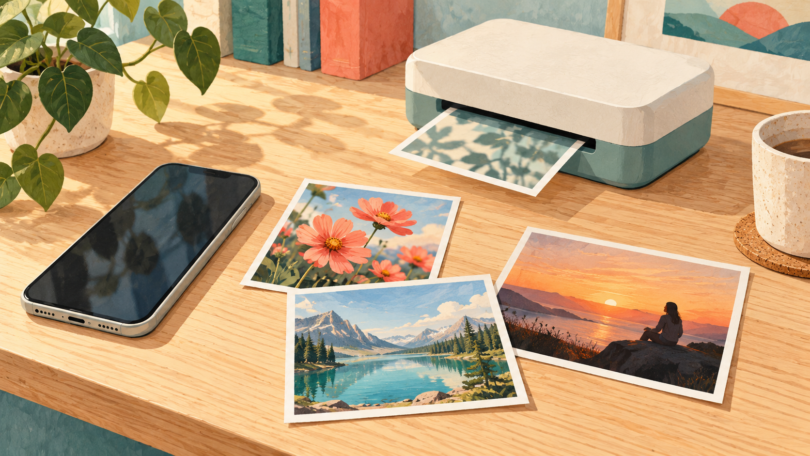

The best selfie printer depends on what you want to keep: a larger photo for an album, a small sticker for a journal, or a bordered instant-film keepsake. Our shortlist is the Canon SELPHY CP1500 for postcard prints, Canon SELPHY QX20 for adhesive photos, and Fujifilm instax mini Link+ for real instant film.
These are editorial choices based on manufacturer specifications and manuals. We have not performed hands-on print-quality, battery or durability tests. The comparison focuses on print format, connection requirements, consumables and practical limitations.
Which selfie printer should you buy?
| Printer | Best fit | Print format | Main tradeoff |
|---|---|---|---|
| Canon SELPHY CP1500 | Albums and larger individual or group photos | Nominal 4 × 6-inch postcard format; finished borderless print is 100 × 148 mm | Needs a separate matched ink/paper set; battery is optional |
| Canon SELPHY QX20 | Journals, scrapbooks and photo stickers | XS-20L sheets: 72 × 85 mm; XC-20L sheets: 54 × 85 mm; image borders depend on layout | Small output; requires the SELPHY Photo Layout app |
| Fujifilm instax mini Link+ | Bordered instant-film keepsakes | Image: 62 × 46 mm; complete film sheet: 86 × 54 mm | Small picture area; film sold separately |
1. Canon SELPHY CP1500: for larger album prints
The CP1500 is a dye-sublimation photo printer with a 3.5-inch screen. Its postcard format gives you a larger image than the QX20 labels or instax mini film in this guide. Canon calls this a 4 × 6-inch format; the manual specifies 100 × 148 mm after removing the perforated margins, from a 100 × 177 mm sheet. That distinction matters if a frame or album opening needs an exact fit.
For phone printing, Canon recommends its SELPHY Photo Layout app. The CP1500 also supports AirPrint and direct printing from compatible SD cards, so a phone app is not the only route. Its USB-C port handles data; it does not charge or power the printer. See the Canon U.S. specifications and CP1500 manual for supported connection methods.
The standard package includes a power adapter and paper cassette, while the color ink/paper set is purchased separately. KP-108IN is one compatible postcard-size set. For cordless use, the manual lists separately sold NB-CP2LI and NB-CP2LH batteries. Do not confuse the CP1500’s refill sets with the QX20’s ink/label sets or generic inkjet photo paper.
- Why choose it: the larger finished print and built-in screen suit albums and photos where you want more room for faces.
- Keep in mind: it needs working space for the cassette and for paper to move behind the printer during printing. A compact body does not mean pocket-size operation, and a cordless kit costs more than the printer alone.
The selected listing is the black CP1500 printer. Check the seller’s package contents before adding refills or a battery; the image shown on a printer listing is not proof that a paper bundle is included.
Canon SELPHY CP1500 Compact Photo Printer, Black
As an Amazon Associate we earn from qualifying purchases.
2. Canon SELPHY QX20: for adhesive photo prints
Choose the QX20 if you want small dye-sublimation prints with peel-and-stick paper. It accepts XS-20L square-format labels and XC-20L or XC-60L card-format labels. The names describe the format, not a promise that every square-format sheet is physically square: Canon lists the complete XS-20L sheet as 72 × 85 mm and the XC-20L sheet as 54 × 85 mm. The selected layout and border setting determine the image area.
The QX20 connects directly over Wi-Fi and requires SELPHY Photo Layout version 4.0 or later for iOS or Android. Its USB-C connection is for charging only; there is no memory-card slot. The battery is built in and is not user-replaceable. Canon includes a USB-C-to-USB-C cable but no power adapter, according to the U.S. specification sheet.
Canon rates the QX20 for approximately 20 sheets at room temperature with a new, fully charged battery. That is a manufacturer’s test condition, not a guaranteed event capacity. For a party or a long scrapbooking session, plan the paper supply and charging access rather than relying on one charge.
- Why choose it: two adhesive-paper formats give a journal or scrapbook more layout flexibility.
- Keep in mind: it does not make postcard-size photos, and phone/app compatibility is central to using it. Buy the QX20’s matched ink/label set; the printer name alone does not establish how many sheets a retailer bundle contains.
See Canon’s SELPHY QX20 options. Select the color and check the exact included ink, paper and charging accessories before purchase.
3. Fujifilm instax mini Link+: for instant-film keepsakes
The mini Link+ exposes a phone image onto Fujifilm instax mini instant film. It uses the free instax mini Link app on a compatible iOS or Android phone and connects by Bluetooth. The complete film sheet measures 86 × 54 mm, but the picture itself is 62 × 46 mm. Choose it because you want the bordered instant-film format, not because you need a large photo.
Simple Print is the everyday-photo mode. Design Print is an additional mode aimed at detailed designs and text, with a different exposure resolution; it does not enlarge the film’s image area. Fujifilm lists JPEG, PNG, HEIF and DNG support. These features are documented capabilities, not evidence that we found its color or sharpness superior in testing.
The printer has an internal lithium-ion battery and a USB-C charging connection; a USB-C cable is listed among the accessories. Film is sold separately. Fujifilm quotes approximately 100 prints per full charge, dependent on usage conditions, and about 90 seconds for film development, dependent on temperature. Film ejection and finished development are separate steps.
- Why choose it: it turns a saved phone image into a small instant-film print, with app options for layouts and frames.
- Keep in mind: instax mini film is its own consumable system. It cannot substitute for Canon ink/paper, and the small image area leaves less room for a group portrait or fine text. If you need a sticker, choose an adhesive-paper system instead.
See the Fujifilm instax mini Link+ in black and the official specifications. Confirm that the selected listing says “instax mini Link+” and check its included film count.
What to check before ordering
- Pick the finished format first. For a frame or album, compare the actual finished dimensions. For a journal, decide whether adhesive backing matters. A small printer’s sheet dimensions and image dimensions may differ.
- Check your phone before buying. Open the current App Store or Google Play listing for SELPHY Photo Layout or instax mini Link on your own phone. “iOS and Android” does not guarantee support for every device or OS version.
- Compare the ongoing supplies. Use the price of the exact compatible ink/paper or film pack divided by its stated print count. Add any required battery or power adapter to your setup budget; a low printer price alone does not establish the cheapest system.
- Preview the crop. Leave space around faces when fitting a phone selfie into a different aspect ratio. Inspect the layout before committing a sheet of paper or film.
Frequently asked questions
Do these printers need ink?
The two Canon models use matched color ink and paper or label sets for dye-sublimation printing. The mini Link+ uses instax mini instant film instead of a separate printer ink cartridge. None of these systems prints on ordinary office paper.
Can I print without a phone?
The CP1500 offers compatible memory-card and other documented connection routes. The QX20 and mini Link+ choices here depend on their respective smartphone apps. If app-free use matters, start with the CP1500 and check the manual for your image source.
Which is best for a party?
Choose the CP1500 for larger keepsakes, the QX20 for stickers, or the mini Link+ for instant film. Plan power and enough compatible consumables for the number of guests. Manufacturer battery estimates describe particular conditions and do not guarantee that a printer can cover an entire event on one charge.