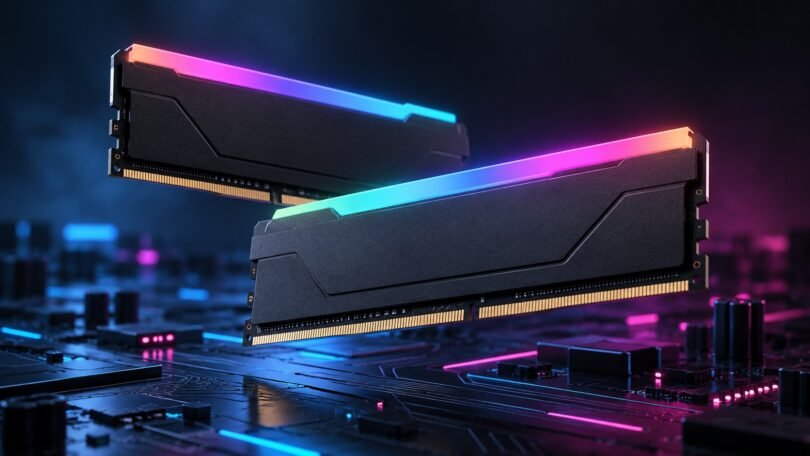

G.Skill Trident Z RGB 3200 is a family of DDR4 desktop memory kits, not one interchangeable product. The practical choice for a compatible PC is often the 32GB F4-3200C16D-32GTZR kit with two 16GB modules. Choose the 16GB version if it comfortably covers your workload, and consider 64GB only when your applications need the capacity and your motherboard supports the modules.
The important details are the complete part number, total capacity, number of sticks, timings, and motherboard compatibility. A listing that simply says “Trident Z RGB 3200” leaves out too much. Also, the advertised DDR4-3200 setting is an XMP overclocking profile: buying the kit does not guarantee that every system will run it at that speed.
Trident Z RGB 3200 kits compared
These exact Trident Z RGB models use DDR4, Intel XMP 2.0, and a rated profile of up to 3200 MT/s with 16-18-18-38 timings at 1.35V. They are unbuffered, non-ECC desktop memory. The differences below come from G.Skill’s individual specification pages.
| Exact kit | Total capacity | Modules | Default SPD speed |
|---|---|---|---|
| F4-3200C16D-16GTZR | 16GB | 2 × 8GB | 2133 MT/s |
| F4-3200C16D-32GTZR | 32GB | 2 × 16GB | 2133 MT/s |
| F4-3200C16Q-32GTZR | 32GB | 4 × 8GB | 2133 MT/s |
| F4-3200C16D-64GTZR | 64GB | 2 × 32GB | 2666 MT/s |
All four list a default SPD voltage of 1.20V. The 1.35V specification belongs to their tested XMP profile; it is not a recommendation to apply that voltage to unrelated memory. Notice that the 64GB kit has a different default speed. Do not assume every kit in the family starts at DDR4-2133.
Which capacity and stick count should you choose?
32GB, two sticks: a sensible place to start
F4-3200C16D-32GTZR gives you 32GB across two modules. It is the configuration worth checking first if you keep demanding games, a browser, chat, and other applications open together, or your current 16GB installation regularly runs short of memory.
On a four-slot motherboard, using two sticks leaves two slots physically free. That is useful flexibility, but it is not a promise that adding another kit later will work at the same settings. If you already expect to need 64GB, compare a compatible matched 64GB kit before spending money twice.

G.Skill Trident Z RGB F4-3200C16D-32GTZR — 32GB (2 × 16GB), DDR4-3200 CL16
As an Amazon Associate we earn from qualifying purchases.
16GB, two sticks: for a workload that fits
F4-3200C16D-16GTZR contains two 8GB modules. It can make sense for a budget-conscious DDR4 build when your applications fit within 16GB and the price difference matters. Check memory use during your actual busiest session rather than choosing capacity from a game’s minimum requirement alone.
Remember that replacing a 16GB kit with another 16GB kit does not increase capacity. If your existing memory is reliable and you mainly want RGB lighting, treat that as a cosmetic purchase. Do not expect a universal performance improvement simply because the new modules have a more elaborate heatspreader.
64GB, two sticks: for a demonstrated capacity need
F4-3200C16D-64GTZR is two 32GB modules. Consider it for large projects, memory-heavy applications, or multiple virtual machines when monitoring shows that a smaller capacity is restrictive. It is not automatically a better gaming purchase than 32GB.
Before ordering, verify support for 32GB modules as well as the motherboard’s total capacity limit. An older board’s headline maximum capacity alone does not settle which module densities, CPU combinations, or firmware versions it supports. Use the exact 64GB kit specification when checking with the board maker.
32GB, four sticks: a distinct configuration
F4-3200C16Q-32GTZR supplies four 8GB modules in one kit. It occupies four sockets, so it cannot be installed in full on a two-slot board. Choose it only when that layout suits your platform and the kit is validated for the intended configuration.
Four modules do not turn a dual-channel platform into a quad-channel platform. Channel support comes from the CPU and motherboard. Likewise, the “dual/quad channel kit” wording on G.Skill’s page does not promise quad-channel operation in every desktop. For an ordinary two-channel build, compare the two-stick 32GB option before prioritizing the appearance of four illuminated modules.
Read the whole model number
In G.Skill’s DDR4 naming scheme, F4 identifies DDR4, 3200 the rated data rate, and C16 the CAS latency. D means a two-module kit and Q means four modules. The capacity after the hyphen is the total kit capacity. Thus, “32G” does not mean every stick is 32GB. G.Skill explains the format in its memory FAQ.
The suffix matters too. GTZR identifies these Trident Z RGB kits. GTZN belongs to Trident Z Neo, a separate DDR4 family designed for AMD Ryzen platforms. For example, F4-3200C16D-32GTZN is a Neo 32GB, two-stick kit with a 3200 MT/s, 16-18-18-38, 1.35V XMP 2.0 profile. Similar headline specifications do not make the two part numbers interchangeable for QVL checks.
Trident Z5 RGB is DDR5. Do not substitute it for a DDR4 kit because the name or lighting looks similar. DDR4 and DDR5 use different electrical interfaces and keyed slots; the motherboard must support the correct generation. Kingston’s DDR5 overview explains the hardware differences.
Compatibility checks before buying
Start with the motherboard and CPU
Find the full motherboard model, its hardware revision where relevant, the installed processor, and the BIOS version. Check the manufacturer’s memory support information for that combination, then compare the entire kit number, capacity, speed, and supported socket population. “Supports DDR4” is only the first filter.
G.Skill’s QVL and RAM Configurator are useful cross-checks, accessible through the product pages. A QVL documents tested combinations; it is not a guarantee for a different CPU, different kit, or more modules. If the exact combination is absent or unclear, ask the motherboard maker or G.Skill before buying. G.Skill explicitly limits its QVL to a single matched kit and advises against combining kits.
Also check whether the system exposes memory-profile settings. Some prebuilt desktops offer fewer BIOS controls than retail enthusiast motherboards. Buying XMP memory does not add an XMP option to a locked-down BIOS.
Measure cooler clearance
G.Skill lists standard Trident Z RGB modules at 44mm tall. Compare that against the CPU cooler’s RAM clearance in the installed fan position. If a tower cooler allows its fan to move upward, check case clearance too. The separate Trident Z RGB DC family is taller; its dimensions should not be substituted for these kits.
Check the lighting software you actually use
G.Skill lists support for Asus Aura Sync, Gigabyte RGB Fusion, MSI Mystic Light, and ASRock Polychrome Sync, while warning that support varies by motherboard. Consult the official Trident Z RGB overview and your board’s current software information. RGB compatibility and memory-speed compatibility are separate questions: one working does not establish the other.
Setting up DDR4-3200 without guessing at voltages
Install the complete matched kit in the slots specified by your motherboard manual, with the PC powered off and disconnected. Do not assume adjacent sockets are the correct pair. Confirm that the BIOS recognizes the full capacity before changing memory settings.
On compatible hardware, select the kit’s XMP profile in BIOS; an AMD board may label the corresponding setting DOCP or A-XMP. Save and restart using the motherboard’s instructions. Intel describes XMP as memory overclocking, so check the relevant component warranty terms rather than assuming that a stored profile is risk-free.
Verify the operating speed after restarting. G.Skill’s setup and troubleshooting guide explains that CPU-Z’s Memory tab can show approximately 1600 MHz for DDR4-3200: doubling that clock gives the 3200 MT/s transfer rate.
If the PC will not boot or memory tests report errors, return to default settings using the motherboard’s documented recovery procedure. Recheck the slots, compatibility information, and firmware guidance. Persistent errors at default settings warrant manufacturer support. Avoid copying manual voltage or timing recipes from someone else’s differently configured PC.
Common buying questions
Can I combine two identical Trident Z RGB kits?
Do not plan an upgrade around that assumption. Matching retail model numbers do not make two separate packages one validated kit. Buy the total capacity you need as a supported matched set.
Does CL16 identify the memory chips?
No. The part numbers and specification pages above establish capacity and tested settings; they do not promise a particular chip manufacturer, die revision, or rank layout. Do not buy on an unverified claim that every Trident Z RGB 3200 kit uses the same chips.
Is DDR4-3200 always faster than another DDR4 kit?
A data rate alone cannot predict the result in your applications. Capacity, timings, channel configuration, CPU, and the workload all matter. Prioritize enough memory and a validated configuration before paying extra for a small specification difference or lighting.
Will these fit a laptop?
These are desktop DIMM kits. They are not substitutes for laptop SO-DIMMs or soldered memory. Check the computer’s service documentation before buying any upgrade.
The practical buying decision
Start with F4-3200C16D-32GTZR if 32GB suits your workload and your hardware supports it. Choose the 16GB version to meet a tighter budget, the 64GB version for a real capacity requirement, or the four-stick 32GB kit for a specifically supported layout. Compare the full delivered price, seller, return terms, and exact SKU before checkout. The right purchase is the matched kit that fits your PC and workload, with enough clearance and a supported configuration to use it reliably.