

The Intel Core i5-7500 can make sense as a low-cost replacement for a compatible older desktop. It is a much harder sell as the foundation of a new PC. Before buying, check motherboard support, the operating system you plan to use and the cost of the whole repair. A cheap processor is not good value if it forces you to buy another old motherboard or leaves you without a supported software plan.
This guide focuses on the actual desktop i5-7500. Laptop sleeves, unrelated CPUs and computers carrying a different Core i5 model number are not substitutes for it.
The i5-7500 specifications that matter
Intel’s specification page identifies the i5-7500 as a seventh-generation Kaby Lake desktop processor launched in the first quarter of 2017. Its key specifications are:
- Four cores and four threads, without Hyper-Threading
- 3.4 GHz base frequency and up to 3.8 GHz turbo frequency
- 6 MB Intel Smart Cache and a 65-watt TDP
- FCLGA1151 socket and integrated Intel HD Graphics 630
- Support for DDR4-2133/2400 or 1.35-volt DDR3L-1333/1600, depending on the motherboard
Intel lists the end of servicing updates as March 31, 2024. That is a product-support limitation worth considering for a machine you hope to keep for several more years.
The four-thread figure matters: a marketplace specification field for the verified listing incorrectly says eight concurrent threads. Use Intel’s four-core, four-thread specification. Neither a retail-page typo nor a generic seventh-generation marketing paragraph changes the processor’s capabilities.
The exact boxed-processor listing
Intel Core i5-7500 BX80677I57500, LGA1151 Desktop Processor, One CPU
As an Amazon Associate we earn from qualifying purchases.
The verified listing maps to BX80677I57500, Intel’s boxed i5-7500 model. Check the offer’s condition and included items before ordering. An old retail product page can have new, used or replacement offers, and a pictured box does not guarantee that a particular seller supplies a sealed retail package.
For a repair, ask for the exact model and clear condition information. Confirm whether a compatible cooler is included if you need one, whether the seller accepts returns for a defective part, and whether the processor was tested. Avoid assuming that an old stock item carries a fresh manufacturer warranty merely because a generic listing mentions one.
The listing is useful when you already know that this particular CPU solves your problem. It should not be the first purchase in an uncertain troubleshooting process. If a desktop does not start, have the fault diagnosed before buying a processor on speculation.
LGA1151 alone does not prove compatibility
Intel used the LGA1151 name across incompatible desktop generations. Its Core i5 compatibility guidance places seventh-generation Core i5 processors with Intel 100- and 200-series chipset boards. Eighth- and ninth-generation desktop chips instead use the 300-series platform.
Intel also explicitly states that sixth- and seventh-generation processors are not compatible with 300-series motherboards in its LGA1151 installation guidance. You cannot choose a board by socket name alone.
Find your motherboard’s exact manufacturer, model and revision, then read its CPU-support list for the i5-7500 and required BIOS version. For a Dell, HP, Lenovo or other prebuilt desktop, use the computer manufacturer’s documentation for that exact system. A chipset match does not override an OEM support list, power limit or firmware restriction.
If a firmware update is required, establish the manufacturer’s supported update procedure while the existing system still works. A board that cannot boot with the replacement processor may not offer a convenient way to update afterward.
Plan the operating system before spending
The i5-7500 is not included in Microsoft’s supported Intel processor list for Windows 11. Do not buy it on the assumption that enough RAM, a TPM or a seller-installed copy of Windows 11 makes the processor officially supported. Check the complete PC using Microsoft’s eligibility guidance.
Ordinary Windows 10 support ended on October 14, 2025. Microsoft’s current consumer Extended Security Updates page, checked October 5, 2026, states that eligible enrolled Windows 10 22H2 devices receive critical and important security updates through October 12, 2027. This is a limited transition programme: it does not add new features or ordinary technical support, and eligibility and regional enrollment conditions still apply.
A supported Linux distribution may be another option if it runs the applications and peripherals you need. Try the intended software and check hardware support before committing. For a work computer, confirm your organisation’s requirements rather than applying consumer enrollment advice.
When keeping an i5-7500 system is reasonable
An existing desktop may already handle your actual workload adequately. Keeping it can be sensible when the repair is straightforward, the motherboard and storage are healthy, and you have a supported operating-system plan. Judge it on the tasks you do: documents, the sites you use, your video calls and the specific applications you must run.
Do not translate those possibilities into a promise of performance. We have not benchmarked an i5-7500 system for this guide. Memory capacity, storage, graphics, cooling and application demands all affect the experience. If the machine is slow, identify whether storage, memory pressure or a different fault is responsible before replacing the CPU.
When a newer platform is the better purchase
Compare the total cost of the processor, any replacement motherboard, compatible memory, cooler and labour with a newer complete desktop. Once a repair needs several major parts, the apparent saving can disappear. Put particular weight on software support, available ports, storage options and a usable return or warranty policy.
An i7 from the same generation is also a separate compatibility and value decision; it does not automatically solve the operating-system support issue. Likewise, the i5-7500T is a different model, not a different name for this 65-watt part.
Bottom line: buy an i5-7500 only for a verified compatible system and a clearly costed need. For a fresh build or a long-term primary Windows machine, compare newer supported options before spending money on the old platform.
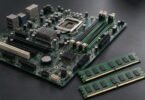
Image note: AI-generated editorial illustration; not a photograph of the named product.