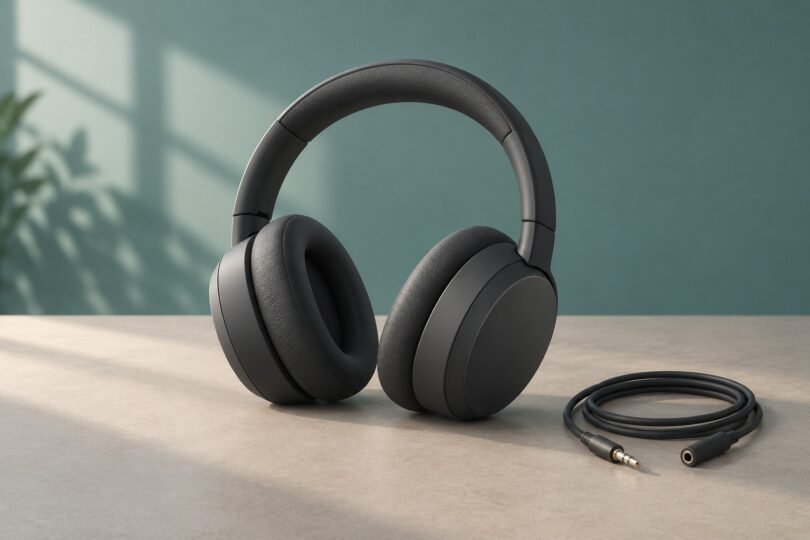

The Sony MDR-100ABN is the original h.ear on Wireless NC, a legacy over-ear model with Bluetooth, active noise cancellation and a detachable analog cable. It can still make sense for an owner whose pair works well, or a used buyer who can verify its condition. The important questions are battery health, complete accessories and whether its older connections suit your devices.
Start with the exact model number. The MDR-100ABN, MDR-1000X and WH-H900N are different headphones, and their controls, battery specifications and troubleshooting instructions are not interchangeable.
Which Sony headphones are these?
- MDR-100ABN: Sony calls this model h.ear on Wireless NC. Its model-specific feature guide lists 40 mm drivers, folding construction, NFC pairing with compatible devices and built-in microphones for Bluetooth calls.
- MDR-1000X: This is a separate 1000X model. Its official specifications identify touch-sensor volume control and approximately four-hour charging. Neither detail should be copied into an MDR-100ABN listing.
- WH-H900N: This is h.ear on 2 Wireless NC. Its specification sheet includes aptX HD and touch controls. The MDR-100ABN’s codec list does not include aptX HD.
Ask a seller for a readable photograph of the actual model marking, rather than relying on a title such as “Sony h.ear headphones.” For current Sony headphones, check the full model code and its own manual; newer features do not transfer to this older pair.
Sony MDR-100ABN specifications that matter
- Design: closed-back, dynamic over-ear headphones with 40 mm drivers
- Weight: approximately 290 g, or 10.23 oz
- Wireless music codecs: SBC, AAC, aptX and LDAC
- Connections: Bluetooth, an analog headphone-cable input and micro-USB for charging
- Controls: physical power and NC buttons, a jog switch and separate volume buttons
- Original accessories: carrying case, headphone connection cable and USB cable
The Sony specification sheet and parts diagram are useful references when checking a listing. An original accessory list does not establish what a used seller will include.
Bluetooth codecs and device switching
Sony’s codec guide lists four supported music formats: SBC, AAC, aptX and LDAC. The source device must also support the selected codec. A phone, computer or adapter advertising Bluetooth alone does not establish LDAC or aptX compatibility.
In the sound-quality-priority mode, the headphones can select a supported codec supplied by the source. The stable-connection mode uses SBC. Check the source device’s audio settings if you want a particular codec; do not assume an LDAC-capable headset guarantees an LDAC connection.
The manual describes a split music-player and phone connection: one device supplies music over A2DP, while another handles calls over HFP or HSP. That is a more specific arrangement than a blanket promise of effortless switching between two modern computers or phones. Test your intended combination before buying.
What works with the headphone cable?
The MDR-100ABN has two useful wired modes. With power off, it functions as ordinary analog headphones, including when the battery is depleted. With power on, the cable connection can also use noise cancellation. Sony specifies high-resolution wired playback with the headset switched on.
There are practical limits. Connecting the supplied headphone cable disables Bluetooth. The jog switch and volume buttons do not control playback in this mode, so use the source device. For a phone call over the cable, Sony instructs you to speak into the phone’s microphone; the headset’s Bluetooth calling microphones do not become a wired headset microphone. See the wired-connection instructions.
For a phone without a headphone socket, check that your chosen adapter provides a compatible analog audio output. The micro-USB port is documented for charging, not as a USB audio input.
Battery life: why both 20 and 22 hours appear
The broad specification sheet quotes up to 20 hours with Bluetooth and noise cancellation on. The more detailed battery-life table separates the music-playback figures by codec and operating mode:
- SBC or AAC over Bluetooth: up to 22 hours with noise cancellation on, or 24 hours with it off
- aptX or LDAC over Bluetooth: up to 20 hours with noise cancellation on, or 22 hours with it off
- Powered wired listening: up to 38 hours with noise cancellation on, or 50 hours with it off
These are Sony’s stated maximums for a fully charged battery, not a prediction for an individual used pair. Actual runtime depends on settings and use. An old battery should be assessed by a recent playback test, not by the original box specification.
Charging and listening at the same time
Charging uses the supplied micro-USB cable and takes approximately six hours from empty to full. Sony’s charging instructions specify a direct connection to a running computer, without a USB hub, and a charging temperature of 5–35°C.
Bluetooth and noise cancellation cannot operate while the headset is charging. Passive listening through the supplied analog cable is possible during charging. If charging begins while the headset is on, it switches off automatically.
If charging is unreliable, check the cable connection and make sure the computer is awake. For a substantial loss of runtime, Sony’s manual directs owners to seek battery replacement through a dealer. Ask about current service availability and cost before buying a tired pair. Do not open the battery pack or attempt improvised cell substitutions.
What to expect from noise cancellation
The MDR-100ABN uses microphones inside and outside the earcups for digital noise cancellation. Its Automatic AI Noise Canceling system chooses among modes intended for aircraft, buses or trains, and office-type background noise.
Noise cancellation starts automatically when the headset is powered on. The NC button toggles it, and a green indicator shows when it is active. It is also available with the analog cable when the headphones are powered. Sony explains the controls in its noise-cancellation guide.
Do not expect silence. Sony says this system is mainly effective against lower-frequency noise and is less effective against higher frequencies such as voices. Ear-pad positioning matters, too. If cancellation seems weak, first confirm the green indicator and adjust the fit, following Sony’s fit and ANC checks.
Pairing and basic troubleshooting
- Start with sufficient charge and the cable disconnected. Turn the headphones off before entering pairing mode.
- For an additional device, hold the power button for about seven seconds. Look for alternating blue and red flashes. A headset with no saved pairing information can enter pairing mode when first powered on.
- Open your device’s Bluetooth settings and select “h.ear (MDR-100ABN).” Menu wording varies by device. Sony’s pairing guide covers the headset-side process.
If a previously paired device keeps reconnecting, disconnect it before trying the intended source. Saved pairings are not simultaneous music streams: the headset can play music from only one paired device at a time.
A reset and a factory initialization are different. Sony’s reset procedure preserves pairing information. Its factory-initialization procedure deletes that information. Follow the illustrated instructions for this exact model rather than a reset sequence for another Sony headset.
Used-buying checklist
For this legacy model, the condition of the actual unit matters more than a long feature list. Before paying, ask the seller to confirm:
- Model and accessories: the MDR-100ABN marking, the exact headphones pictured, included cables and case, and any missing pieces
- Battery evidence: when the battery was last fully charged, how long music actually played, and whether noise cancellation was on during that test
- Both listening paths: Bluetooth playback and passive cable playback, with sound from both earcups
- Controls and connections: working buttons, a secure charging port and no intermittent audio when the cable is seated
- Physical condition: intact folding joints, secure headband adjustment and pads that are not peeling, split or badly flattened
- Return terms: enough time to test your own devices, charging, calls and noise cancellation
Sony’s precautions state that the headset is not waterproof and that pads can deteriorate through storage as well as use. Treat an old sealed unit as something to inspect, rather than assuming its battery and cushions are fresh. Ask about moisture exposure and avoid a unit with a visibly deformed housing or a reported overheating problem.
Check current availability before budgeting for replacement pads, batteries or other service. An accessible manual, an old accessories statement or a support-page repair link does not guarantee that parts or a particular repair are still offered in your region.
Is the Sony MDR-100ABN still worth keeping or buying?
Keep a working pair if its fit, runtime and connections still meet your needs. Passive wired playback is a useful fallback, and powered wired ANC gives it another role beyond Bluetooth listening.
Buy used only after a condition check. A verified working unit with suitable return terms is a better proposition than an untested pair justified by its original specifications. If you need USB-C charging, particular app features or seamless switching between your daily devices, compare current models on those exact requirements instead. The right choice depends on the actual unit and your setup, not the Sony name alone.