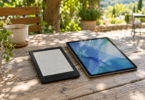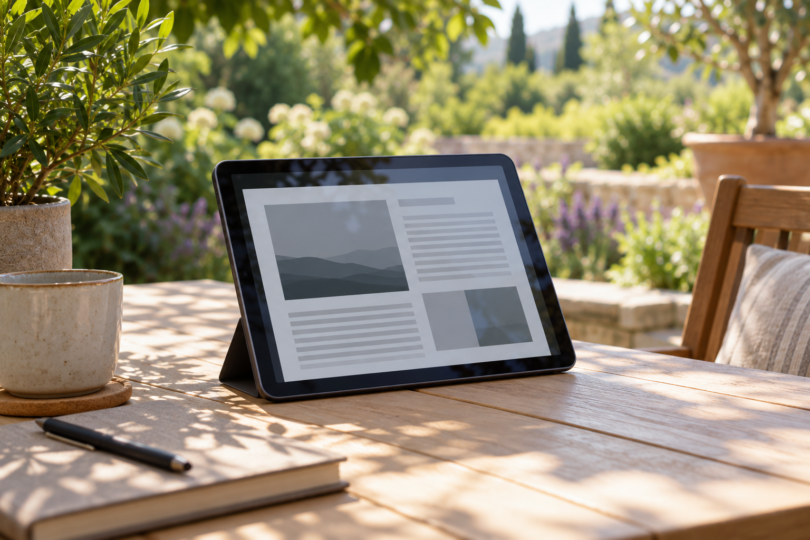

The best tablet for outdoor use depends on what you need to see and how long you will be outside. Our two picks are the 11-inch iPad Pro with M5 for iPad apps and a bright, antireflective display, and the Samsung Galaxy Tab S11 for Android apps and an included S Pen. Both deserve consideration for daylight work, but neither specification sheet establishes uninterrupted readability in every sunny location.
Choose between them on app support, reflections and your working conditions. The recommendations below are based on documented features, not a side-by-side sunlight test. A peak brightness number is not a promise of sustained brightness, and a bright screen alone does not establish how well you will see a dark map, small spreadsheet or video outdoors.
Best tablets for outdoor use at a glance
| Tablet and linked configuration | Published brightness | Useful advantage | Main limitation |
|---|---|---|---|
| iPad Pro 11-inch M5, 256GB Wi-Fi, Space Black, standard glass | 1,000 nits maximum SDR; 1,000 nits maximum full-screen XDR; 1,600 nits peak for HDR content only | Antireflective coating and iPad apps | The linked 256GB model does not have nano-texture glass |
| Galaxy Tab S11, 128GB Wi-Fi, Gray | 1,000 nits in outdoor High Brightness Mode; 1,600 nits maximum | Android apps and an included S Pen | HBM is a conditional mode, not a published all-day sustained output guarantee |
These are manufacturer ratings with different conditions, not directly comparable laboratory results. Neither source supplies a matching sustained-brightness and reflectance test for these two selected configurations. Both linked tablets are Wi-Fi models; cellular versions are separate purchases.
1. iPad Pro 11-inch M5: best fit for iPad apps
The iPad Pro is the stronger fit if your outdoor work already depends on iPad software. Its tandem OLED screen has an antireflective coating, and Apple separates maximum SDR brightness from HDR peak brightness. That distinction matters when shopping for everyday documents rather than impressive-looking HDR highlights.
Pros: bright SDR specification, antireflective coating and a choice of separately sold cellular configurations. Cons: the selected Wi-Fi model has no cellular connection or GPS/GNSS hardware, and its standard glass is not the nano-texture option. Buy it because it runs the apps you need; do not assume the larger HDR number applies to every screen or every temperature.
If reflections are your main problem, compare the optional nano-texture model in person. Apple says its etched surface scatters ambient light to reduce glare, but offers it only on 1TB and 2TB configurations. It is not a feature of the 256GB tablet linked here, and we have not measured the outdoor difference between the two finishes.
The linked configuration is one 256GB Wi-Fi tablet in Space Black with standard glass, model MDWK4LL/A, selected without an Apple Pencil. The listing includes a USB-C charge cable and 20W USB-C power adapter. Pencil, keyboard and cellular service are separate considerations.
Apple iPad Pro 11-inch M5, 256GB Wi-Fi, Space Black, Standard Glass
As an Amazon Associate we earn from qualifying purchases.
2. Samsung Galaxy Tab S11: best fit for Android and pen notes
The Tab S11 is a useful alternative when you need Android software and handwritten notes in the same device. Its 11-inch Dynamic AMOLED 2X display and included S Pen make it a practical shortlist choice for forms, sketches and reference material. Samsung specifies 1,000 nits for outdoor High Brightness Mode, separately from the 1,600-nit maximum figure.
Pros: S Pen included, Android app support and an explicit outdoor brightness rating. Cons: the HBM figure does not establish sustained brightness for a long work session, and the linked Wi-Fi version needs Wi-Fi or a phone hotspot for online work away from home. Confirm that your essential app supports the tablet before buying.
Samsung lists an Anti-Reflecting Screen Protector as an accessory that helps reduce glare. Do not treat that optional accessory as included glass treatment on this offer. The cited specifications do not provide a screen-reflectance percentage for this selected tablet, so they do not establish that it handles reflections better than the iPad.
The linked U.S. configuration is one Gray 128GB Wi-Fi tablet, model SM-X730NZANXAR, in the S11 Only selection. The listing names an S Pen, data cable, ejection pin and quick-start guide in the package. A wall charger is not listed among those included items; allow for a suitable charger if you need one.
How to choose a tablet you can actually use outside
Check the work, the reflections and the brightness mode
Try your actual map, form or document on the screen where possible. Check it at the angle you will use, including with your usual sunglasses. An advertised maximum is one part of the decision; reflected sky or sunlight can still make a screen difficult to read. Use shade or a practical screen hood when possible, and check that any protector you add suits the display and touch controls.
Plan around heat
Apple specifies an operating ambient range of 32–95°F (0–35°C) for the iPad Pro. Its temperature guidance warns that prolonged direct sunlight can affect operation, including display dimming or a black screen. Samsung also recommends normal ambient conditions of 32–95°F and warns against continual direct-sun use. A temperature limit is not permission to leave a tablet heating on a dashboard.
For long outdoor shifts, compare purpose-built field equipment and ask the supplier for sustained brightness, reflectance, operating temperature and service information for the exact configuration. Add up the practical kit: shade, stand or mount, suitable power and connectivity. For reading books alone, consider whether a dedicated e-reader better matches the task before paying for a general-purpose tablet.
Choose connectivity before checkout
Both affiliate offers here are Wi-Fi configurations. Download material you are permitted to use offline before leaving coverage, or plan your hotspot connection. If you need built-in mobile data, confirm the exact cellular model, carrier support and service cost. On the iPad Pro specifically, Apple lists GPS/GNSS under Wi-Fi + Cellular models, so buying the Wi-Fi version and using a hotspot does not add that hardware.
Frequently asked questions
Does 1,600 nits mean the tablet will stay that bright outdoors?
No. Apple limits the 1,600-nit figure to peak HDR content; Samsung separately identifies 1,000-nit outdoor HBM. Neither is evidence of an all-day, full-screen 1,600-nit output in direct sun.
Which one should I choose?
Choose the iPad Pro if your required apps are on iPad and you value its documented antireflective coating. Choose the Tab S11 if you need Android and want the included S Pen. If glare determines whether you can do your job, inspect the screen in realistic conditions before committing.
Is nano-texture glass included with the linked iPad?
No. The linked 256GB model has standard glass. Apple reserves the nano-texture option for 1TB and 2TB models.