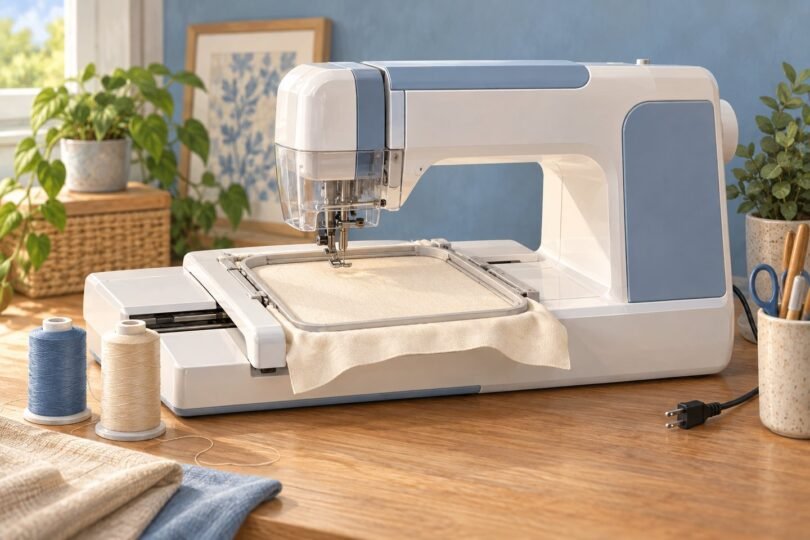

For small initials and names, the Brother PE545 is a sensible machine for monogramming; choose the PE900 when your designs need a larger 5 × 7-inch field. If you also want to sew seams, hems and buttonholes, the Brother SE700 combines sewing with 4 × 4-inch embroidery. The right choice depends more on design size and the projects you actually plan to make than the number of decorative patterns advertised.
This guide compares identifiable home machines using manufacturer specifications and matching retail listings. It also explains the supplies, design files and fabric preparation a beginner needs. These are research-based recommendations, with no claim that the machines were tested side by side.
Three machines worth comparing
| Machine | Maximum embroidery field | Best fit | Main limitation |
|---|---|---|---|
| Brother PE545 | 4 × 4 inches | Small monograms when you already have a sewing machine | Embroidery only; limited room for long names |
| Brother PE900 | 5 × 7 inches | Larger lettering and more flexible layouts | Embroidery only; larger projects can still exceed the field |
| Brother SE700 | 4 × 4 inches | Sewing and occasional monogramming in one machine | Combined functions do not increase embroidery size |
Brother PE545 for small monograms
The PE545 is an embroidery-only machine with 135 built-in designs, 10 lettering fonts and a 3.7-inch color screen. Brother specifies a 4 × 4-inch maximum embroidery area and includes a matching hoop. Wireless transfer and a USB port give you ways to add compatible designs.

Brother PE545 Wireless Embroidery Machine 4x4 Hoop LCD | Wireless LAN Connected, 135 Built-in Designs, 4 x 4 Hoop Area, Large 3.7 LCD Touchscreen, USB Port, 10 Font Styles
As an Amazon Associate we earn from qualifying purchases.
It is a practical starting point for a small set of initials on a towel corner, a simple name tag or a compact decorative motif. Before buying, make a paper outline of the finished design and measure it. A long surname in a large script may not fit even when a three-letter monogram does.
Choose it when: your projects fit the field and you already own a machine for regular sewing. Reconsider it when: you frequently want wide names, large motifs or substantial room to combine lettering with borders. Check the selected listing for model PE545; accessories bundled by a seller may differ from Brother’s standard carton.
Brother PE900 for a larger design area
The PE900 expands the embroidery field to 5 × 7 inches. Its manufacturer-listed features include 193 built-in designs, 13 embroidery fonts, a 3.7-inch display, wireless transfer and a USB port. It also offers jump-stitch trimming and color sorting, useful conveniences when working with designs that contain separate elements or repeated colors.

The extra field area makes this the more flexible choice for names, decorative frames and larger towel monograms. It is especially worth considering if you already know that your preferred designs exceed four inches in one direction. Buying more built-in patterns will not solve that size restriction on a smaller machine.
Choose it when: embroidery is the main task and the larger field will get regular use. Reconsider it when: you need ordinary sewing too, or your intended designs exceed 5 × 7 inches. This is still an embroidery-only machine; it does not replace a general-purpose sewing machine.
Brother SE700 for sewing and embroidery
The SE700 combines conventional sewing and embroidery. Brother lists 103 sewing stitches, 135 embroidery designs, 10 embroidery fonts and a 4 × 4-inch embroidery field. Its standard accessories include separate sewing feet and an embroidery foot, so confirm what is included if you are comparing bundles or secondhand machines.

This combination is useful if you want to make a fabric item and then personalize it without buying two machines. A beginner planning simple sewing projects and occasional initials may get more value from that flexibility than from a dedicated embroidery model.
The trade-off is workflow: changing between sewing and embroidery requires setting up the appropriate components. If you already sew frequently, keeping a separate sewing machine ready may be more convenient. The SE700’s extra sewing functions also do not make a large embroidery design fit inside its four-inch field.
What makes a machine suitable for monogramming?
Look for an embroidery unit that moves a hoop according to a design file, plus lettering options that suit your projects. A conventional sewing machine may offer alphabet stitches or a foot called a monogramming foot. Those features alone do not establish that it can import a decorative three-letter embroidery design.
Ask to see a representative initial or name stitched at the size you intend to use. Review the letter shapes, spacing and available editing controls. A machine can have many fonts while still lacking the particular intertwined or framed style you prefer.
Understand hoop size before buying accessories
The embroidery field is the maximum supported stitching area for a design. The hoop’s outside dimensions and the machine’s physical workspace are different measurements. Brother explicitly identifies the PE900’s largest design area as 5 × 7 inches.
Do not buy a larger hoop expecting it to increase a machine’s single-design limit. Some projects can be divided and repositioned, but that introduces alignment work and is a different process from stitching one uninterrupted design. Choose the machine around your normal design size rather than depending on a workaround for every project.
Design files and software
Built-in lettering lets you begin without creating an embroidery file from scratch. Imported fonts and artwork need a format and size your machine supports. Brother’s USB transfer guidance discusses compatible embroidery designs in PES and DST formats; check the exact model instructions and the downloaded file before purchase.
A photograph, ordinary computer font or logo image is not automatically a ready-to-stitch design. If custom artwork matters, budget for suitable digitizing software or a digitizing service. Confirm software compatibility with your computer and check the design seller’s commercial-use terms if you plan to sell finished items. Wireless connectivity by itself does not settle either question.
Budget for fabric preparation and supplies
Allow for embroidery thread, the correct bobbins and bobbin thread, suitable needles, stabilizer and practice fabric. Compare the included accessories carefully: a large thread bundle can look attractive while leaving out the stabilizer your first project needs.
The PE545 operation manual explains preparing fabric with stabilizer and using water-soluble material on fabrics with a raised pile. For a towel, the loops can interfere with clean lettering unless the fabric and design are prepared appropriately. Follow the instructions for your chosen fabric and stabilizer, including how each material is removed.
Make a sample using the same fabric, thread and backing as the final item. Check the front and back for puckering, loose stitches and placement. Keep notes on the combination that worked so you can repeat it without experimenting on every gift.
Before placing an order
- Measure the largest monogram or name you expect to stitch.
- Decide whether you need embroidery only or regular sewing as well.
- Confirm the exact model, selected bundle and included hoop.
- Check local voltage requirements, seller return terms and applicable warranty coverage.
- Leave enough table space for the hoop to move freely.
- Price the first project’s supplies alongside the machine.
For a focused beginner setup, the PE545 covers small designs. The PE900 is the stronger fit when design space is the deciding factor. Choose the SE700 when sewing is an equally important part of the purchase. Let those practical needs lead the decision, then compare complete prices for the exact model and package.
Image note: Original AI-generated editorial illustration; generic objects shown, not branded product photography.