
A good tablet for graduate students should make a specific part of your work easier: reading papers, annotating PDFs, taking handwritten notes, or moving references into a research library. Our shortlist is the iPad A16 for an iPad app workflow, the Galaxy Tab S10 Lite for Android with an included S Pen, and the reMarkable Paper Pro for dedicated document reading and markup. Choose one after checking that your main computer meets your program’s requirements.
These recommendations compare documented features and software workflows. We have not performed hands-on testing, and no choice is a guaranteed fit for every degree, course, examination system, or research tool.
Three tablets for different graduate-study workflows
| Exact choice | Study fit | Pen in this package | Main tradeoff |
|---|---|---|---|
| Apple iPad A16, 128GB Wi-Fi, Silver | iPad apps, Zotero reading, and PDF annotation | No; compatible Apple Pencil purchased separately | Include pen cost and verify each required mobile app |
| Samsung Galaxy Tab S10 Lite, 6GB RAM, 128GB Wi-Fi, Gray | Samsung Notes, PDF markup, and an Android research library | S Pen included | Android Zotero’s automatic PDF retrieval has a login-related limitation |
| reMarkable Paper Pro, 64GB, Gray, with Marker Plus | Handwritten notes and marking up imported documents | Marker Plus included | No app store or web browser; protected ebooks are restricted |
Check your program before buying
Your department’s computing requirements come first. For example, the University of Louisville’s Speed School guidance tells graduate students to have a laptop capable of meeting their program requirements and to consult their Director of Graduate Studies. That is a specific school’s guidance, not a rule for every university. Confirm your own required software, examination arrangements, and access to a suitable computer before spending your equipment budget on a tablet.
iPad A16: for an iPad-based research library
The selected iPad is the Silver, 128GB Wi-Fi model, MD3Y4LL/A. Apple’s technical specifications list an 11-inch-class display, measured as 10.86 inches across its rectangular bounds, and support for Apple Pencil USB-C. The Pencil is not included in this tablet package, so add it to your comparison if handwriting matters.
The iPad is worth considering when your preferred study apps are available for iPad and you want them alongside your reading library. Zotero for iOS supports library syncing, PDF highlights and ink annotations, and saving items through the Share button. It also generates citations and bibliographies. Check the exact apps, account access, and file-sharing workflow you need before choosing it over the Samsung.

Apple iPad A16, 128GB Wi-Fi, Silver, MD3Y4LL/A
As an Amazon Associate we earn from qualifying purchases.
Galaxy Tab S10 Lite: for notes with an included pen
The selected Gray S10 Lite has 6GB of RAM, 128GB of storage, Wi-Fi, and an included S Pen. Samsung documents a 10.9-inch TFT screen and microSD expansion up to 2TB, with the card sold separately. Its S10 Lite overview describes importing PDFs into Samsung Notes, annotating them, and exporting the results.
This is the option to compare first if you want a pen in the standard package and prefer Android. Zotero for Android supports library syncing and PDF annotations, but its documentation limits automatic PDF downloading to articles accessible without a login. Test how you will obtain a paper through your university library, put it in your research collection, and export or sync your notes. The presence of an Android app alone does not establish that every library login works the same way.

reMarkable Paper Pro: for a dedicated reading and writing device
The Paper Pro selection is the Gray, 64GB model with Marker Plus, six spare tips, and a USB-C cable; it does not include a Book Folio. The manufacturer’s Paper Pro specifications list an 11.8-inch color E Ink display and adjustable reading light. You can write on PDFs and organize documents with folders and tags.
Consider this when you already have a suitable computer and want a separate device for handwritten notes and imported readings. reMarkable explicitly says its tablets have no app store or web browser. Its ebook guidance excludes DRM-protected ebooks and direct Kindle-book reading. Plan around supported files you can legally obtain and transfer; do not assume a university ebook subscription will work on it.

Workflows that matter more than the specification list
Read and annotate, then write with citations. Zotero’s mobile documentation describes taking tablet annotations back to a computer for use in notes and writing. Indiana University’s Zotero Mobile guide explicitly distinguishes the apps from desktop word-processor integration. Zotero’s computer plugins provide dynamic bibliographies in supported writing tools. Plan the full handoff for a thesis chapter rather than assuming a mobile PDF annotation automatically becomes a live citation in your document.
Check your Office license. Microsoft says a qualifying Microsoft 365 subscription is needed when using its mobile Office apps on a device larger than 10.1 inches. Both the iPad and S10 Lite here exceed that threshold. Ask whether your university account includes the rights you need, and check essential editing features before making either your writing device.
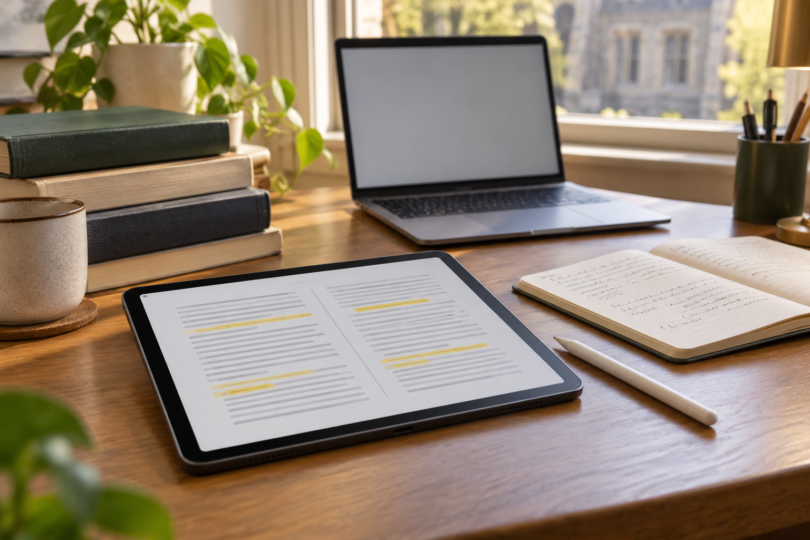
Try a representative paper. Bring a dense two-column article, a scanned chapter, and a slide deck to a demonstration if possible. Compare the page at your preferred orientation, the room left for annotation tools, and how much zooming you need. Screen diagonals alone do not tell you whether a particular document layout will suit you.
Before you choose a tablet
- Confirm course requirements: Ask your department which operating systems, software versions, and examination devices it permits. Get a clear answer about any task you expect to do without your laptop.
- Check your reading sources: Try your university library login, reference manager, ebook platform, and a representative PDF. File access and account rights matter as much as the tablet’s ability to display a document.
- Plan exports and backups: Decide where annotations and final PDFs will live. For Paper Pro, reMarkable’s transfer guide lists a 100MB limit for USB and web-app transfers and directs larger files to its companion apps. Check a round trip back to your computer before relying on a workflow for a deadline.
- Compare complete costs: Include any pen, keyboard, case, charger, required app, or subscription. The iPad’s pen is extra; the S10 Lite and this Paper Pro bundle include their pens. The Lite’s wall charger is a separate purchase. Recheck the exact selected bundle and current price.
Choose the iPad when the iPad apps and library workflow are your priority, the S10 Lite when you want Android and an included S Pen, or Paper Pro when your goal is a dedicated imported-document notebook. If your main task is writing a thesis with integrated citations or running required desktop software, verify the computer side of the workflow first.
Frequently asked questions
Can a tablet replace my laptop in graduate school?
Only after you verify your program’s requirements and every essential task. Ask specifically about research software, document formatting, examination systems, and any required desktop applications. These recommendations do not establish compatibility with your school.
Which of these tablets include a pen?
The selected S10 Lite includes an S Pen, and the selected Paper Pro bundle includes Marker Plus. Apple Pencil USB-C is compatible with the selected iPad but must be purchased separately.
Can I use Zotero on both iPad and Android?
Yes. Official apps support research-library work and PDF annotation on both platforms. Their documented mobile workflow differs from desktop word-processor integration, so check how you will move from reading and notes to your final cited document.
Will Paper Pro open all my assigned ebooks?
No. reMarkable says DRM-protected ebooks cannot be opened and Kindle books cannot be read directly. Verify that your assigned material is available in a supported, permitted file format before buying it.
How much storage should I buy?
Estimate the size of the files you need available on the device, including large scans, then leave room for future work. Advertised capacity is not all free space. The S10 Lite supports a separately purchased microSD card, but check how your apps handle files before relying on external storage.