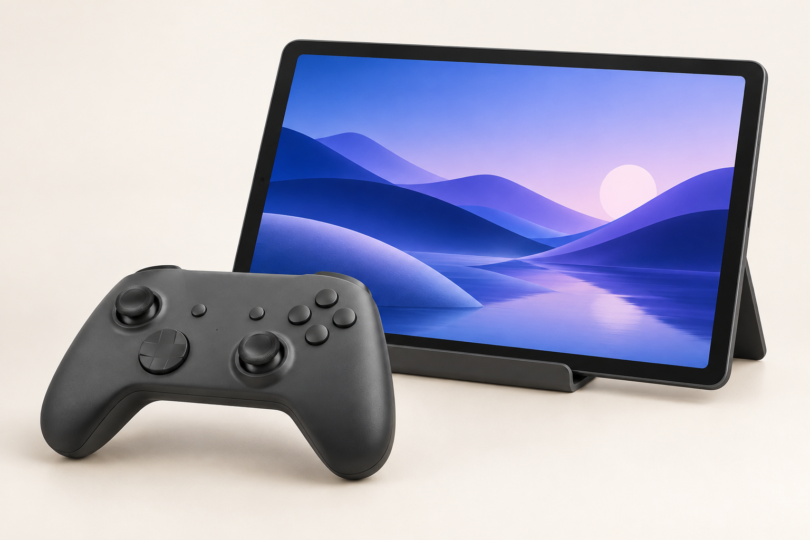

The iPad (A16), 128GB Wi-Fi is the first tablet we would shortlist for PS4 Remote Play at home: it combines a comfortably sized screen with the official iPad app and a straightforward Bluetooth controller setup. The Galaxy Tab A11+ is the simpler Android option, the iPad mini (A17 Pro) suits a smaller travel bag, and the Galaxy Tab S10 FE makes more sense when handwritten notes and other tablet work matter alongside gaming.
Remote Play streams a game running on your PS4 to the tablet. It does not install the PS4 version of a game on Android or iPadOS, and the tablet cannot replace the console. That makes the screen, controller compatibility and network connection more useful buying criteria than a tablet’s native-game graphics benchmark. These recommendations compare documented specifications and app requirements; they are not a ranking of measured streaming latency.
Best tablets for PS4 Remote Play at a glance
| Tablet and exact configuration | Best fit | Screen and wireless connection | Main trade-off |
|---|---|---|---|
| Apple iPad (A16), 128GB, Wi-Fi, Pink | General home use and an existing Apple app library | 11-inch class LCD; Wi-Fi 6; Bluetooth 5.3 | Larger to pack than the mini; selected version has no cellular connection |
| Samsung Galaxy Tab A11+, 6GB RAM/128GB, Wi-Fi, Gray | Entry-level Android tablet with wired headphone support | 11-inch 1920 × 1200 TFT LCD, up to 90Hz; Wi-Fi 5; Bluetooth 5.3 | No S Pen support; Sony does not list this tablet as a verified Android device |
| Apple iPad mini (A17 Pro), 128GB, Wi-Fi, Space Gray | Portability and close-up handheld viewing | 8.3-inch laminated LCD; Wi-Fi 6E; Bluetooth 5.3 | Small game text and touch controls have less space |
| Samsung Galaxy Tab S10 FE, 8GB RAM/128GB, Wi-Fi, Gray | Gaming plus S Pen notes and drawing | 10.9-inch LCD, up to 90Hz; Wi-Fi 6; Bluetooth 5.3 | Extra features do not guarantee less stream lag; Sony does not list this tablet as verified |
Check the app before choosing a tablet. Sony’s current Google Play listing requires Android 11 or later, while its App Store listing requires iPadOS 16 or later. The Tab A11+ is documented with Android 16 and the S10 FE launched with Android 15. Both Apple models appear on Apple’s supported iPad list. Install available system and app updates. Android version alone is not a guarantee: Sony’s verified Android list currently names Pixel phones, and it warns that unverified devices may not work properly. Check Play Store availability on the exact tablet and test the app, controller and home connection within the seller’s return period.
1. Apple iPad (A16): best general-purpose iPad choice

Apple iPad (A16), 128GB, Wi-Fi, Pink
As an Amazon Associate we earn from qualifying purchases.
Choose the iPad A16 if you want a tablet for the sofa that also handles browsing, video and everyday apps. Its 2360 × 1640 display offers more room for menus and subtitles than the mini. Apple calls it an 11-inch screen; the rectangular diagonal is 10.86 inches. The Wi-Fi model weighs 477g, so a stand is a sensible companion when both hands are on a controller. Apple’s specifications confirm Wi-Fi 6, Bluetooth 5.3 and landscape stereo speakers.
The linked configuration is 128GB Wi-Fi in Pink, model MD4E4LL/A. That storage is for iPad apps, media and files; Remote Play does not require a second local copy of your PS4 game installation. Choose a higher storage tier only if your other tablet uses justify it. A cellular iPad is a separate purchase configuration, and the Wi-Fi model can use a phone’s mobile data through a hotspot.
- Why buy it: a larger view than the mini, modern Wi-Fi and a useful general-purpose iPad beyond Remote Play.
- What to weigh: its squarer display will show unused space around a widescreen game image. It is substantially heavier than the 293g mini, and extra processing power cannot fix a weak connection to the PS4.
2. Samsung Galaxy Tab A11+: best simpler Android option

The A11+ is worth shortlisting when you want a full-size Android screen and do not need a pen. Samsung specifies an 11-inch, 1920 × 1200 display, four speakers, a 3.5mm headphone jack and 477g weight. Its 16:10 screen is closer to a widescreen game’s shape than the iPad A16 display, so more of the panel’s height can be used for the same uncropped 16:9 picture. The screen refreshes at up to 90Hz, but that specification is not a promise of a 90fps PS4 stream. Samsung’s A11+ specification table documents these features and Android 16.
The selected Gray model has 6GB RAM and 128GB storage; the Amazon listing identifies SM-X230NZANXAR. It is the regular Wi-Fi A11+, not the smaller A11, the Kids Edition or a 5G model. Use the tablet’s headphone jack if you want wired audio without relying on a controller’s headset socket. Its Wi-Fi 5 radio supports 2.4GHz and 5GHz; a Wi-Fi 6 badge is not required to meet Sony’s stated bandwidth recommendations.
- Why buy it: a useful screen shape for games, a direct headphone connection and expandable storage for other Android content.
- What to weigh: there is no S Pen support. The official Remote Play app does not specifically verify this tablet, so confirm your controller and app combination before committing to it.
3. Apple iPad mini (A17 Pro): best compact choice

The mini earns its place through size rather than a claim of faster streaming. The Wi-Fi model weighs 293g and measures 195.4 × 134.8mm, making it easier to pack with a controller than the larger tablets here. Its 8.3-inch screen is fully laminated and has an antireflective coating. Apple specifies Wi-Fi 6E and Bluetooth 5.3. Those are useful connectivity features, although a compatible router and a good connection throughout the route to the PS4 still matter. See Apple’s iPad mini specifications.
The exact listing is the A17 Pro, 128GB, Wi-Fi, Space Gray model, MXN63LL/A, without the optional AppleCare+ bundle. Check the chip name when comparing offers: an older mini can look similar while having a different processor, wireless specification and software-support history. The selected model has no built-in mobile-data connection.
- Why buy it: it is the lightest and smallest tablet in this comparison, with a laminated screen and a compact footprint.
- What to weigh: small HUD elements and dialogue are harder to read from across a table. On-screen buttons also cover a larger share of the useful picture; a separate controller is especially worthwhile.
4. Samsung Galaxy Tab S10 FE: best for gaming and pen work

Choose the S10 FE when the tablet also needs to be a notebook or drawing surface. Samsung includes an S Pen, and the 128GB configuration has 8GB RAM. The 10.9-inch LCD supports up to 90Hz, the Wi-Fi version weighs 497g, and Samsung documents Wi-Fi 6 and Bluetooth 5.3. The tablet launched with Android 15. These details come from Samsung’s S10 FE specifications, rather than specifications for the larger FE+ or the different S10 Lite.
The linked product is Galaxy Tab S10 FE, 128GB Wi-Fi, Gray, identified by Amazon as SM-X520NZANXAR. The included pen is the reason to consider this over the A11+ if you take handwritten notes. Expandable storage is useful for files and downloaded media, but it will not store an offline playable copy of a streamed PS4 game.
- Why buy it: an included pen, more RAM than the selected A11+ and Wi-Fi 6 make it a more versatile everyday tablet.
- What to weigh: it is larger and heavier than the mini, and pen features do not improve Remote Play compatibility. Sony’s unverified-Android-device warning applies here too. Buy for the wider tablet features rather than expecting a guaranteed latency improvement.
What matters before you buy
Use a supported controller, then check its features
A DUALSHOCK 4 is a practical starting point for PS4 owners. Pair it with the tablet over Bluetooth and use the official PS Remote Play app. Sony also supports DualSense on Android 12 or later; the current iPad app supports both controllers. On Android 11, the app directs DUALSHOCK 4 users to the on-screen controls for the touchpad function. Do not assume that every Bluetooth gamepad advertised for Android works in Sony’s app. Review Sony’s DUALSHOCK 4 connection guide and DualSense compatibility guide; controller audio, vibration and other features can differ from console use.
Improve the connection before spending on a faster chip
Sony recommends at least 5Mbps upload and download, with 15Mbps in both directions for best performance. If you play away from home, the console’s home upload connection matters as well as the tablet’s download connection. A high advertised broadband speed does not guarantee stable latency. Sony’s connection troubleshooting guide recommends 5GHz Wi-Fi and reducing competing network traffic. Where practical, connect the PS4 to the router with Ethernet and use the tablet near a reliable access point.
Match expectations to the console. Sony’s app offers 360p, 540p and 720p resolution settings for PS4 models other than PS4 Pro. Buying a higher-resolution tablet does not change those source settings. Likewise, a 90Hz tablet display does not make the console or stream deliver 90 new frames per second. A larger screen is mainly a comfort and readability choice.
Budget for the whole setup
A stable landscape stand, a compatible controller and a convenient charging arrangement may improve daily use more than the next storage tier. The tablet listings above do not include a PlayStation controller. Check the seller’s selected color, storage, Wi-Fi/cellular option and new or renewed condition before paying. Accessories and warranty bundles can change the offer without changing the headline product family.
Frequently asked questions
Can these tablets play PS4 games without a PS4?
Not through PS Remote Play. The app controls and displays a PS4 or PS5 that is powered on or correctly configured in rest mode. You need the console, its games and the same PlayStation account on the app. This is different from a subscription cloud-gaming service. Sony’s mobile setup guide explains the required console settings.
What Android or iPadOS version do I need?
The current official app requires Android 11 or later, or iPadOS 16 or later. Check the live store listing before buying an older tablet. Meeting the Android version requirement does not mean Sony has verified that particular tablet; test the exact device and controller combination.
Can I use my PS4 controller with a tablet?
Yes, a DUALSHOCK 4 can connect to supported Android tablets and iPads over Bluetooth. Meet the Remote Play app’s own operating-system requirements as well as the controller’s requirements. Some controller functions differ from console use; Android 11 users need the on-screen control for the touchpad function.
Do I need a cellular tablet for Remote Play away from home?
No. A Wi-Fi tablet can use another suitable Wi-Fi network or a phone hotspot. Connection quality and network restrictions still matter, and Sony warns that mobile-network compatibility varies and Remote Play uses substantial data. Configure and try the connection at home before relying on it while traveling.
Will every PS4 game and media app work through Remote Play?
No. Sony excludes games requiring PlayStation VR or PlayStation Camera and warns that some games are unsupported. Remote Play also cannot be used at the same time as several functions, including PlayStation Plus Premium game streaming, Blu-ray/DVD playback and video services. Check the official restrictions if a particular title or media function is your main reason for buying.