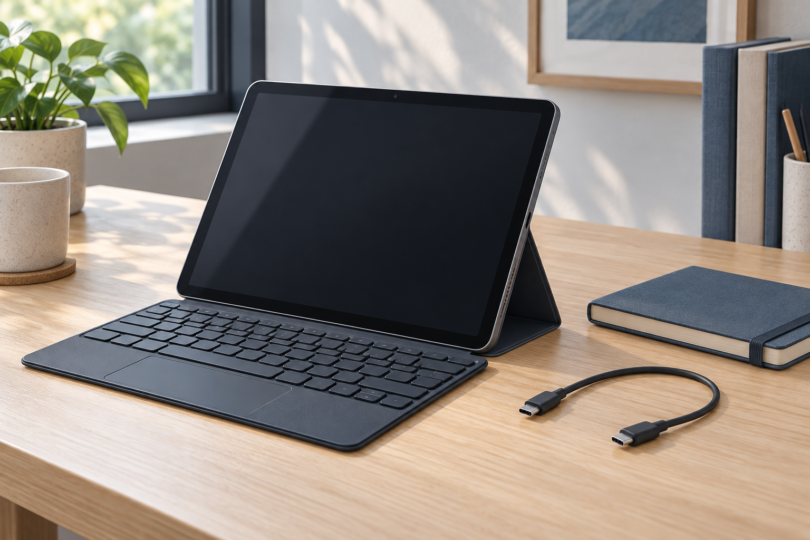

For a tablet with a keyboard and USB connectivity, our three useful starting points are the Lenovo Chromebook Duet Gen 9, iPad A16 and Surface Pro 12-inch 1st Edition. The selected Lenovo includes its folio keyboard. The iPad and Surface selections are tablet-only offers that need their compatible keyboards purchased separately.
All three tablets use USB-C, but their ports have different specifications. The iPad supports USB 2.0 data rates, the Lenovo specifies USB 5Gbps, and Microsoft labels the selected Surface’s ports USB 3.2. Check data transfer, charging and video output separately before choosing a hub or monitor cable.
This is a specification-based comparison of exact configurations and compatible keyboard options. We have not tested typing feel, transfer speeds, battery life or docking performance. Choose the software platform first, then compare the complete tablet-and-keyboard package.
Best tablets with keyboards and USB at a glance
| Selected tablet | Keyboard package | USB data and charging | Wired display support | Best fit |
|---|---|---|---|---|
| Lenovo Chromebook Duet Gen 9, Luna Grey, 8GB/128GB; 83HH0001US | Folio keyboard and stand included; US English layout | Two USB-C ports: USB 5Gbps and USB PD 30–45W | DisplayPort 1.4; one external display up to 3840 × 2160 at 60Hz | ChromeOS work with a keyboard in the package |
| iPad A16, Silver, Wi-Fi, 128GB; MD3Y4LL/A | Add Magic Keyboard Folio separately | One USB-C port: USB 2.0 up to 480Mb/s and charging | DisplayPort; one external display up to 4K at 60Hz | iPad apps with a detachable keyboard and trackpad |
| Surface Pro 12-inch 1st Edition, Platinum, 16GB/256GB UFS; EP2-33670 | Add Surface Pro 12-inch Keyboard separately | Two USB-C/USB 3.2 ports; charging supported | DisplayPort 1.4a; Microsoft specifies up to two 4K monitors at 60Hz | Compatible Windows desktop software |
Display resolutions and USB rates above are manufacturer specifications, not our measurements. Your cable, adapter, display, software and peripheral must support the intended connection. None of the listed tablet port inventories includes a full-size USB-A socket; add a suitable adapter or hub for a USB-A accessory.
Lenovo Chromebook Duet Gen 9: best keyboard-inclusive package
The selected 83HH0001US has a MediaTek Kompanio 838 processor, 8GB RAM and 128GB eMMC storage, with a Luna Grey finish. Lenovo identifies it as a ChromeOS device with a 10.95-inch, 1920 × 1200 display. It is the most direct choice here if you want a detachable tablet and keyboard in the same purchase.
Lenovo lists the folio keyboard and stand as bundled accessories, and the selected model specifies a US English keyboard. The keyboard uses a pogo-pin connection and includes a touchpad. Its main typing compromise is that it is not backlit; consider that if you often work in dim rooms.
Its two USB-C ports are rated for USB 5Gbps, with USB Power Delivery at 30–45W and DisplayPort 1.4. Lenovo specifies the built-in display plus one external monitor, with USB-C output up to 3840 × 2160 at 60Hz. This gives it a clear connection advantage over the iPad’s slower USB 2.0 data specification when your accessories can use the higher rate.
The manufacturer identifies Lenovo USI Pen 2 for this selected part number. Its family box list also names a power adapter, while the retailer’s short contents list does not specify the adapter. Confirm the charger in the actual seller’s package before ordering. The keyboard and stand inclusion is supported by both the listing and Lenovo documentation.
Choose it for workflows that work on ChromeOS, such as your verified browser-based tools. Do not buy it expecting ordinary Windows applications to install as they would on the Surface. Also choose the memory and storage you need up front: Lenovo lists soldered memory and onboard eMMC with no upgrade slots.

Lenovo Chromebook Duet Gen 9, 8GB/128GB, keyboard included
As an Amazon Associate we earn from qualifying purchases.
iPad A16 with Magic Keyboard Folio: best for iPad apps
The selected iPad is MD3Y4LL/A, Silver, Wi-Fi, 128GB, without an AppleCare+ bundle. Add the Magic Keyboard Folio for iPad A16 if you want a detachable keyboard, trackpad and adjustable rear stand. Apple’s compatible folio has a two-piece design and a 14-key function row.
The folio connects through the Smart Connector, which provides its power and data, so the keyboard does not need separate charging or Bluetooth pairing. That leaves the iPad’s USB-C connector available for a cable or accessory. The folio is a separate item; the tablet card below is not a keyboard bundle.
The iPad A16 port supports charging, DisplayPort output and USB 2.0 data transfer up to 480Mb/s. Apple specifies one external display up to 4K at 60Hz, using the appropriate connection. That video capability does not turn the same port into USB 3 data, and it does not establish that every app supports the external-screen workflow you want.
The standard tablet box lists the iPad, a one-meter USB-C charge cable and a 20W USB-C adapter. Budget separately for the folio and any hub or display adapter. Use Apple’s Magic Keyboard Folio product page to check the exact compatible accessory and keyboard language.
The tradeoff is the combination of iPadOS app requirements, a separate keyboard purchase and the slower stated USB data rate. It makes sense when your essential apps are designed for iPad. If large wired file transfers or a particular desktop program are central to your work, compare the other platforms before paying for the full setup.

Surface Pro 12-inch 1st Edition: best for compatible Windows software
The selected EP2-33670 is the Platinum, 16GB RAM, 256GB UFS configuration with an eight-core Snapdragon X Plus processor. It runs Windows 11 Home. Add the dedicated Surface Pro 12-inch Keyboard for typing; do not assume a keyboard for another Surface screen size will fit.
Microsoft’s 12-inch keyboard connects magnetically at the tablet’s edge. Check the exact 12-inch keyboard compatibility and setup instructions before buying. The keyboard and Slim Pen are separate from the standard tablet offer compared here.
Microsoft specifies two USB-C/USB 3.2 ports supporting charging, data transfer and DisplayPort 1.4a. Its fact sheet lists support for up to two 4K monitors at 60Hz. Check the required dock or adapters and supported display arrangement rather than treating a USB-C socket as a guarantee for any dual-monitor setup.
Windows on Arm is the key limitation. Windows 11 can emulate x86 and x64 applications, but the emulator does not emulate drivers. Verify the exact software, printer, scanner, audio interface or other specialist hardware you depend on; a keyboard and dock cannot fix an unsupported Arm64 driver.
This tablet’s box includes a USB-C charging cable and documents but no wall charger. Add that cost alongside the keyboard. The recommendation is specifically the 1st Edition: Microsoft has announced an X2 Plus successor with availability starting October 13 in select markets, so compare the exact generation and total setup price before ordering.

What to check before buying a tablet with USB and a keyboard
Make a list of the actual connections
Write down the devices you will connect: a USB-A flash drive, USB-C SSD, monitor, wired mouse or charger. Check each device’s connector and its data, video or power requirements against the tablet. For charging while another accessory is connected, confirm that your chosen hub supports the required power pass-through and that its data ports remain usable.
Check the operating system as well as the port
A connector match does not prove software compatibility. Check the app, file format and peripheral support on ChromeOS, iPadOS or Windows on Arm before buying. Pay particular attention to specialist drivers on the Surface.
Compare the entire keyboard setup
Check layout, backlighting, trackpad, stand footprint and whether the keyboard is included. The Lenovo’s keyboard is included and non-backlit; the two other tablet offers need a separate compatible keyboard. If you will type on your lap or in a cramped seat, try the stand arrangement before committing.
Frequently asked questions
Which of these tablets includes a keyboard?
The selected Lenovo Chromebook Duet Gen 9 includes a folio keyboard and stand. The selected iPad A16 and Surface Pro offers do not. Their suggested compatible keyboards must be purchased separately unless you choose and verify a different bundle.
Does USB-C mean fast data transfers?
No. The iPad A16 supports USB 2.0 up to 480Mb/s, Lenovo specifies USB 5Gbps for the Duet, and Microsoft lists USB 3.2 for the selected Surface. Actual transfer speeds depend on the connected hardware and files; the connector shape alone does not establish the data rate.
Can I connect a monitor?
All three document wired display output, with the limits shown in the table. Match the cable or adapter to the tablet and monitor, then confirm how your operating system and apps use that display. A supported video resolution is not a promise that every app can run in a separate external workspace.
Can I plug in a standard USB-A accessory?
These selections have USB-C tablet ports, so a USB-A accessory needs a suitable adapter or hub. You must still check power requirements and operating-system support. In particular, the selected Surface needs compatible Arm64 drivers for driver-dependent hardware.