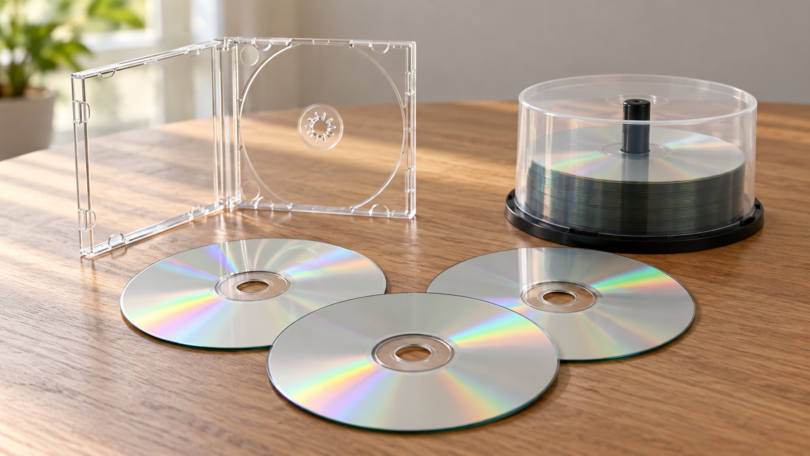

The best blank CD-R discs are the ones that match your recorder and the way you plan to use the finished disc. For routine computer burning, our first choice is the Verbatim 94554 100-disc spindle. For a few discs to give away, choose the 94935 pack with slim cases. Printable labels and standalone audio recorders call for different media.
These recommendations compare documented specifications, packaging and intended use. They are editorial buying recommendations, without hands-on burn tests or a claim that one brand sounds better than another. The four choices below are all CD-R media; a drive, prerecorded album, DVD-R or empty sleeve is a different purchase.
Best blank CD-R discs at a glance
| Pick | Best fit | Capacity and maximum recording speed | Pack and surface | Main tradeoff |
|---|---|---|---|---|
| Verbatim 94554 | Regular computer burning | 700 MB / 80 minutes; 52x | 100-disc spindle; branded | No individual cases |
| Verbatim 94935 | Small projects and handouts | 700 MB / 80 minutes; 52x | 10 discs in slim cases; branded | Compare the total cost with buying a spindle and cases separately |
| Verbatim 95005 | Printing artwork directly on discs | 700 MB / 80 minutes; 52x | 50-disc spindle; silver inkjet-printable | Requires a compatible disc-printing inkjet printer |
| Verbatim Music CD-R 96155 | Compatible standalone audio recorders | 700 MB / 80 minutes; 40x | 25-disc spindle; branded | Check the recorder’s media requirements first |
The capacity labels describe different recording formats: up to 80 minutes for an audio CD, or about 700 MB for a data CD. They are not two separate storage allowances. The speed on the pack is a media rating, not a promise about the time your drive will take.
1. Verbatim 94554: best for regular computer burning
The Verbatim 94554 supplies 100 branded-surface CD-Rs on a spindle, with 700 MB/80-minute capacity and a 52x recording rating. It is a straightforward starting point for people who already have a compatible burner and want a batch of the same media.
Why choose it: the large pack suits repeated small data-copy or audio-CD projects. Tradeoff: a spindle does not provide a separate case for each finished disc, so allow for cases if you will distribute them. Buy a smaller pack first if you have not established compatibility with an older player. Choose this exact part number when comparing offers; similarly named Verbatim packs can have different counts and packaging.
2. Verbatim 94935: best for a small batch with cases
The Verbatim 94935 contains 10 branded CD-Rs in slim cases. Its listed 700 MB/80-minute capacity and 52x rating make packaging, rather than extra storage, the reason to choose it over the bulk option.
Why choose it: it is a practical format for a short project where each disc needs its own case. Tradeoff: do the price comparison using the complete project cost, including any separate cases you would need with a spindle. This is our small-batch pick, not a claim that it has the lowest price per disc or a lower failure rate.
3. Verbatim 95005: best for silver inkjet-printable labels
The Verbatim 95005 is a 50-disc spindle of 700 MB/80-minute, 52x CD-Rs with a silver inkjet-printable surface. The manufacturer lists compatibility with dedicated inkjet disc printers, including models from Primera, Epson, Microboards and Rimage.
Why choose it: the printable surface is useful when you want artwork or a consistent label printed directly on the disc. Tradeoff: your printer must support direct disc printing and this media type; an ordinary paper tray is not enough. Choose it for its silver finish. Do not assume it is the same as a white printable, thermal-printable or hub-printable variant.
4. Verbatim Music CD-R 96155: best for a compatible audio recorder
The Verbatim Music CD-R 96155 is a 25-disc pack rated for up to 40x recording, with 80 minutes of audio or 700 MB of data capacity. Verbatim specifically identifies it for audio recorders carrying the Compact Disc Digital Audio Recordable logo, as well as PC-based CD recorders.
Why choose it: it addresses the media requirement of a compatible standalone music recorder. Tradeoff: confirm the exact recorder’s manual before buying. Finalize the recorded audio disc as the recorder instructs, and check it in the intended player. A Music CD-R label does not establish better sound than an ordinary CD-R burned with the same audio on a compatible computer drive.
How to choose the right blank CD
Separate the disc type from the recording format
CD-R is write-once media: recorded areas cannot be erased and reused. CD-RW is a different, rewritable format. An audio CD is the way music is recorded, not another name for CD-RW or for a blank marked Music. A DVD-R is also a different disc format, even if its shape looks similar. The CLIR/NIST disc-structure guide explains the differences between recordable and rewritable media.
Check both the burner and the playback device
You need a drive that can write CD-Rs, not merely read CDs. To make a conventional music CD, choose the audio-CD option in your burning software. A data disc containing MP3 files needs a player that supports those files. Microsoft’s burning guide distinguishes these formats. Check your player’s manual for CD-R support, follow the software’s closing/finalizing instructions, and try one disc before making a large batch.
Choose a supported speed and verify the result
Follow the drive and media instructions and choose a supported recording speed. The Canadian Conservation Institute’s recording guidance recommends checking compatibility and testing a small batch with the actual recorder and software. After recording, use the software’s verification option if available and open or play the finished disc on the device that matters to you. A successful playback check is useful, but it is not a laboratory measurement of recording quality.
Treat storage claims cautiously
A limited lifetime product warranty is not a promise that the data will remain readable for your lifetime. The Library of Congress’s longevity research identifies media manufacture, recording quality, device compatibility, storage and handling as factors that complicate lifespan predictions. Keep another copy of important files and plan to move them to newer storage when needed.
Handle discs by the edge and center opening, keep finished discs in protective cases, and avoid heat, prolonged sunlight and damp storage. Follow the disc maker’s labeling guidance instead of improvising with sharp pens or unsuitable labels. The CLIR/NIST handling guidance describes how physical damage and environmental exposure can affect readability.
Frequently asked questions
Can I erase a CD-R and burn it again?
No. CD-R is write-once media. Buy CD-RW if you need rewritable media, and confirm that both your writer and intended player support it.
Do I need Music CD-Rs to burn songs on a computer?
A compatible computer burner can make an audio CD on ordinary CD-R media. Music CD-Rs matter when a standalone audio recorder requires that specific type. Check the recorder manual; the word “music” alone is not a sound-quality guarantee.
Will these discs play in every car stereo?
There is no universal guarantee. Confirm CD-R support and whether the stereo expects an audio CD or can also read data files such as MP3s. Test one correctly recorded disc before buying or burning a large quantity.
Which pack should I buy first?
Start with the 94935 small pack if you only need a few discs or want to check compatibility. Choose 94554 once a bulk spindle makes sense, 95005 for a compatible inkjet disc printer, or 96155 when your audio recorder calls for Music CD-R media.