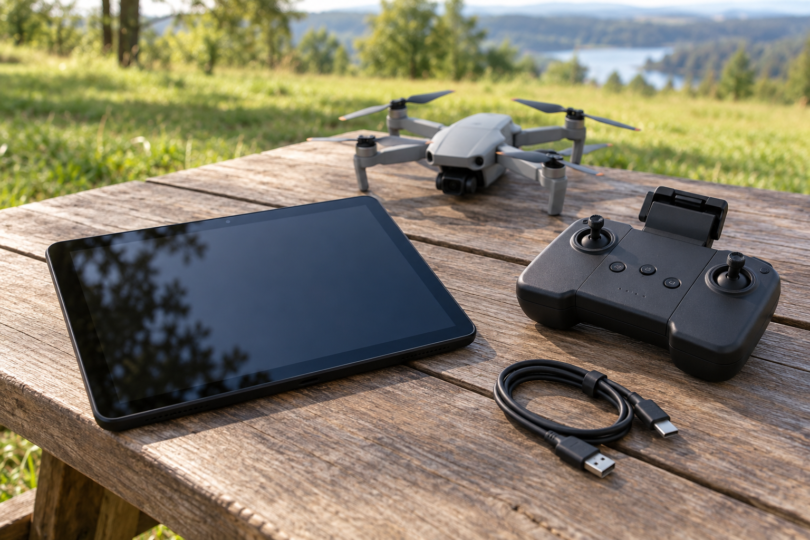

For an existing DJI Phantom 4, the two Android display options with a clear manufacturer-documented fit are the DJI CrystalSky 5.5-inch High Brightness and CrystalSky 7.85-inch High Brightness. Choose the smaller CS550 for a more compact setup or the larger CS785 for more screen space. Both are legacy, purpose-built flight monitors running customized Android, so they need a different buying approach from a new everyday tablet.
If you are looking for a modern Samsung, Lenovo or other general-purpose Android tablet, do not buy solely because it has a fast processor and USB-C. DJI’s current DJI GO 4 download page lists Android 5.0 or above, but its recommended Android models are phones. That minimum OS requirement does not establish compatibility with every tablet.
These recommendations concern the original Phantom 4 with a separate-screen remote controller. DJI has ended service and support for the original Phantom 4. Confirm your aircraft and controller model before spending money; the Pro, Pro+, Advanced and RTK versions have their own hardware and support details.
Two Android screens worth comparing
| Exact version | Screen and maker-rated brightness | Storage / RAM | Best fit | Buying condition |
|---|---|---|---|---|
| CrystalSky 5.5-inch High Brightness, CS550 | 1920 × 1080; 1,000 cd/m² | 32 GB / 4 GB | A compact dedicated flight display | Verify battery, charging hub, charger, mount and GO 4 connection |
| CrystalSky 7.85-inch High Brightness, CS785 | 2048 × 1536; 1,000 cd/m² | 64 GB / 4 GB | A larger view of the camera feed and controls | Confirm it is CS785, with the correct mounting hardware and working accessories |
The two choices are different sizes of the same monitor family. DJI’s listings showed them out of stock when checked; the links below identify the exact versions rather than promise available new units. If you find used or remaining retailer stock, evaluate that individual unit and its return terms.
1. CrystalSky 5.5-inch High Brightness: best for a compact setup
The CS550 is the more compact option. Its 5.5-inch IPS screen has a manufacturer-rated brightness of 1,000 cd/m², and DJI supplies its own Android environment with DJI GO and DJI GO 4. That documented combination is a more useful starting point for a Phantom 4 owner than an unrelated tablet’s gaming or video-streaming specifications.
The trade-off is screen area: a 5.5-inch display gives you less room for controls and map information than the 7.85-inch model. The higher brightness rating also cannot tell you how a worn used screen will look outside. Check for uneven illumination, touch problems and damaged ports before committing.
- Exact model: CS550, 5.5-inch High Brightness, 32 GB storage and 4 GB RAM.
- Original package reference: DJI’s manual lists one monitor, one external intelligent battery and one WCH2 charging hub. Used listings may omit any of those items.
- Additional equipment: a compatible charger and the CrystalSky Remote Controller Mounting Bracket for a Phantom 4 controller. Do not assume a Mavic/Spark bracket is the same accessory.
- Choose it if: you want a smaller dedicated screen and can verify the complete working setup with your aircraft and controller.
Check DJI’s exact 5.5-inch High Brightness listing.
2. CrystalSky 7.85-inch High Brightness: best for a larger display
The CS785 provides a larger 7.85-inch screen and 64 GB of onboard storage. Its 2048 × 1536 panel offers more display space, while its rated brightness is the same 1,000 cd/m² as the smaller model. It is the better fit if seeing controls comfortably matters more than keeping the controller setup small.
Match the model carefully. The CS785 High Brightness and CS785U Ultra Brightness are separate versions. This recommendation is for CS785; do not accept a seller’s generic “7.85 CrystalSky” title as proof of the brightness tier or included equipment.
- Exact model: CS785, 7.85-inch High Brightness, 64 GB storage and 4 GB RAM.
- Original package reference: DJI’s manual lists one monitor, two external intelligent batteries and one WCH2 charging hub. Confirm the actual seller’s contents and battery condition.
- Trade-off: the larger monitor occupies more space above the controller. Check the mount’s condition and whether your hands can reach all controls comfortably.
- Choose it if: you value the larger screen enough to carry the additional bulk and can verify GO 4 operation before the return period ends.
Check DJI’s exact 7.85-inch High Brightness listing. DJI’s CrystalSky specifications distinguish the two sizes and brightness tiers.
Check the cable and mount before buying
The original Phantom 4 sends the mobile-device connection through the full-size USB port on the back of its controller. The controller’s small Micro-USB port is marked as reserved in the Phantom 4 manual. A cable advertised for a Mavic side port or a streaming-stick OTG adapter is not evidence of the right Phantom connection.
With CrystalSky’s mounting bracket, DJI instructs you to connect the bracket’s lead to the controller’s USB port. For an unmounted connection, the CrystalSky manual describes a Micro-USB cable to the monitor’s Micro-USB port. The monitor’s full-size USB port is for peripherals; it is not the port to assume is the controller input. Use the documented connection for your mounting arrangement.
Do not buy the monitor alone and assume a phone charger completes the setup. The detachable battery uses the WCH2 hub and a compatible charger. DJI’s manual lists the Phantom 4 PH4C100 charger among supported models, but you still need the hub. Check the exact charger label and the manual rather than improvising adapters.
Software checks that matter more than tablet specifications
CrystalSky has its own firmware and app-update path. DJI’s published CrystalSky release notes pair firmware V3.0.3.0 with DJI GO 4 V4.3.60. The general Android download page lists a different GO 4 build. Do not assume a general Android APK is the correct upgrade for this dedicated monitor.
For an ordinary Android tablet you already own, check DJI’s official app page first and verify the exact device, OS and app combination with your controller. An old tested-device list is evidence about that earlier setup, not assurance of present installation or operation. Avoid unofficial APK archives, modified firmware and seller claims that “all Android tablets work.”
- Check the physical unit. Confirm the model label, functioning touch screen, undamaged USB connection and a battery that charges normally. Reject swollen or damaged batteries.
- Confirm the complete kit. Require a clear contents list for the monitor, battery or batteries, WCH2 hub, compatible charger and correct controller bracket.
- Verify a ground connection. With propellers removed, follow DJI’s setup instructions and check that GO 4 recognizes the aircraft, shows a stable camera feed and displays telemetry. Charging through USB alone does not prove data works.
- Check usability before relying on it. Assess screen visibility, battery behavior and cable security in the conditions you expect to use. Resolve disconnects or app crashes before flying.
Which option makes sense?
The CS550 is the compact choice; the CS785 is the larger-screen choice. Both make sense only as a verified legacy setup with the right accessories and working software. If you want a new general-purpose Android tablet as well as a drone screen, wait for evidence covering that exact model and GO 4 combination before buying it for the Phantom 4.