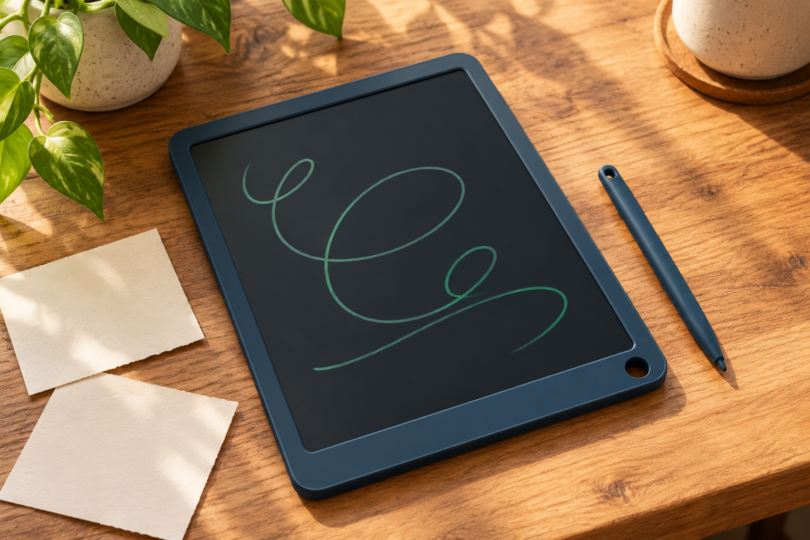

The best Boogie Board tablet depends on what happens after you write: do you erase a shopping list, keep a child occupied with doodles, or save a page of notes? Start with the Jot 8.5-inch for everyday lists, VersaBoard for a shared kitchen message board, or Blackboard 2.0 Smart Scan when you want to capture notes with your phone. These are reusable LCD writing boards, not Android tablets for apps, videos or web browsing.
This shortlist compares the manufacturer’s documented features and the exact versions named below. The recommendations are editorial judgments about fit for a task; they are not results from hands-on testing. A larger advertised size, more accessories or a bulk pack does not automatically make a board better for the way you write.
Best Boogie Board tablets at a glance
| Pick | Best use | Main compromise |
|---|---|---|
| Jot 8.5-inch | Everyday lists and scratch notes | Whole-screen clearing; no built-in digital archive |
| VersaBoard | Fridge and countertop messages | Compact 5.5 × 7.25-inch board |
| Blackboard 2.0 Smart Scan | Notes you want to scan and keep | Saving requires a separate phone-and-app step |
| Jot Pocket | Small spaces and quick portable notes | 4.5-inch screen gives little room for longer writing |
| Sketch Pals Rawry the Dinosaur | Clippable doodling toy for ages 4+ | Small character-shaped board, not a notebook substitute |
1. Boogie Board Jot 8.5-inch: best everyday choice
The standard Jot has an 8.5-inch LCD screen, an included stylus, a stylus holder, built-in magnets and a kickstand feature. Its front button clears the writing surface. The manufacturer’s Jot specifications identify a replaceable CR2016 battery. The blue Amazon version below is the single Jot tablet with its stylus, not the separate Jot-and-folio bundle.
Choose it when you want a quick place to work out a sum, write a reminder or leave a short message. The useful extras are the magnets and stand, because they let the note stay visible after you put the pen down. The limitation is equally practical: pressing erase clears the page, so take a phone photo first if anything on it matters. Do not read “digital notetaking” in a listing title as a promise of file storage or automatic syncing.
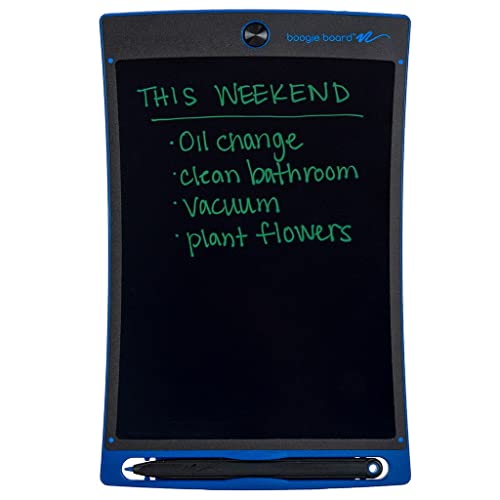
Boogie Board Jot 8.5-inch Writing Tablet, Blue
As an Amazon Associate we earn from qualifying purchases.
2. Boogie Board VersaBoard: best for household messages
VersaBoard is a 5.5 × 7.25-inch reusable board with magnets and a built-in stand that works in portrait or landscape. That measurement describes the board; it is not an 8.5-inch screen specification. Its VersaPencil attaches magnetically, and touching the eraser end to the designated corner clears the writing. See the VersaBoard product details.
This is the pick for a small grocery list on a magnetic fridge or a message beside the coffee maker. The two stand orientations are more relevant here than a large writing area. Skip it for lecture notes or long planning sessions: the compact format encourages short messages, and its erase gesture still clears the board rather than saving the message elsewhere.
3. Blackboard 2.0 Smart Scan: best for keeping a copy
The Blackboard 2.0 Smart Scan, product code BD20160001, measures 8.5 × 11 inches overall, with a 7.5 × 10.5-inch writing surface. Buffalo Games describes a workflow in which you scan the page with a smartphone camera through the Blackboard app and save it as a PDF or JPEG. The supplied stylus also triggers whole-board erasing at the marked corner.
Buy this version for meeting notes, diagrams or study pages you want to keep, provided you are comfortable scanning each finished page before clearing it. It is not automatic backup. Check that the current app works on your phone before committing to that workflow. The product page gives conflicting signals about whether the folio is included or an add-on, so confirm the exact package contents with the seller. Do not assume a Smart Pen is included.
The “2.0 Smart Scan” name matters. An older Blackboard Letter listing, a Note-size board, a Smart Pen bundle and an older Sync device are not interchangeable versions of this recommendation. In particular, do not transfer an old listing’s selective-erasing or Bluetooth claims to the current Smart Scan board. Match the complete product name and package contents.
4. Boogie Board Jot Pocket: best for a small bag or desk
Jot Pocket shrinks the concept to a 4.5-inch screen. The current Pocket specifications list one stylus, a built-in stylus holder, a one-touch erase button and a kickstand feature. They do not list the standard Jot’s magnets, so do not buy the Pocket expecting the same fridge-mounting setup.
Choose it for a couple of reminders or short calculations where a full-size board would be awkward. The small writing area is the deciding tradeoff. If you regularly write several lines or need a message someone can read from farther away, buy the larger Jot instead. Replacement styluses should explicitly name Jot Pocket; an accessory for Jot 8.5 is a different purchase.
5. Sketch Pals Rawry the Dinosaur: best clippable doodle board
The Rawry the Dinosaur Sketch Pals comes with a rubber clip, an attached stylus and a button that clears the doodle board. The maker specifies ages 4 and up. This recommendation is for Rawry, rather than the Ivy ladybug or another character that may have different details.
The clip and tethered pen make sense for a backpack or travel bag. Choose it for quick drawings and games, not handwriting across a full page. Follow the age marking and battery warnings: a playful shape does not make a board suitable for every toddler, and an attached stylus does not eliminate small-part or battery precautions.
How to choose without buying the wrong kind of tablet
Decide whether the writing is disposable
A simple LCD board is a good match for temporary work. If your plan is to file, search or share notes, decide how you will capture them before choosing one. A phone photo can preserve a page; Blackboard Smart Scan adds a documented app-based scanning workflow. An erase-lock, where a particular model has one, merely prevents accidental clearing. It does not create a saved file or a history of previous pages.
Compare usable space, not just the number on the box
Jot and Jot Pocket advertise screen sizes, while VersaBoard and Blackboard also use rectangular board dimensions. Those figures are not directly interchangeable. Think about the page you actually write: a grocery list needs less space than a diagram with annotations. If possible, mark out the stated writing area on paper before ordering.
Choose the erase method and accessories deliberately
The standard Jot’s button and VersaBoard’s stylus-to-corner gesture serve the same basic purpose of clearing the surface. A folio can be useful for carrying a board, but check the exact model and whether the listing is for a cover alone. A four-pack of replacement styluses is also an accessory purchase, not four writing tablets. For normal writing, use the supplied stylus or another tool the maker allows; avoid sharp tips that can scratch the surface.
Check batteries and age suitability
Read the exact product’s battery instructions instead of assuming every Boogie Board uses the same cell or replacement method. The maker’s Jot and Sketch Pals pages carry button-battery warnings. Keep spare and used cells away from children, and check that the battery compartment is secure. Claims such as “eye protection,” “safe for every age” or a specific number of trees saved should not substitute for the actual instructions and age label.
Frequently asked questions
Can a Boogie Board tablet save notes?
Basic Jot, Jot Pocket, VersaBoard and Sketch Pals boards do not provide a built-in archive of pages. Photograph anything you want to keep before erasing. Blackboard 2.0 Smart Scan has a manufacturer-documented phone-camera scanning workflow; saving still requires a separate capture step.
Does locking a writing tablet save the drawing?
An erase-lock, on a model that includes one, only blocks accidental erasing. It does not back up the drawing or let you recover a page after it has been cleared.
Can I erase only one word?
The current picks here are recommended for whole-board clearing. Do not assume they include selective erasing because an older Blackboard listing mentioned Exact-Erase. Check the instructions for the exact generation if that feature is essential.
Which is the simplest Boogie Board to buy?
The standard Jot 8.5-inch is the most straightforward starting point for lists and temporary notes. Choose Jot Pocket for a smaller screen, VersaBoard for a household message station, or Blackboard 2.0 Smart Scan when scanning pages is part of your routine.